
How-to guides · Business Brain · How do I
How do I set up the website chat?
Add your file, the rules and a fallback for questions it can't answer.
Narrated video with captions, 37 s. Made with a fictional company, Brightline Heating & Air (sample · fictional business). Read the transcript · Download the step-by-step PDF
Step by step
Here's how to put your Business Brain into your website chat.
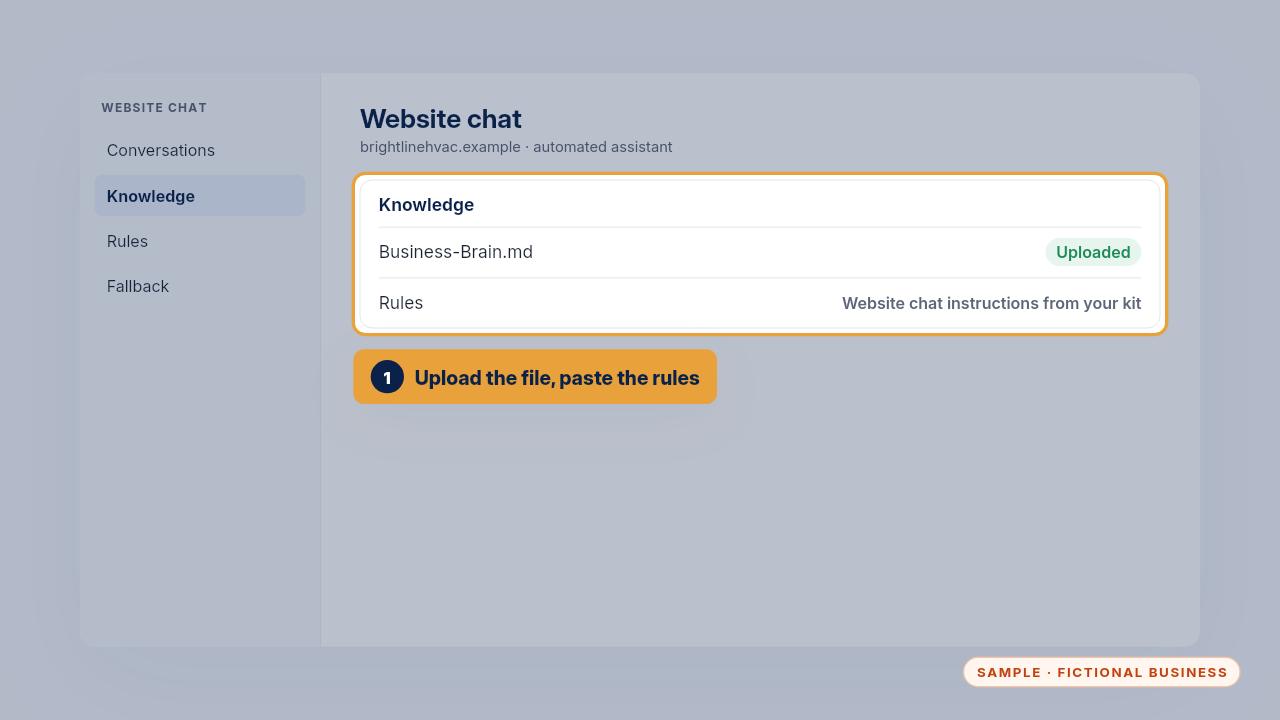
Find the place for your own content, often called knowledge or training. Upload the file, then paste the website chat instructions from your kit where the tool takes rules.
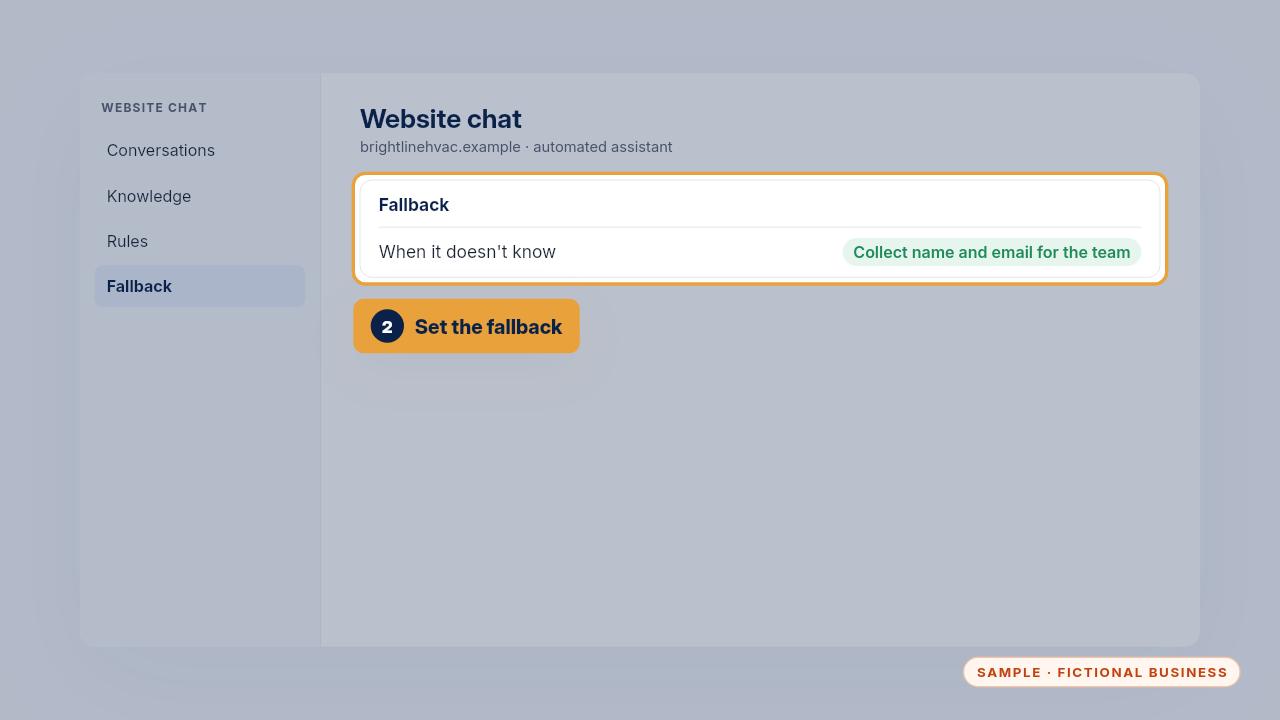
Set the fallback, so when it doesn't know, it collects the visitor's name and email for your team.
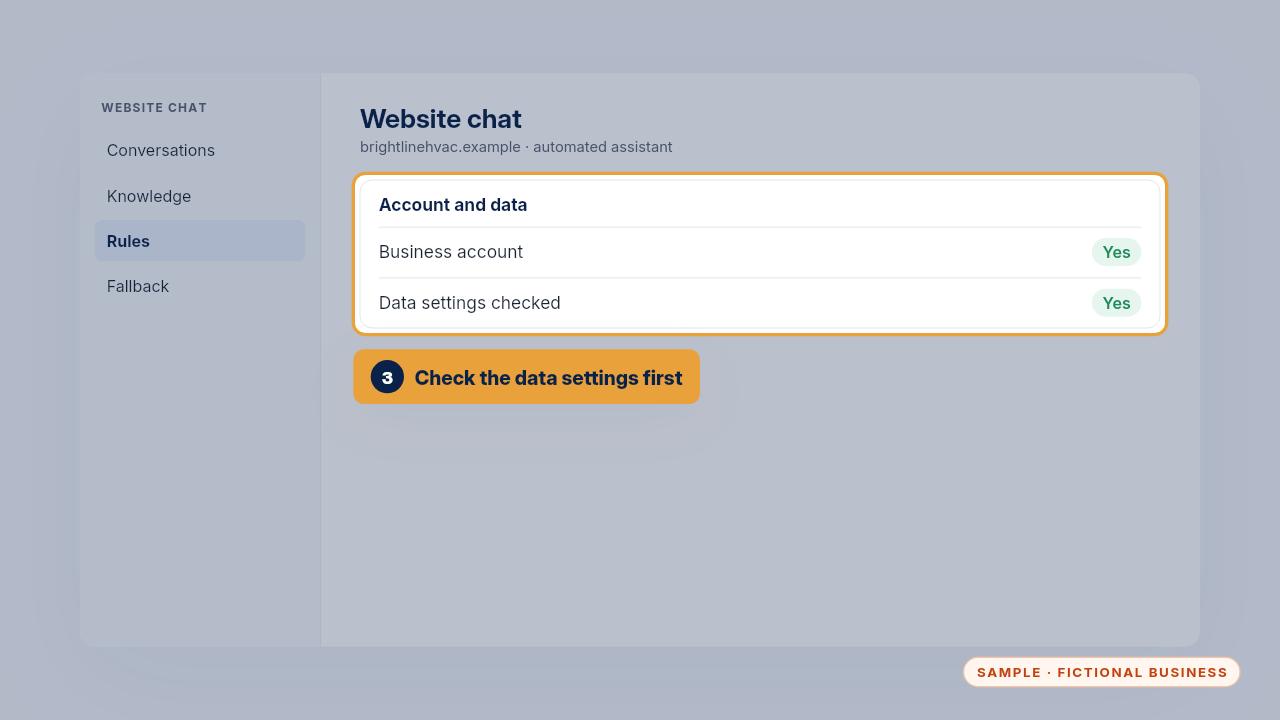
Before it goes live, check the chat tool's data settings and make sure it runs on your business account.
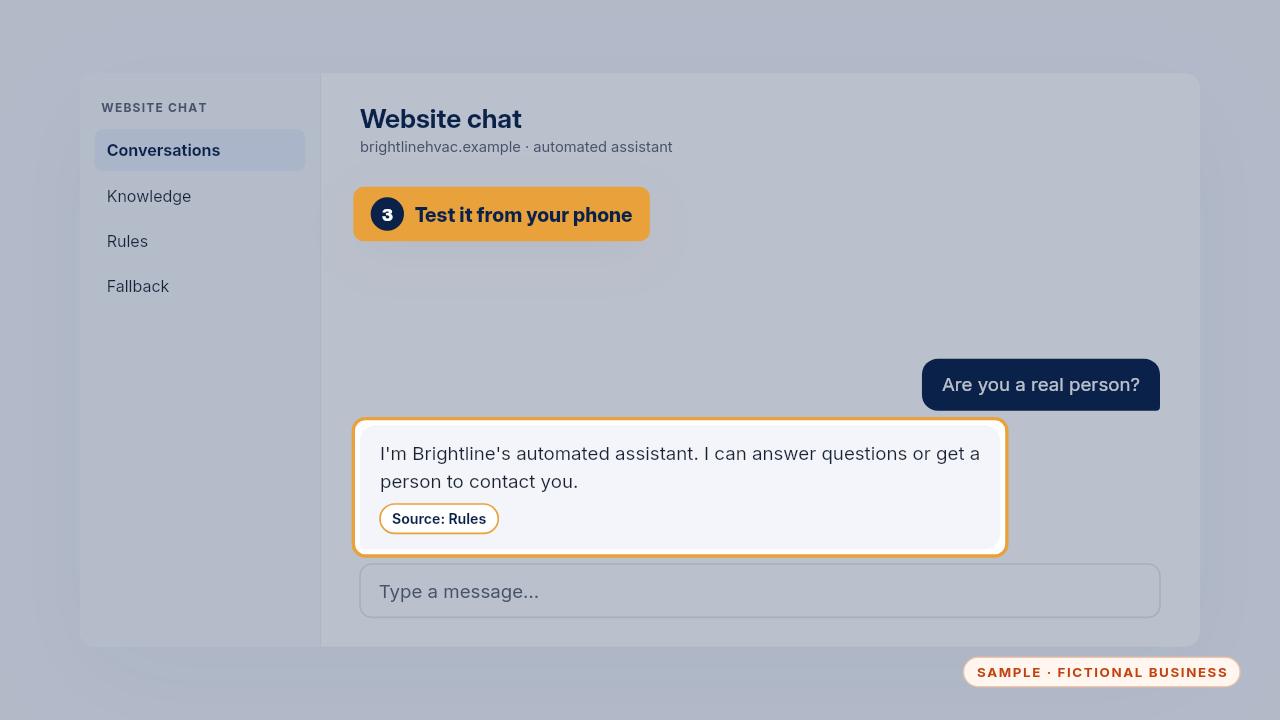
Test it from your phone the way a customer would. Its first reply should say it's an automated assistant and offer a person.
Get the Business Brain
Your business knowledge, ready for the AI tools you already use. Every Kit and Install comes with these videos, and an Install adds a walkthrough made from your own setup.