
How-to guides · Document Desk · Full walkthrough
Document Desk: the full walkthrough
Set up Document Desk, use it every day, fix a wrong answer, keep documents current and run the weekly check.
Narrated video with captions, 9 min 11 s. Made with a fictional company, Brightline Heating & Air (sample · fictional business). Read the transcript · Download the step-by-step PDF
Step by step
This is the full walkthrough for Document Desk, from setup to the weekly check. Use the chapters to skip to the part you need.
What it does and what it won't do
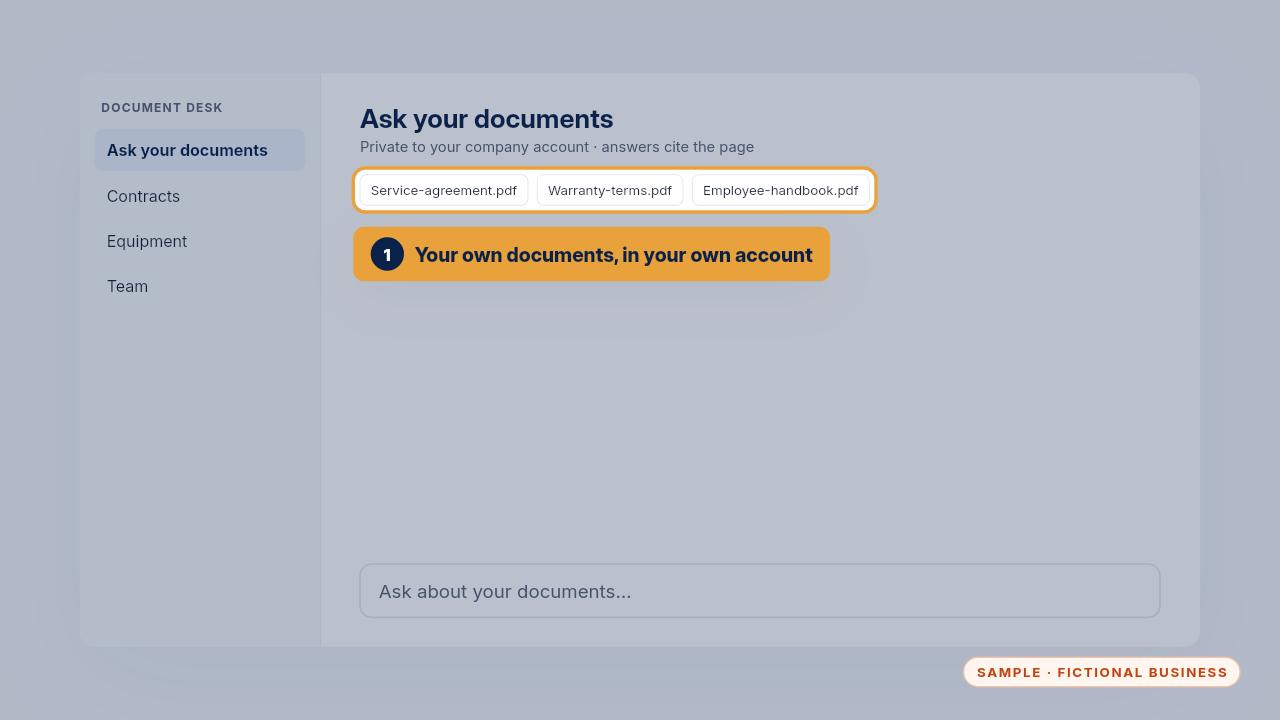
Document Desk is a private assistant that reads your own contracts, manuals, policies and intake forms. It answers with the document and the page it came from, inside the Microsoft or Google business account you already pay for.
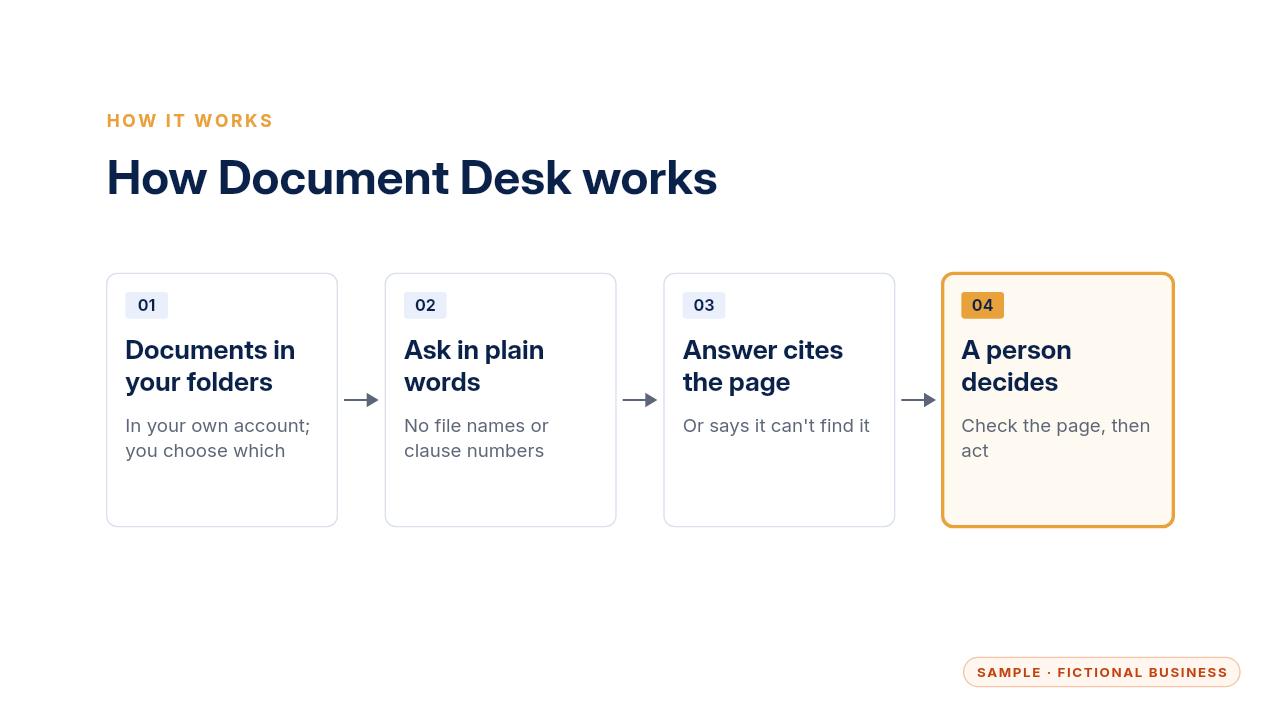
Here's how it works. Your documents sit in folders you control. Someone asks a question in plain words. The assistant finds the passage, answers, and names the page. Then a person opens that page and decides what to do.
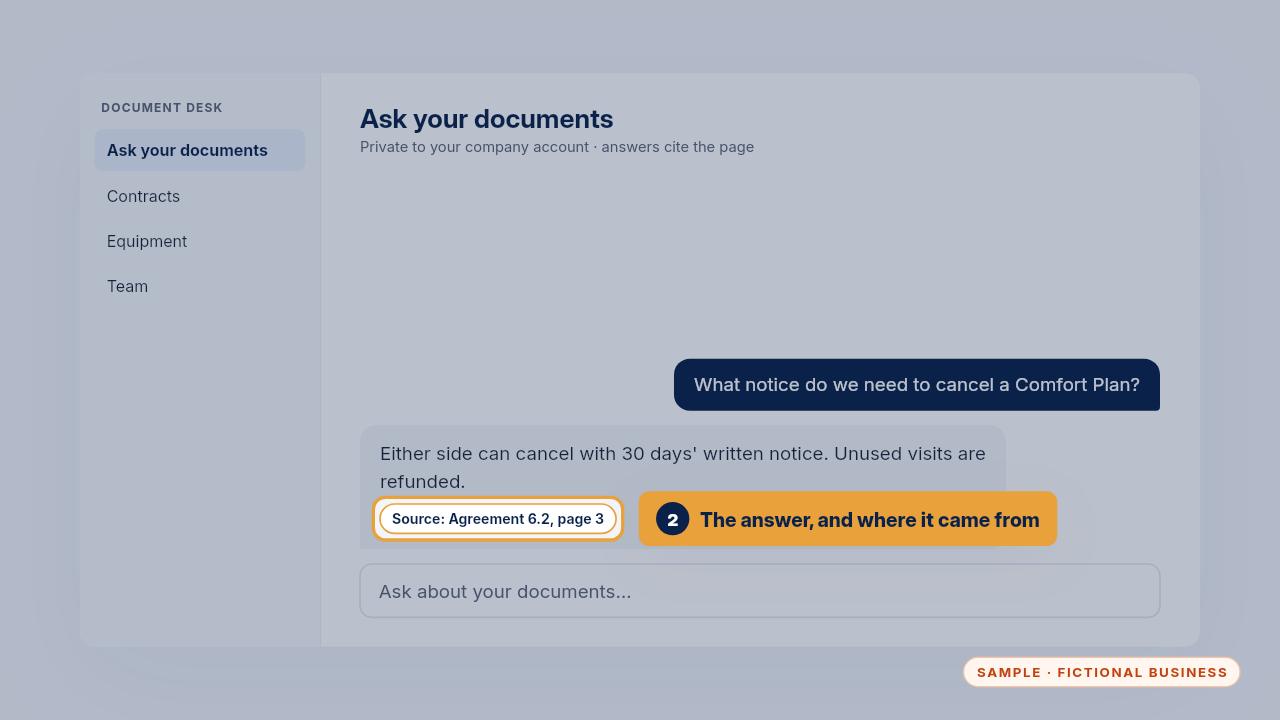
It's good at finding the clause, the warranty term or the policy line quickly, and showing you exactly where it is. Instead of digging through folders, you check one page.
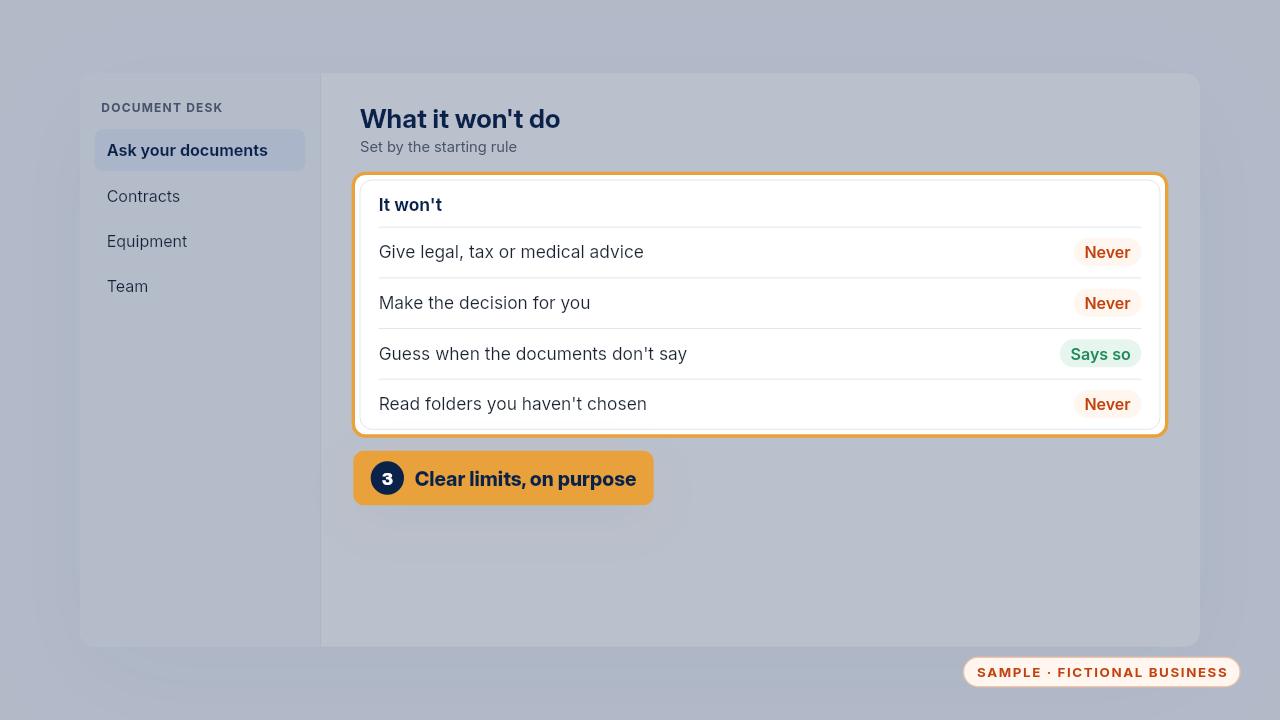
It won't give legal, tax or medical advice, and it doesn't make decisions. It also won't guess. When your documents don't answer the question, it says so and stops.
Setup, step by step
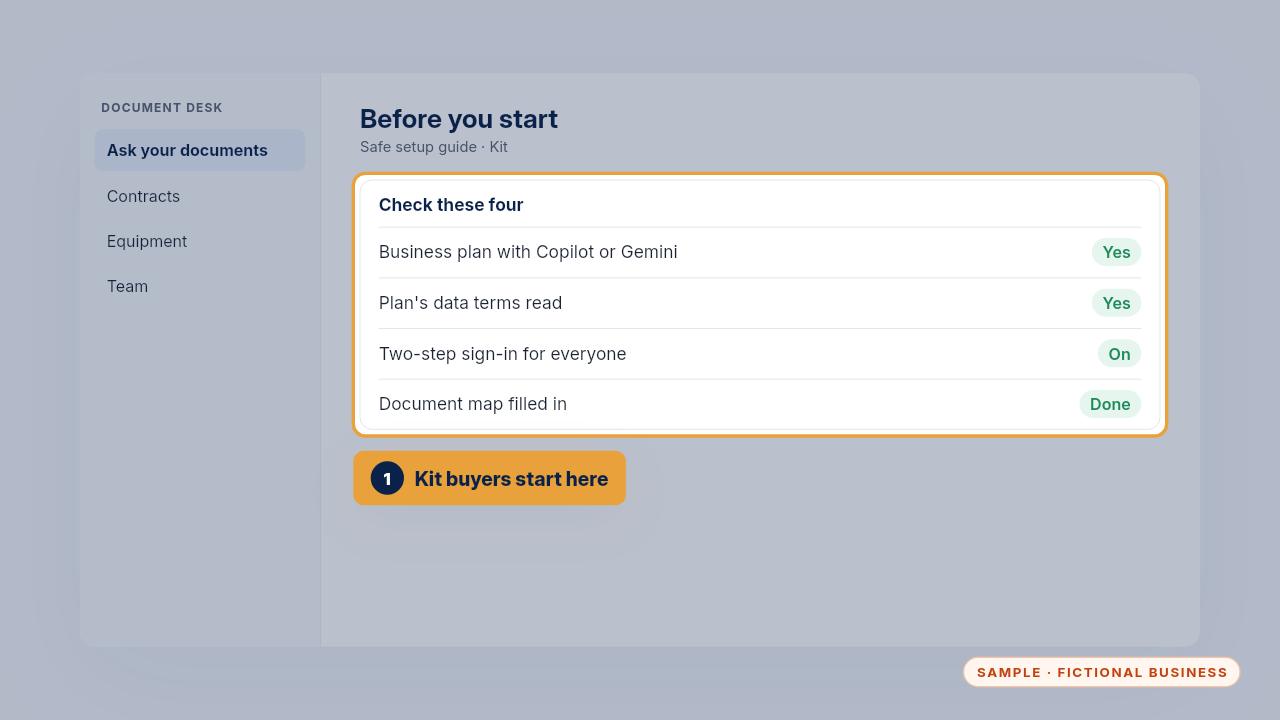
If you bought the Kit, you set it up yourself with the safe setup guide. First check four things: a business plan with Copilot or Gemini, the plan's data terms read, two-step sign-in on for everyone, and your document map filled in.
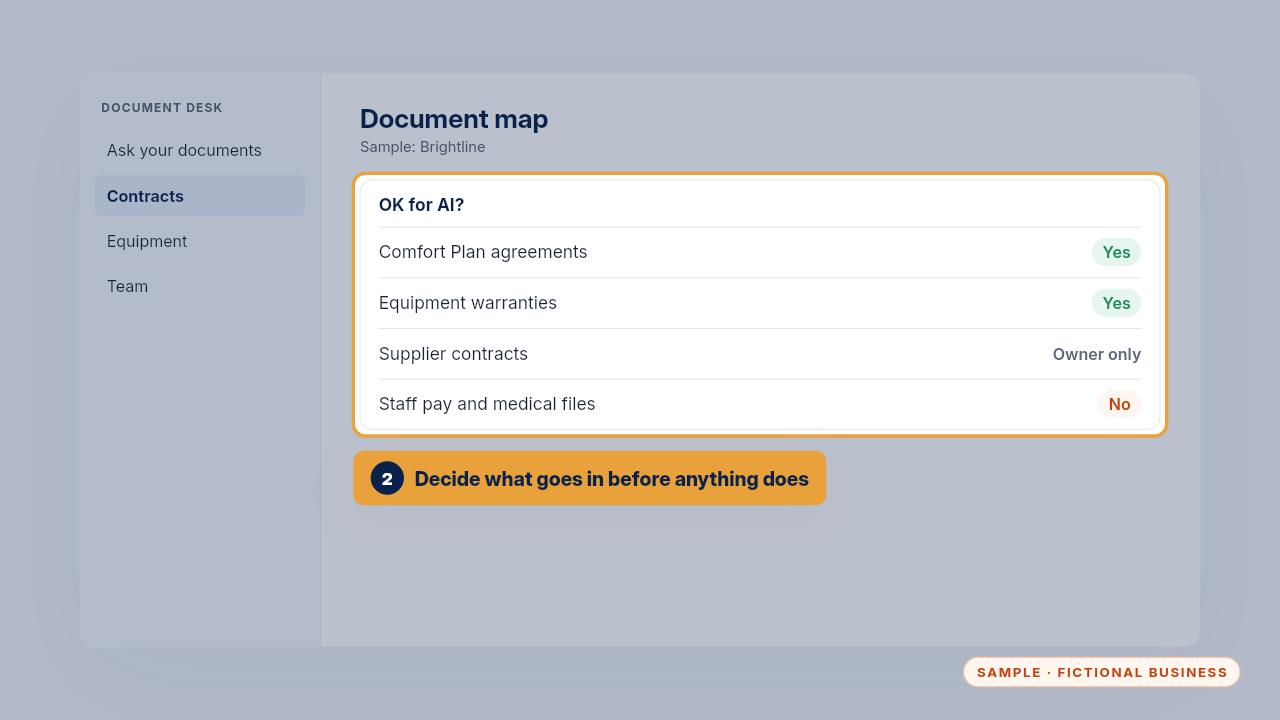
The document map lists each kind of document, where it lives, who may see it, how long you keep it, and whether it's OK for AI. Agreements and warranties are fine. Supplier contracts stay with the owner. Pay and medical files never go in.
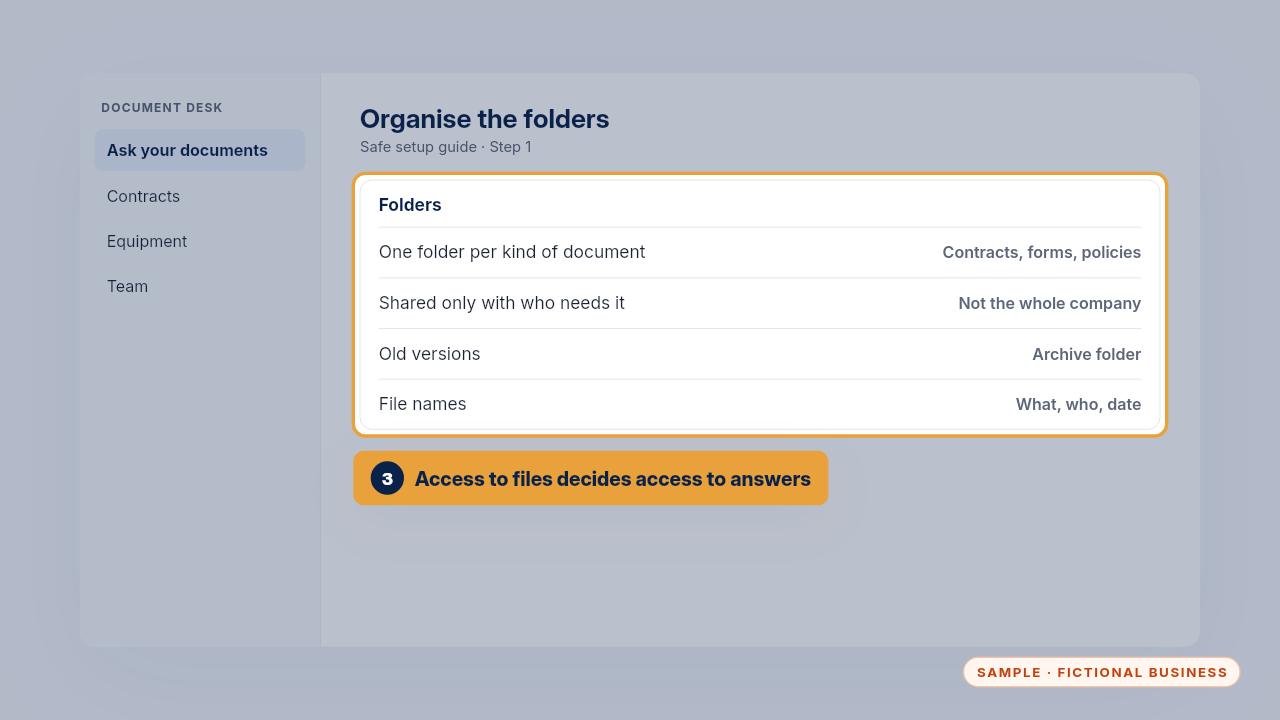
Next, organise the folders, one for each kind of document. Share each folder only with the people who need it, because a person can't get answers from files they can't open. Move old versions to an archive folder, and name files so anyone can tell what they are.
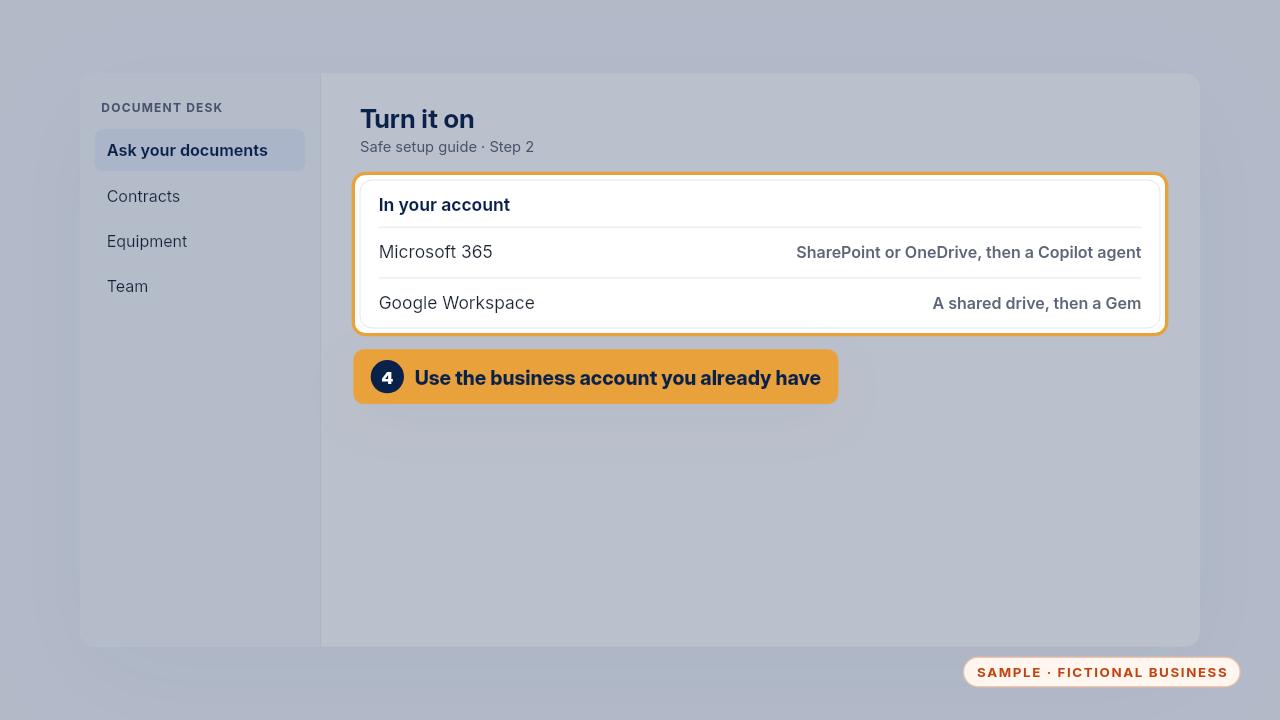
Then turn it on. On Microsoft 365, keep the documents in SharePoint or OneDrive and create a Copilot agent with those folders as its knowledge. On Google Workspace, keep them in a shared drive and use a Gem.
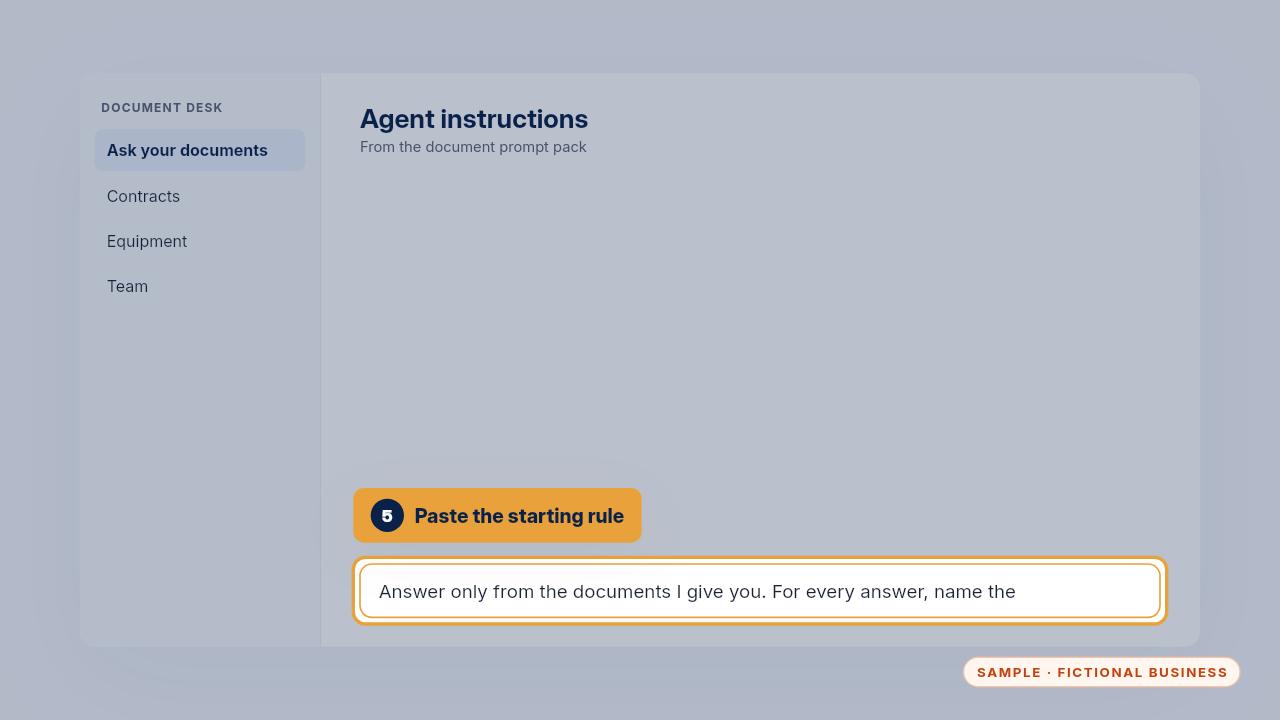
Paste the starting rule from the prompt pack into the agent's instructions. It tells the assistant to answer only from your documents, name the page every time, say when the documents don't say, and give no legal, tax or medical advice.
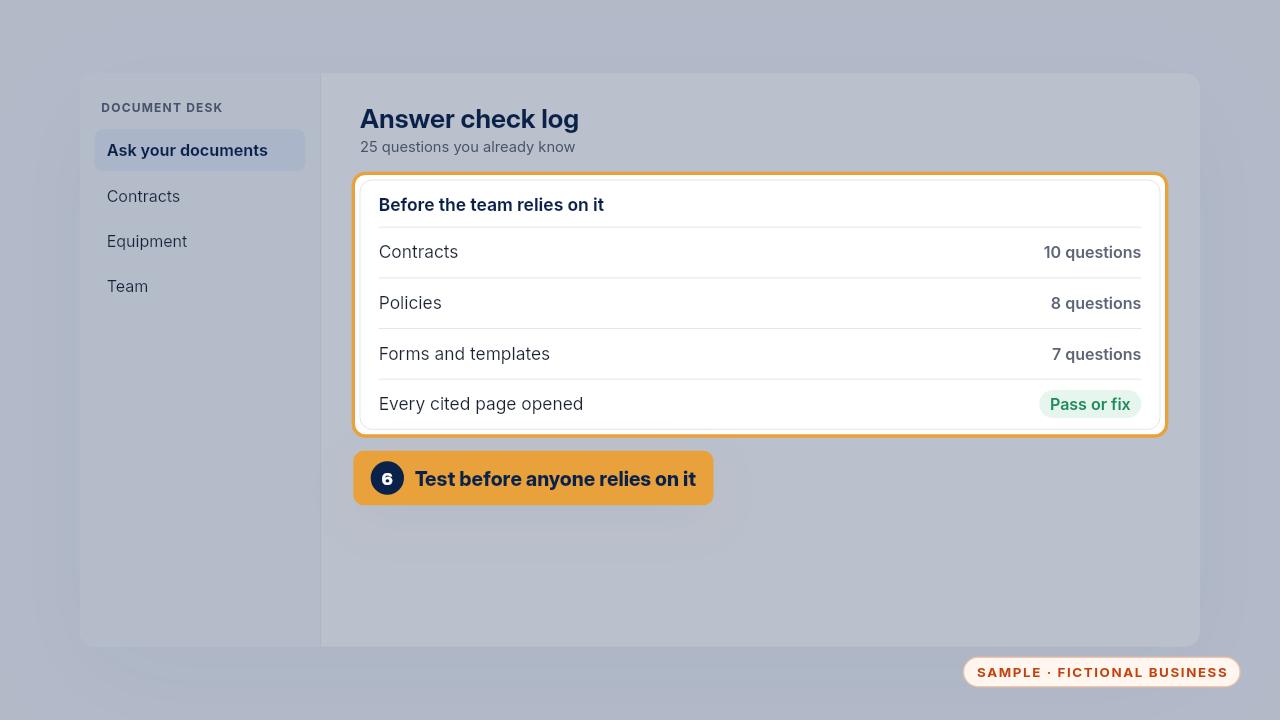
Last, run the twenty-five questions in the answer check log. Use questions you already know the answers to, open every cited page, and mark each one pass or fixed. Wait until the misses are fixed before your team relies on it.
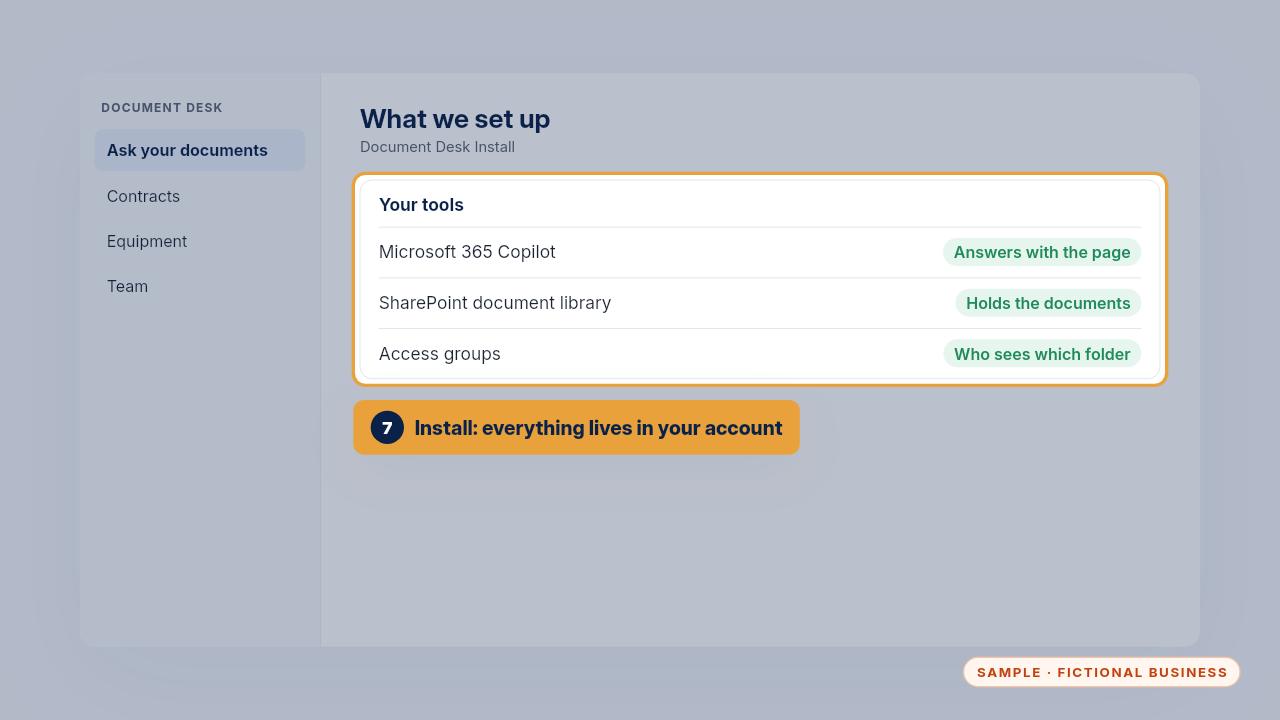
If we did the Install, here's what we set up and where it lives. Copilot answers questions in your Microsoft 365 account. The documents it reads sit in your own SharePoint library. Access groups decide who can see which folders.
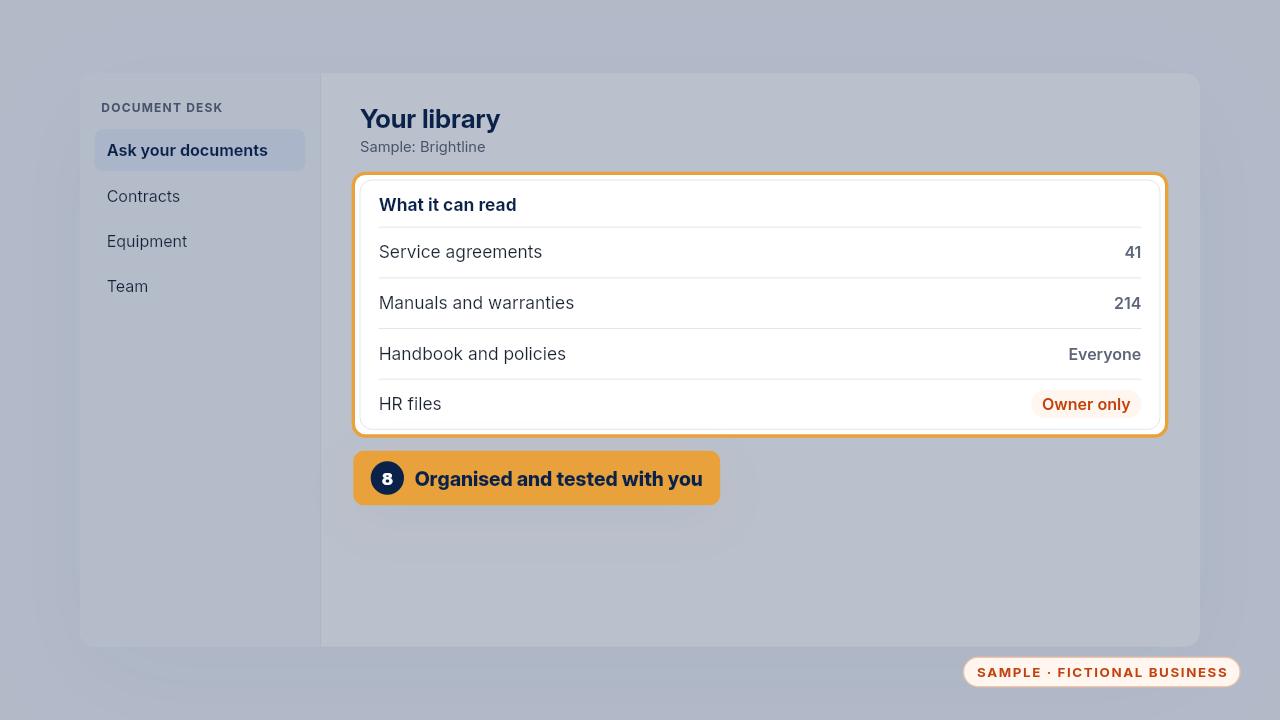
In the sample, that's forty-one service agreements, two hundred and fourteen manuals and warranty cards, and the handbook. The HR files are there for the owner only. Before handoff we ran twenty-five questions with the team, and any answer that missed was fixed and tested again.
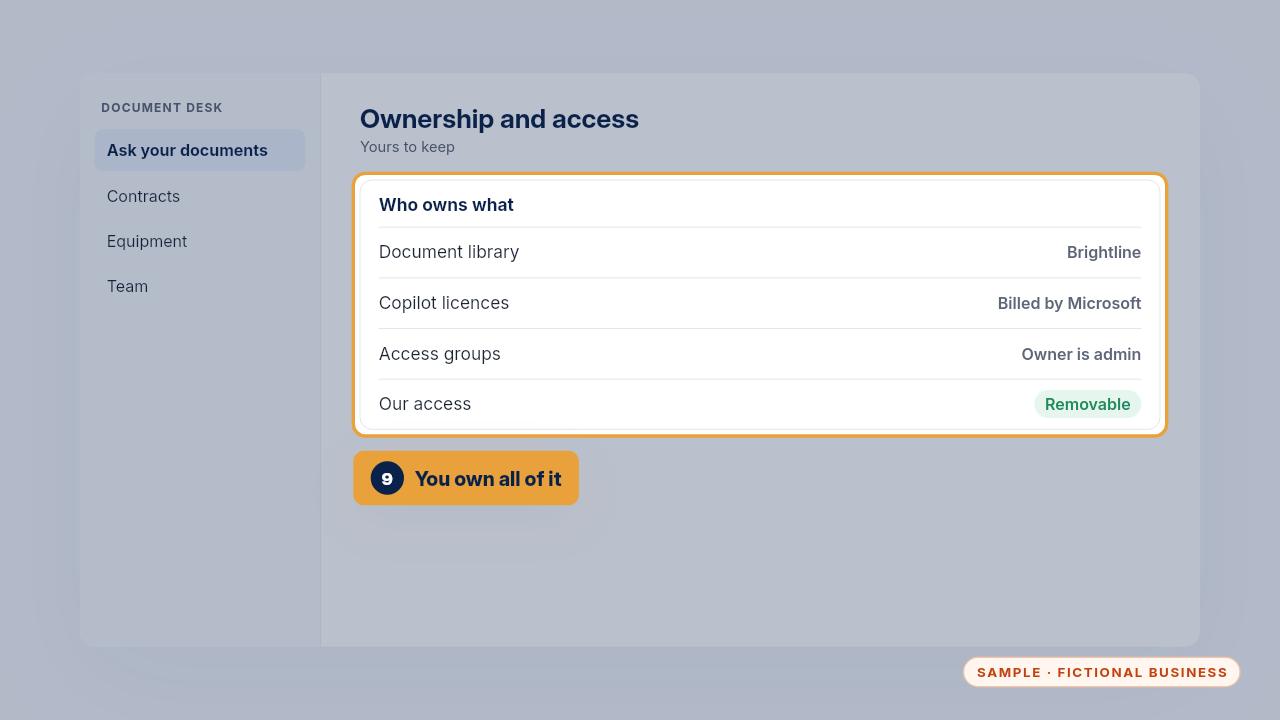
It's all yours. The library and the licences are in your Microsoft account, the owner is the admin, and our access can be removed whenever you choose. Your document map and data-handling sheet are in your portal.
Daily use
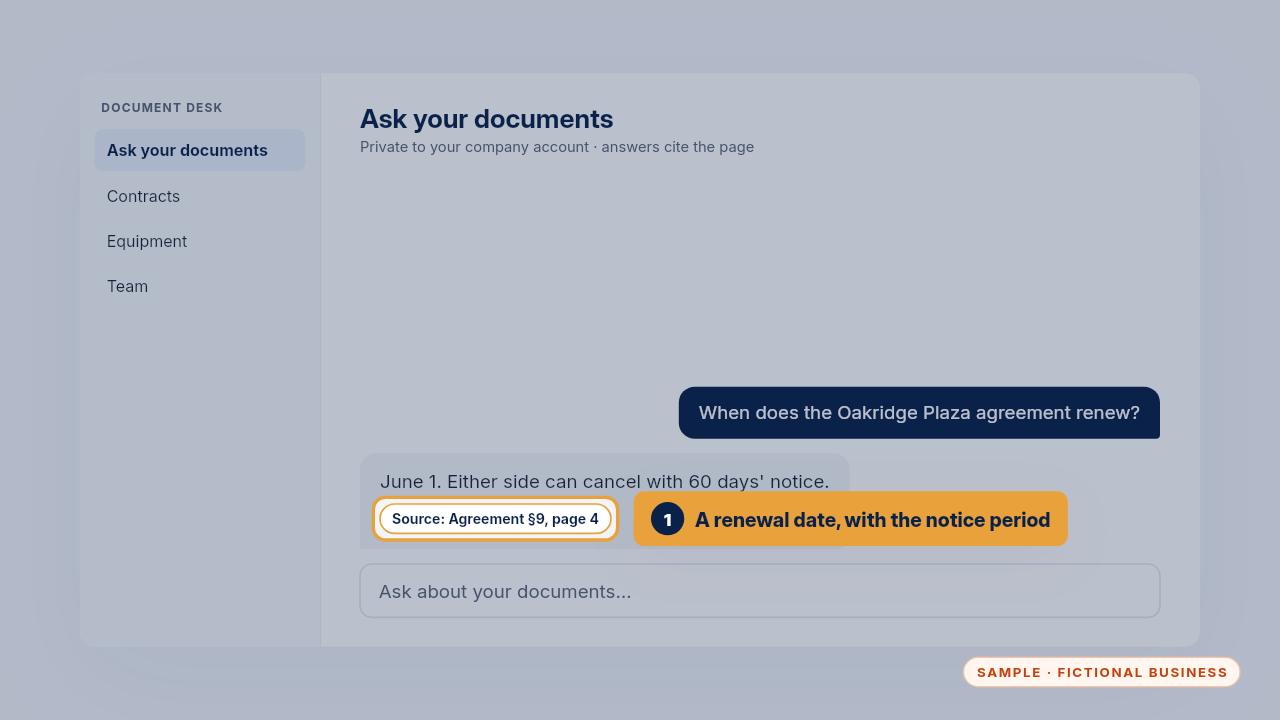
Here are four everyday questions. First, a renewal date. Ask when the Oakridge Plaza agreement renews, and the answer gives June first, the sixty days' notice to cancel, and the page.
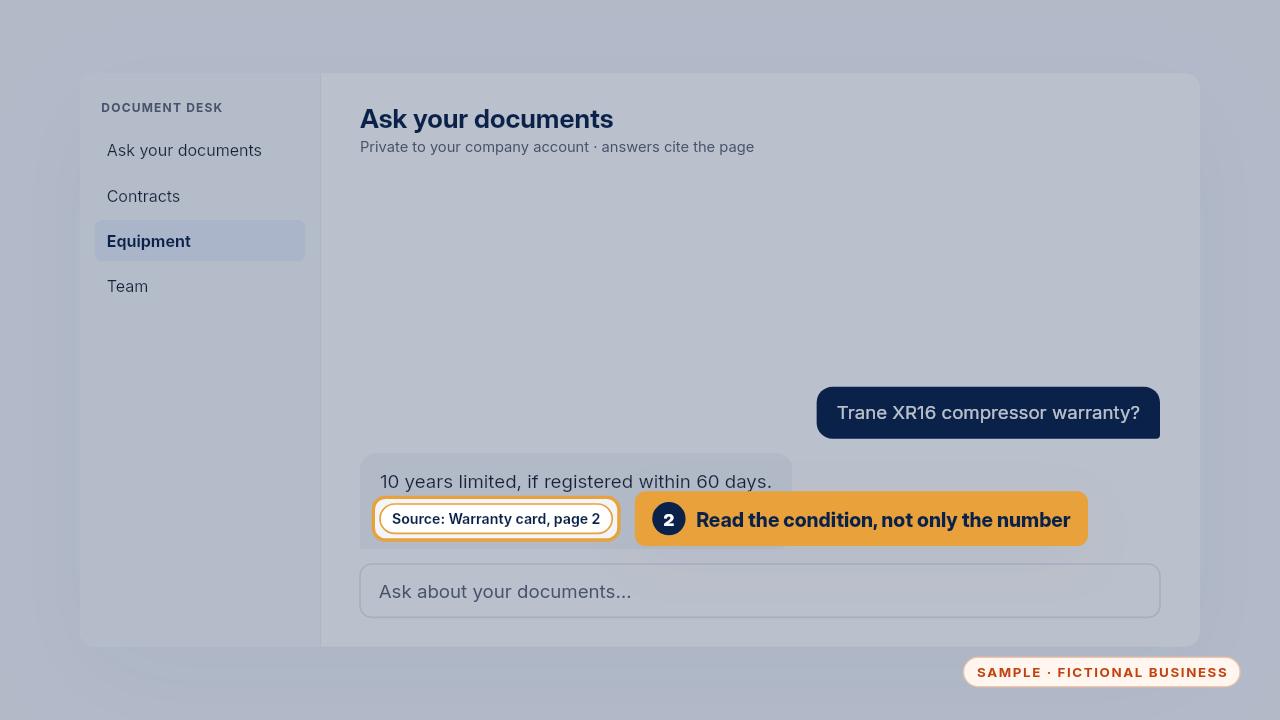
Second, a warranty question from the field. A tech asks about a compressor. Ten years limited, but only if it was registered within sixty days. That condition matters, so read it on the page.
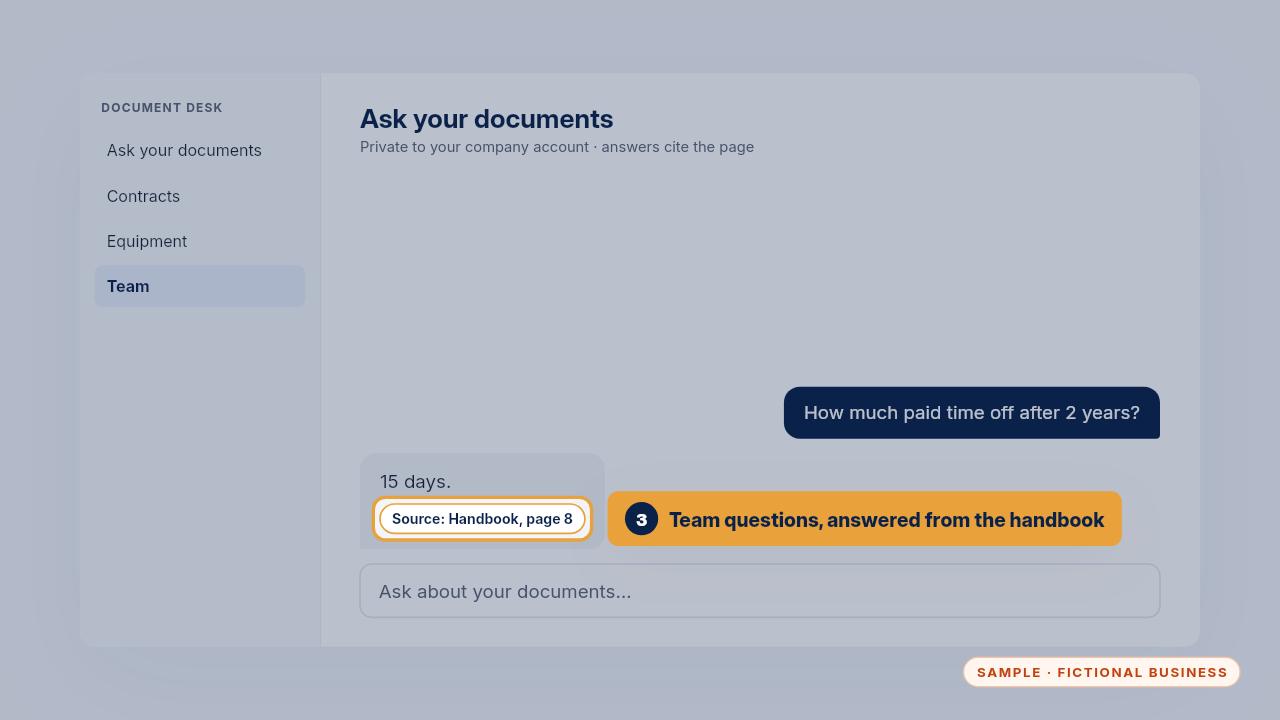
Third, a handbook question. How much paid time off after two years? Fifteen days, from page eight. Nobody has to hunt through the handbook.
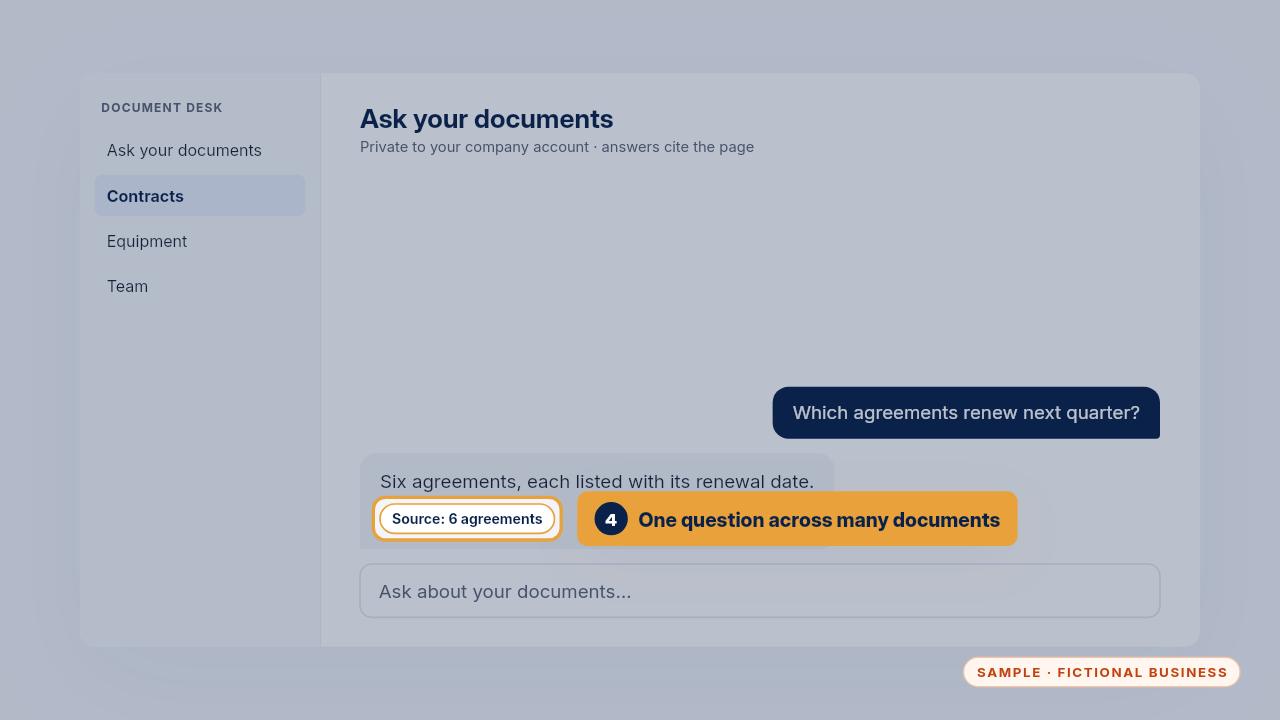
Fourth, a question across many documents. Ask which agreements renew next quarter, and you get the list with each date, so a renewal doesn't slip past its notice window.
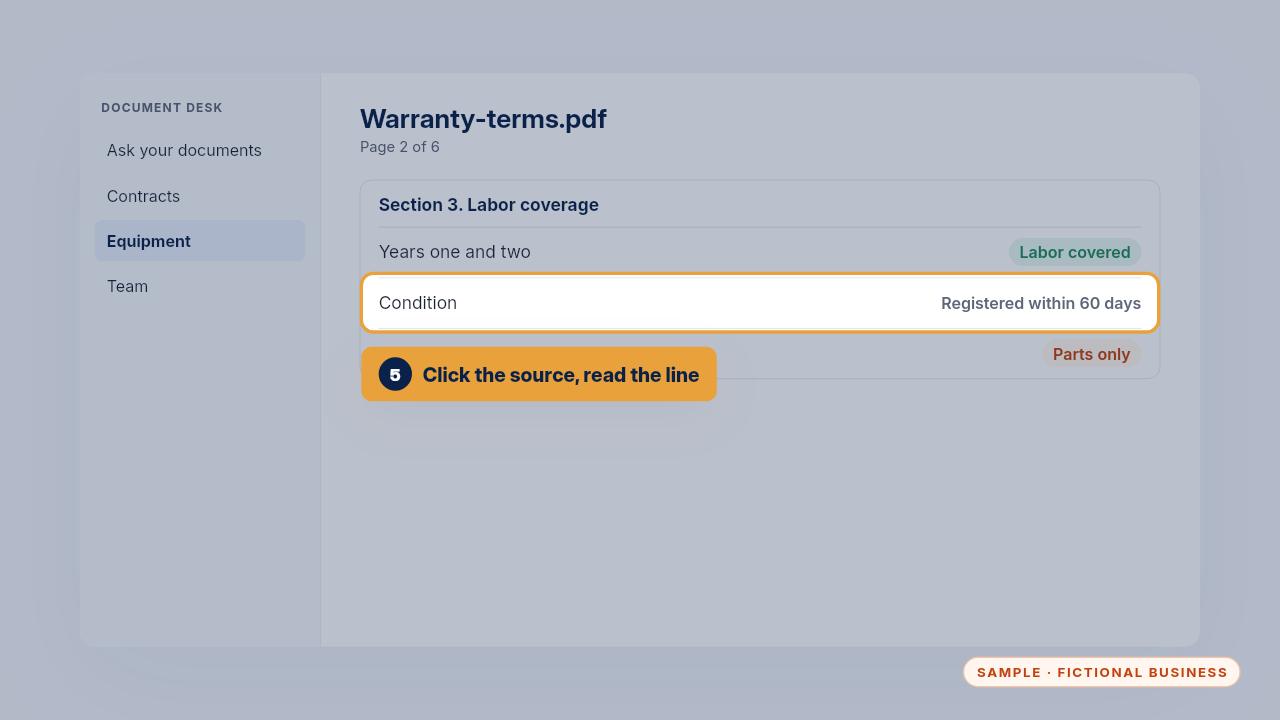
Whatever the question, the habit is the same. Click the source, read the line it quoted and any condition next to it, and then act.
When it gets something wrong
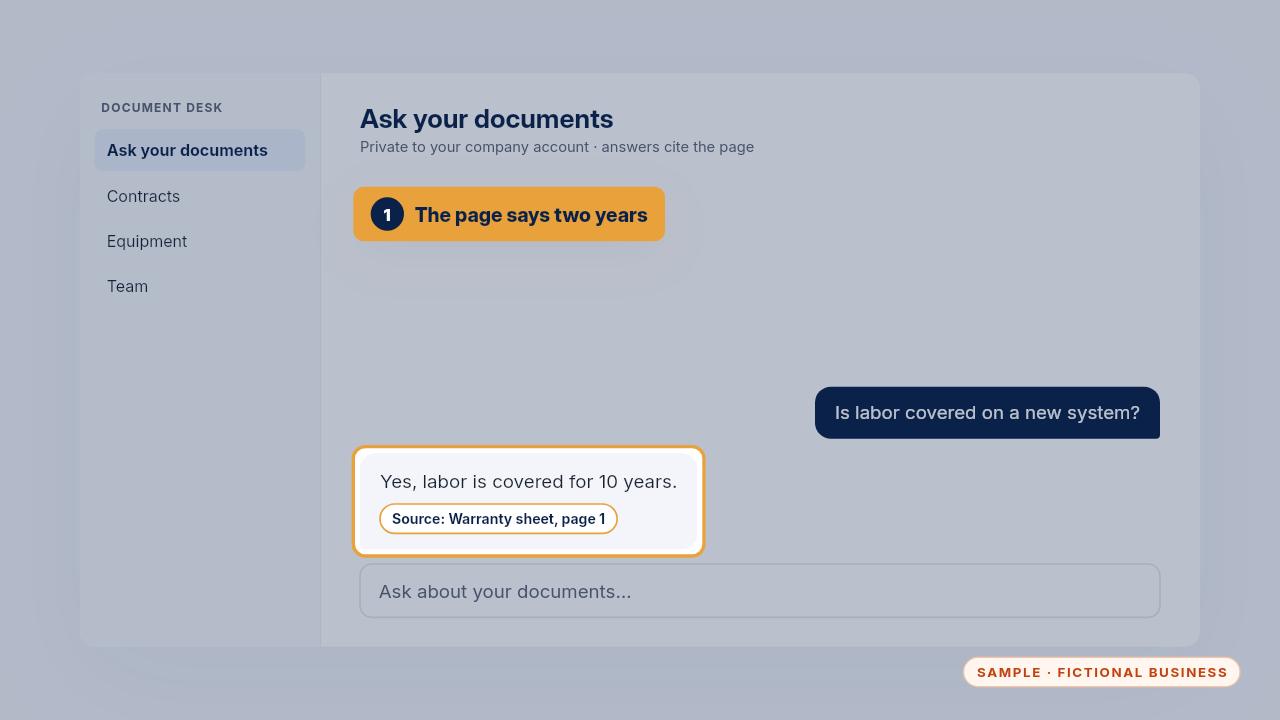
Sometimes an answer is wrong, and you spot it by opening the cited page. Here the answer says labor is covered for ten years, but the warranty sheet it cites says two.
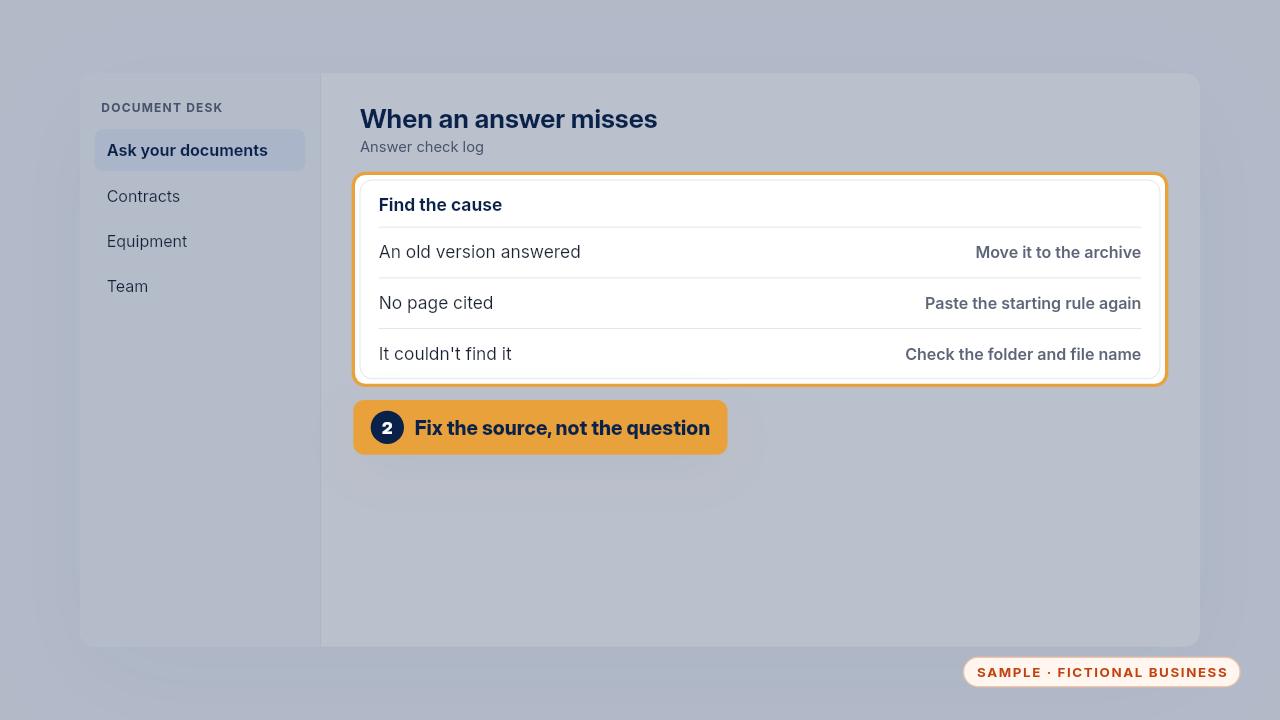
The fix is in the source, not the question. If an old version answered, move it to the archive folder. If no page was cited, paste the starting rule again. If it couldn't find something, check the file is in a folder it can read and has a clear name.
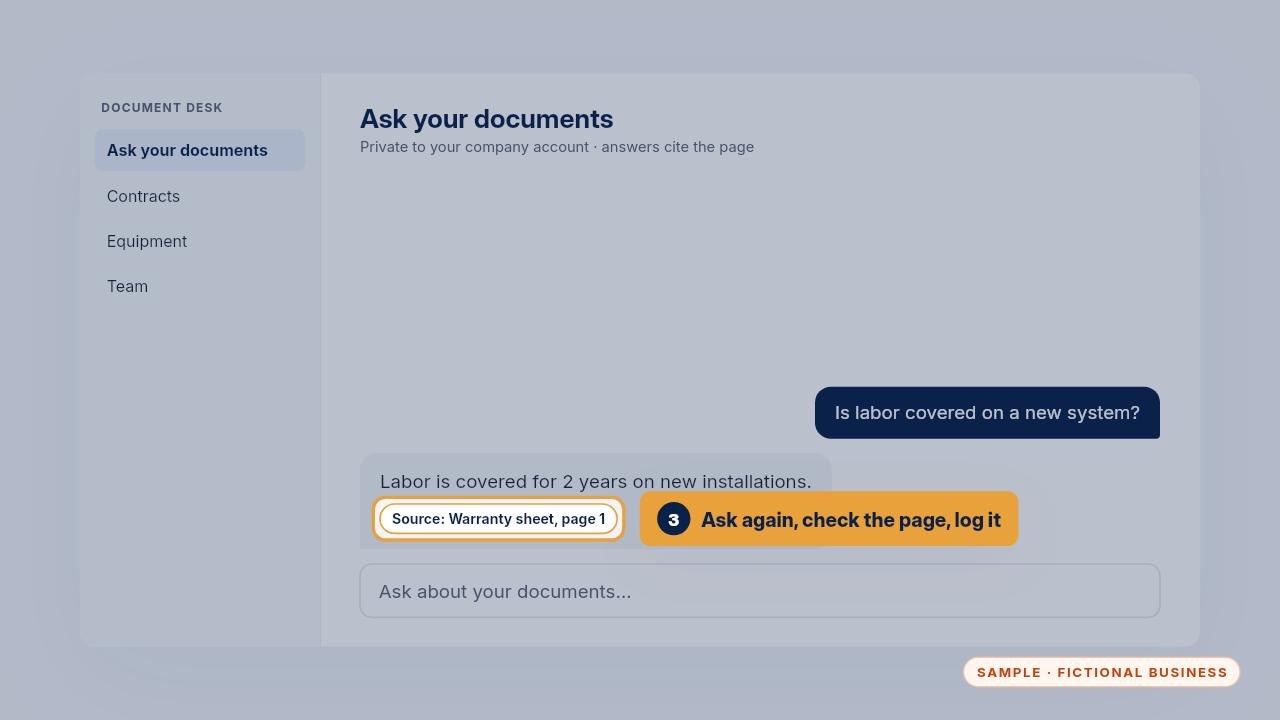
Then ask the same question again and open the page. Mark it as fixed in the answer check log, so there's a record of what changed and why.
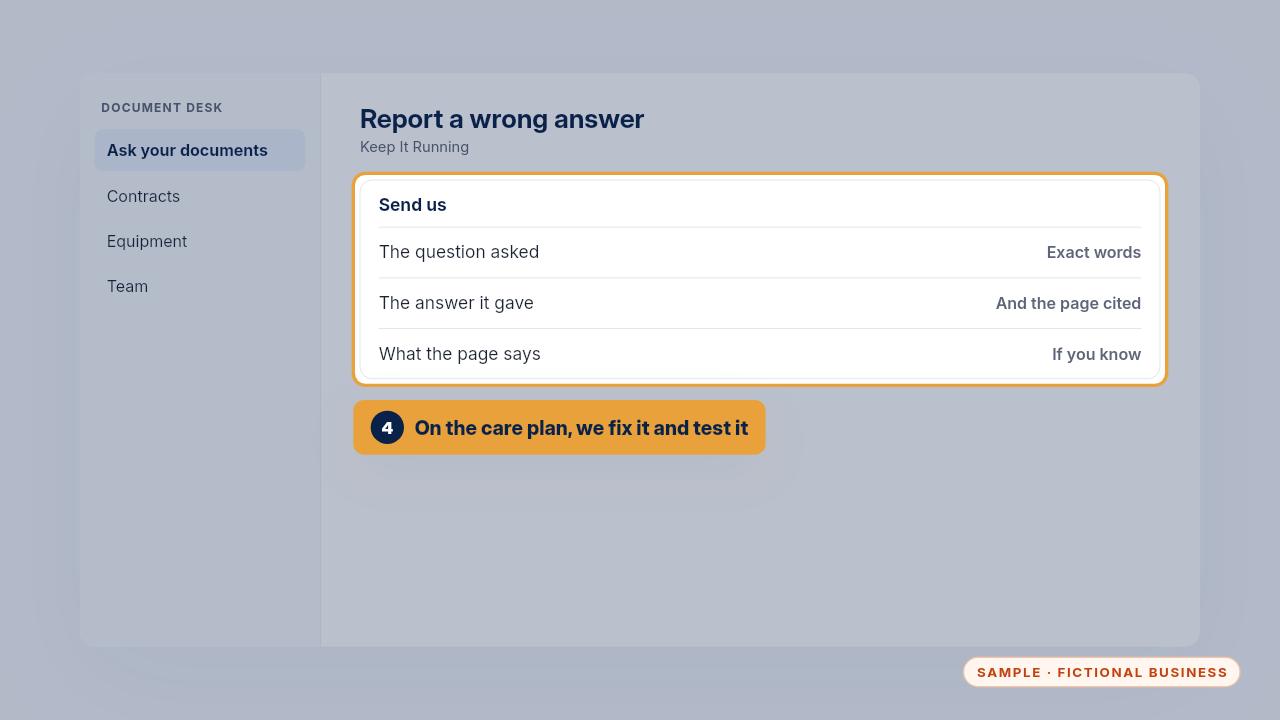
If you're on Keep It Running, text us the question, the answer it gave and the page it cited. We find the cause, fix the folder or the file, and test it again.
Updating documents and folders
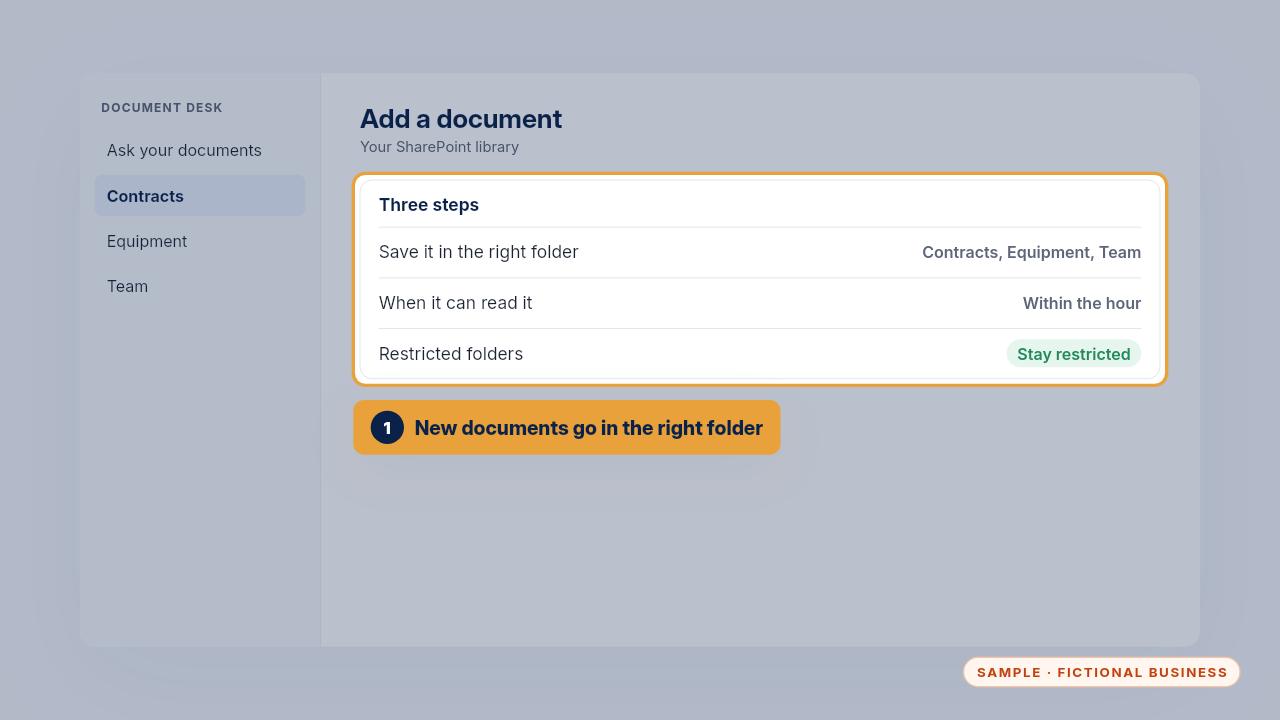
Documents change. To add one, save it in the right folder. In the sample setup Copilot can read it within the hour, and a restricted folder stays restricted.
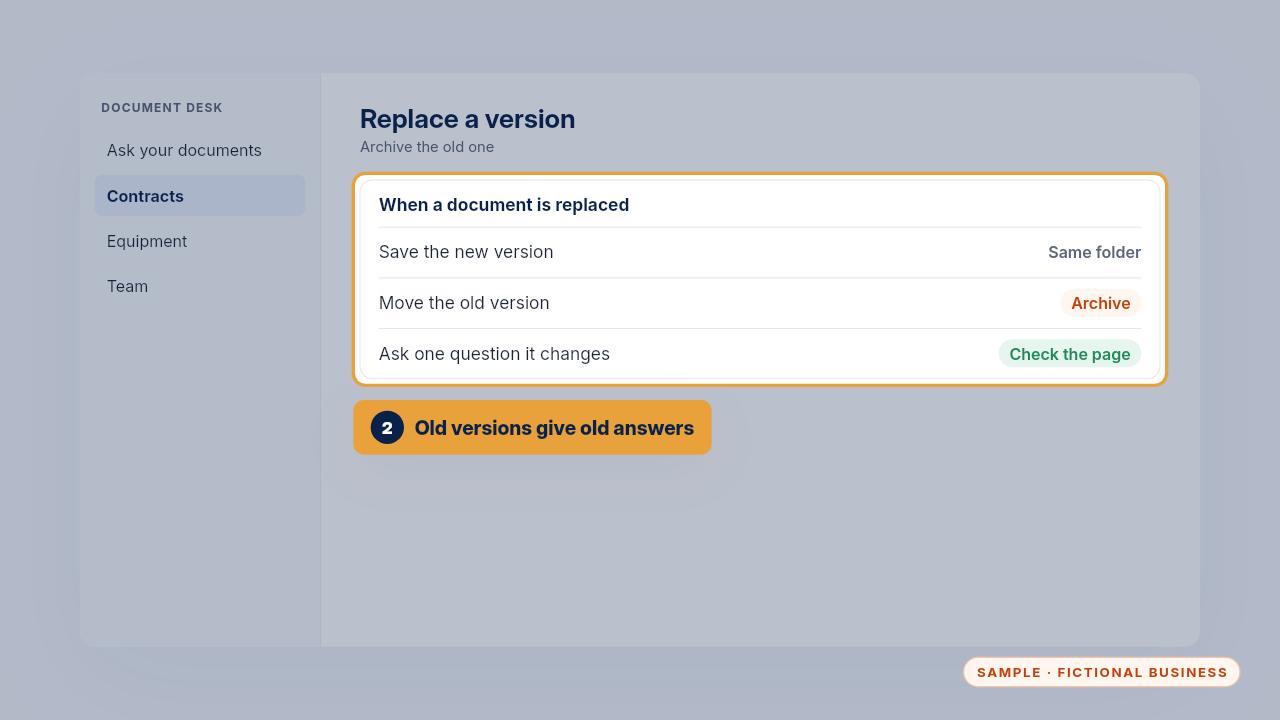
When a contract or price sheet is replaced, save the new one and move the old one to the archive folder the assistant can't read. If both stay, it may answer from the old one.
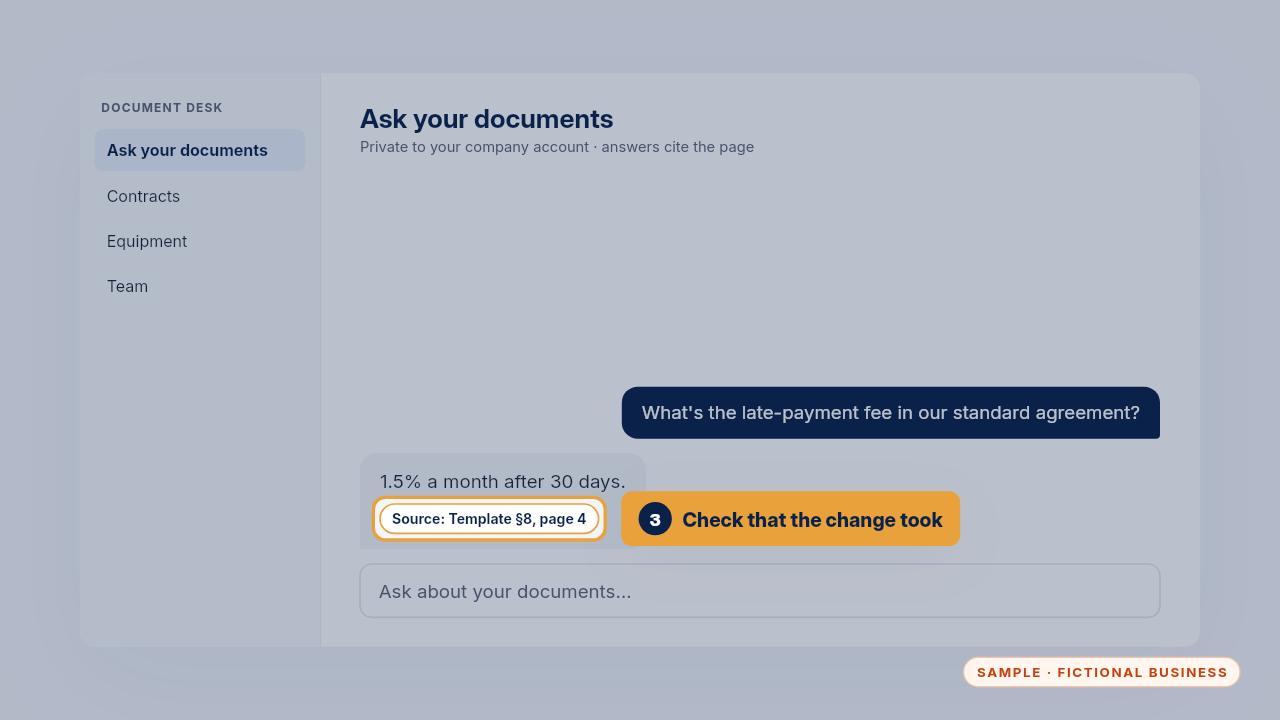
Then check that the change took. Ask one question the new version answers differently, and make sure the page it cites comes from the new file.
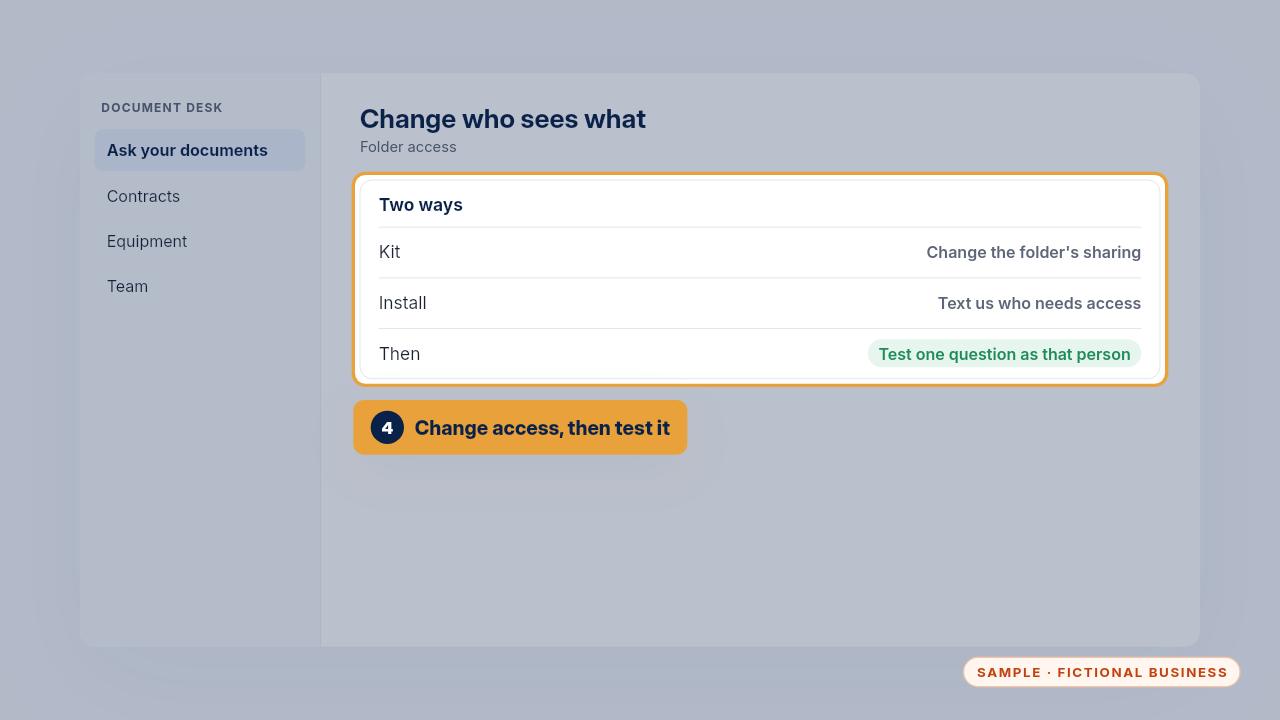
Changing who sees what works the same way. With the Kit, change the folder's sharing. With the Install, text us who needs access and we update the group. Either way, test one question as that person.
Edge cases
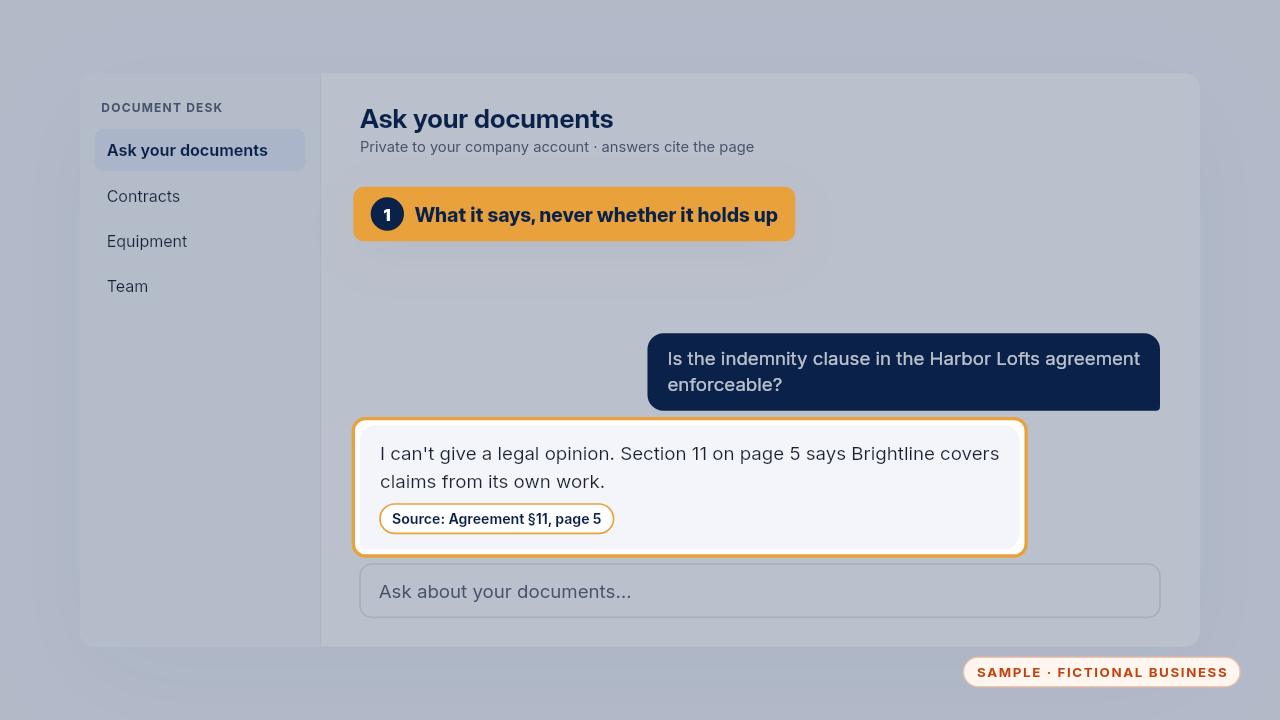
Some questions need a person. If someone asks whether a clause holds up, it shows what the clause says and where, and says it can't give a legal opinion. That call belongs to you or your attorney.
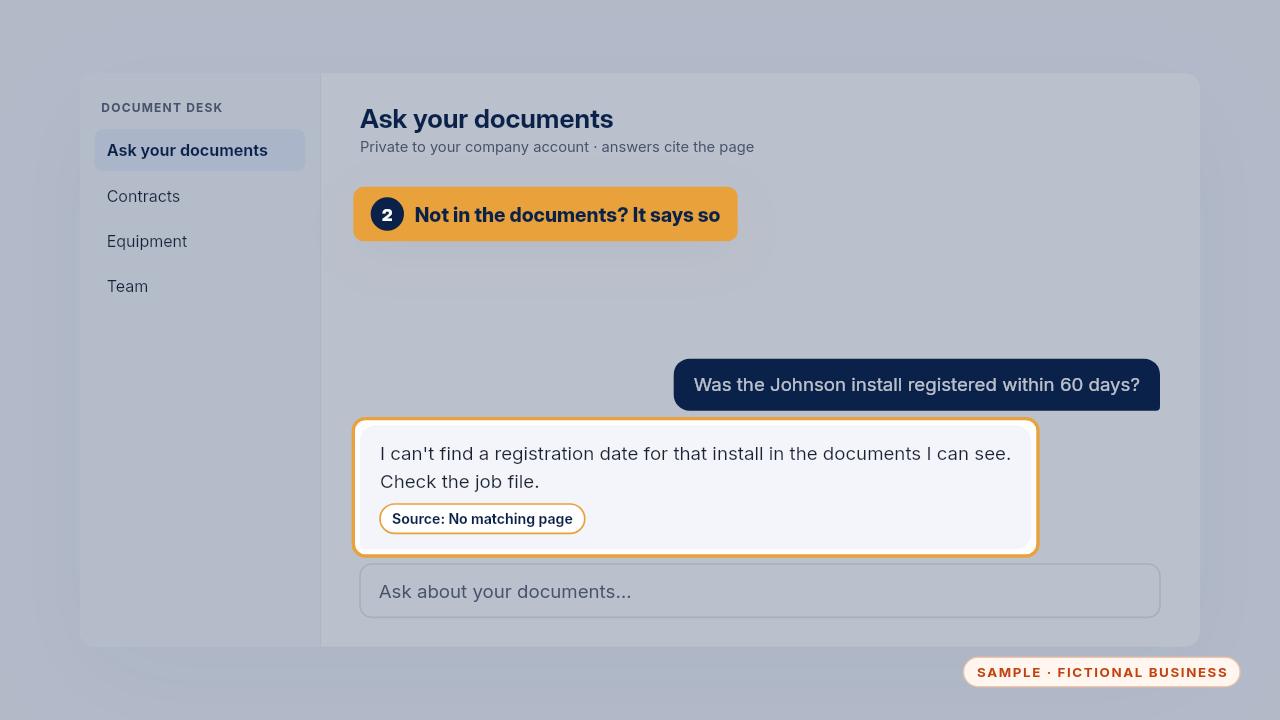
If the answer isn't in the documents, it says so instead of guessing. Treat that as your cue to check the job file yourself.
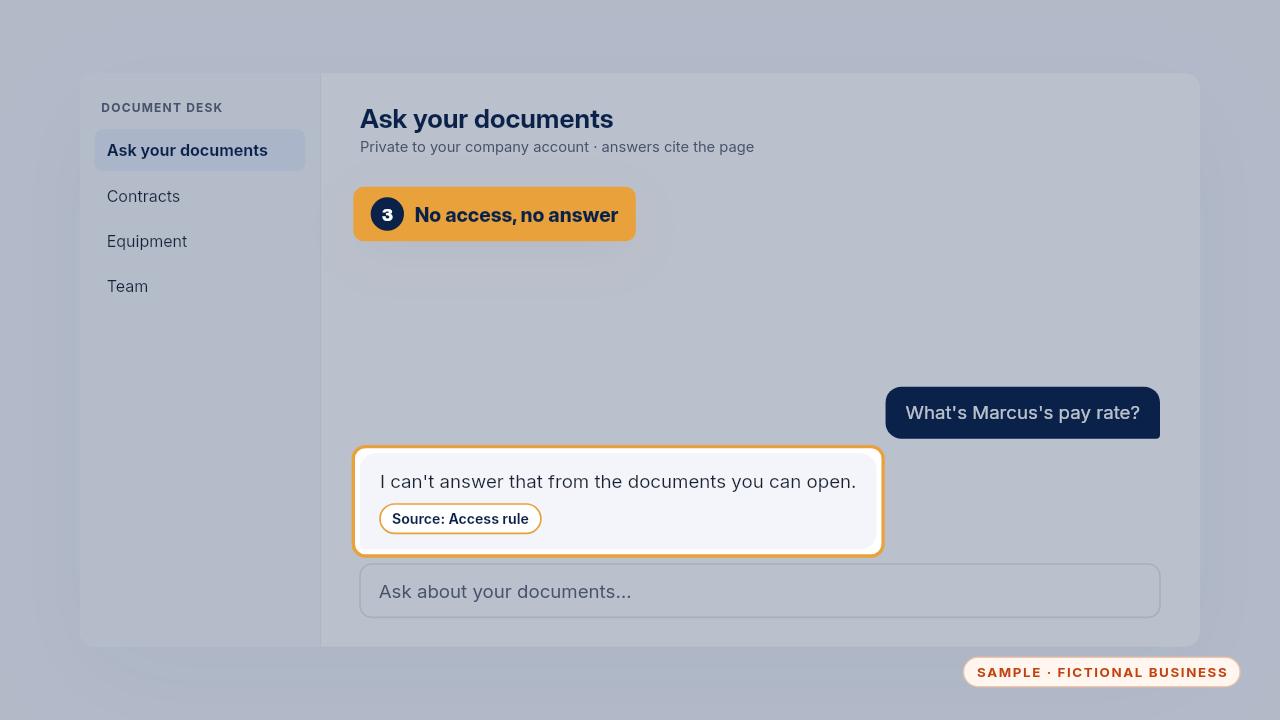
If someone asks about a folder they can't open, like pay in the HR files, it won't answer. The access rules do that work, which is why folder sharing matters so much.
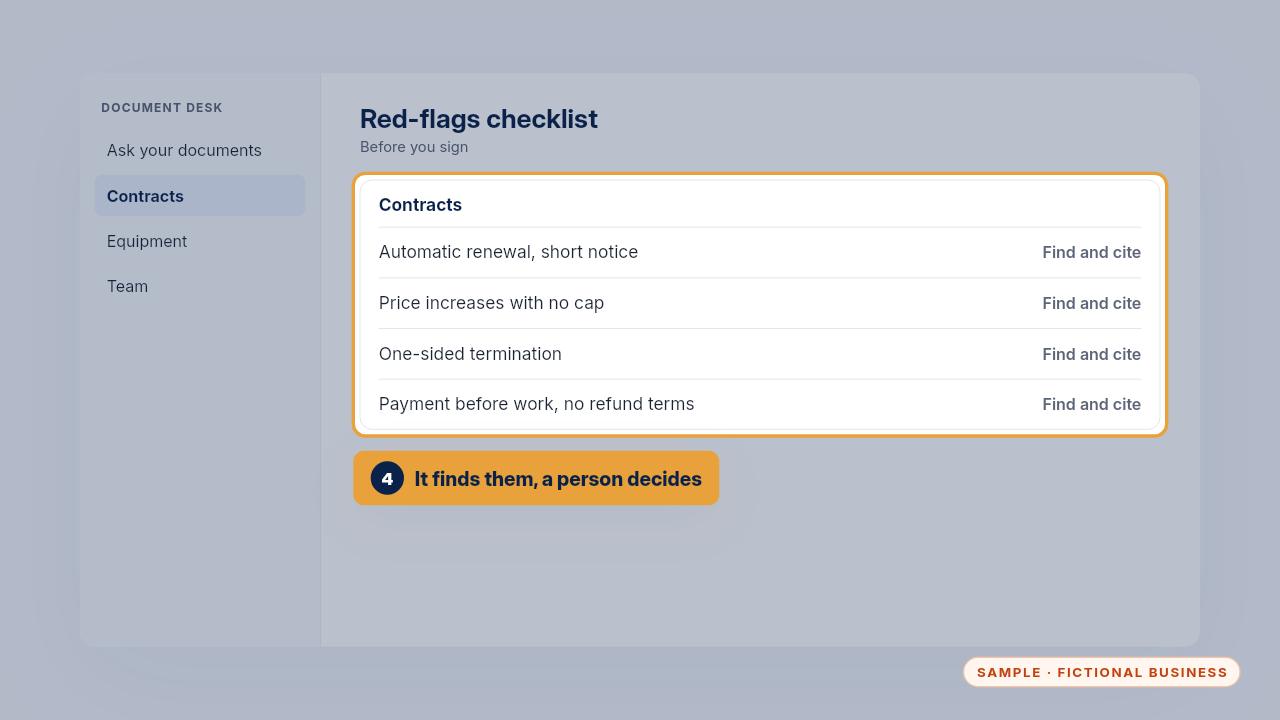
Before you sign a contract or lease, use the red-flags checklist. Ask the assistant to find each item and cite the page, then a person decides. It helps you spot what to ask about. It isn't legal advice.
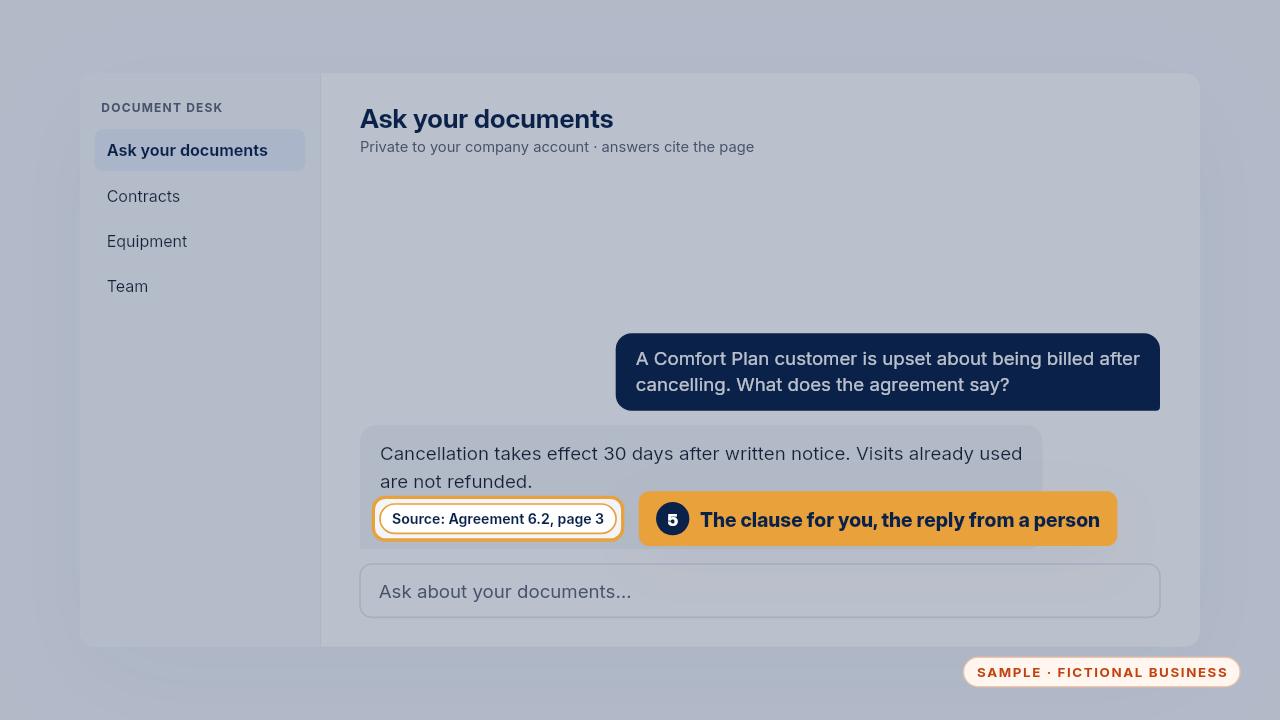
When a customer is upset about a bill, it can pull up the clause and the page. What to say to the customer, and whether to give money back, stays with a person.
Privacy rules
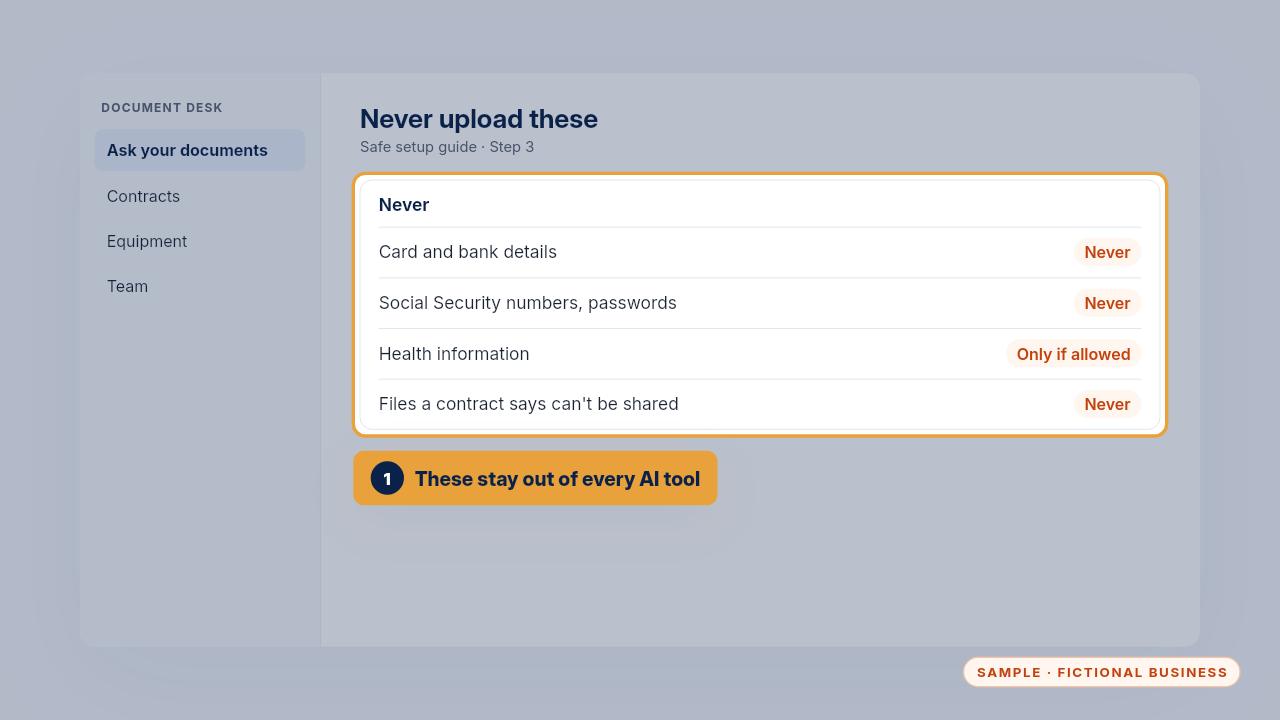
Some things never go in. Card and bank details, Social Security numbers and passwords. Health information, unless your plan and your compliance lead allow it. And anything a client's or supplier's contract says can't go to outside services.
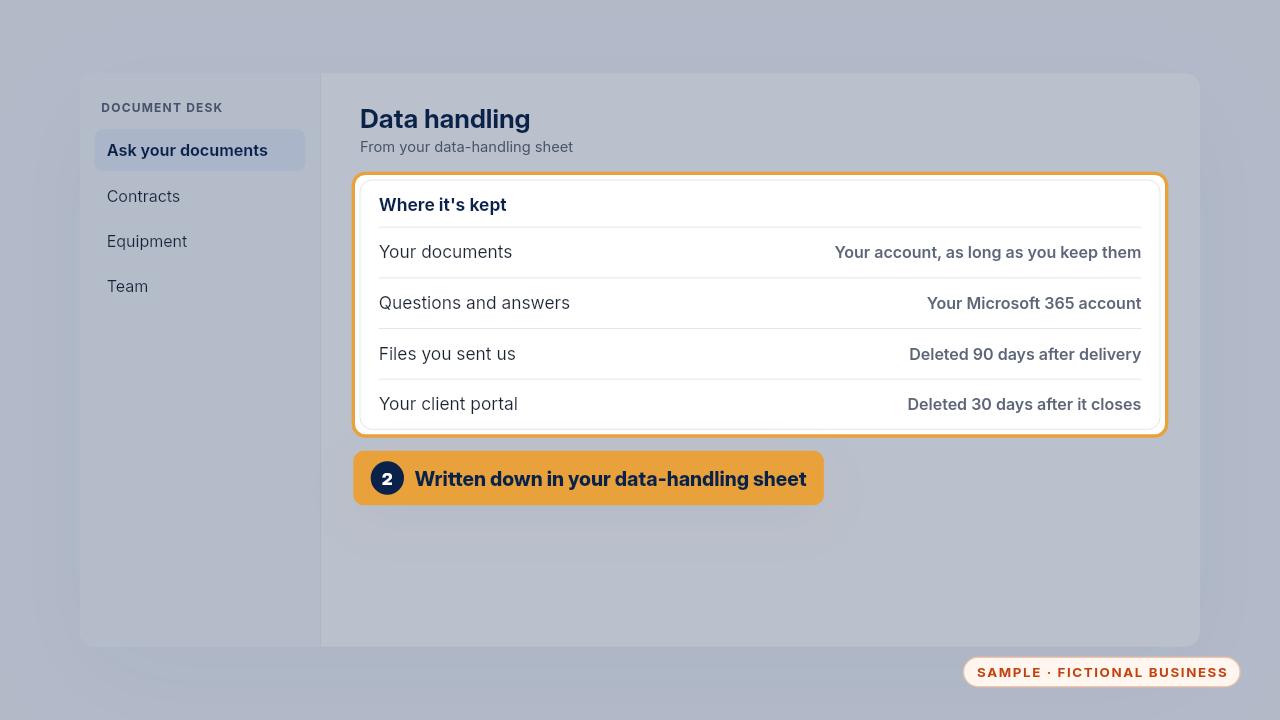
On the Install, your data-handling sheet says where everything is kept. Your documents stay in your own account for as long as you keep them, questions and answers stay in your Microsoft account, and files you sent us are deleted ninety days after delivery.
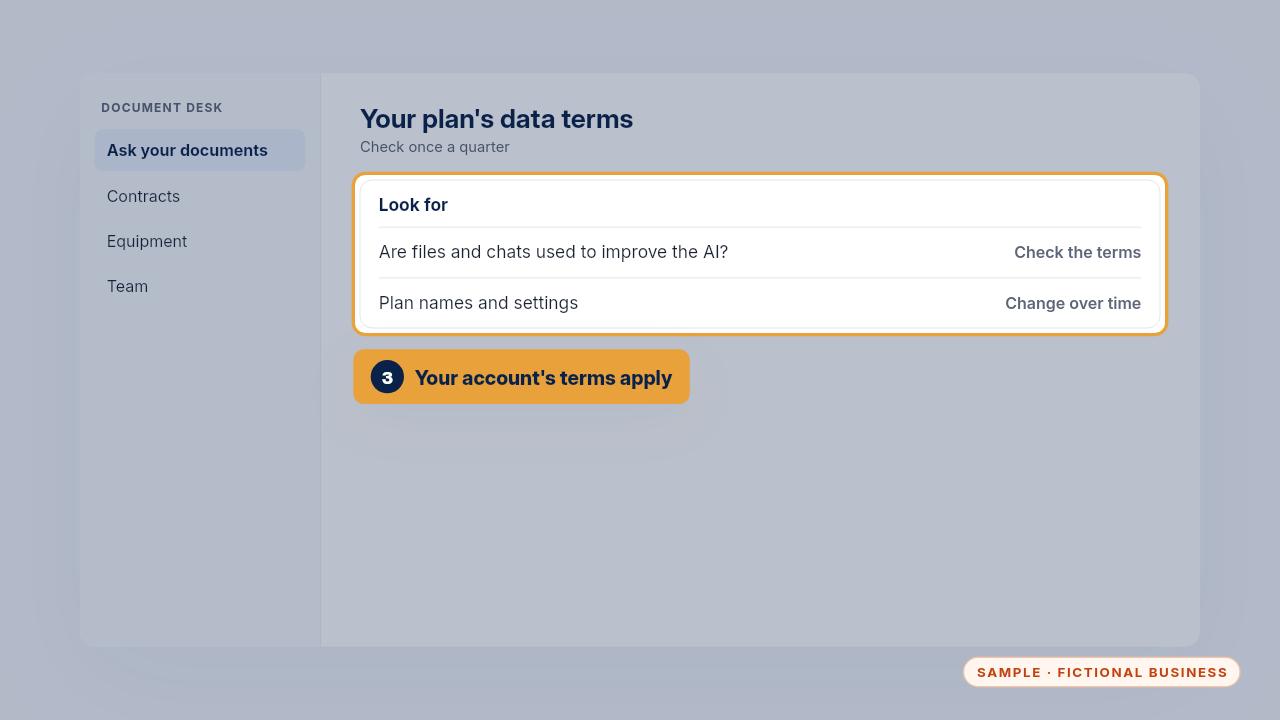
It runs under your account's data terms, so read them. Business plans say whether files and chats are used to improve the AI, and plan names and settings change over time, so check again each quarter.
The weekly 5-minute check
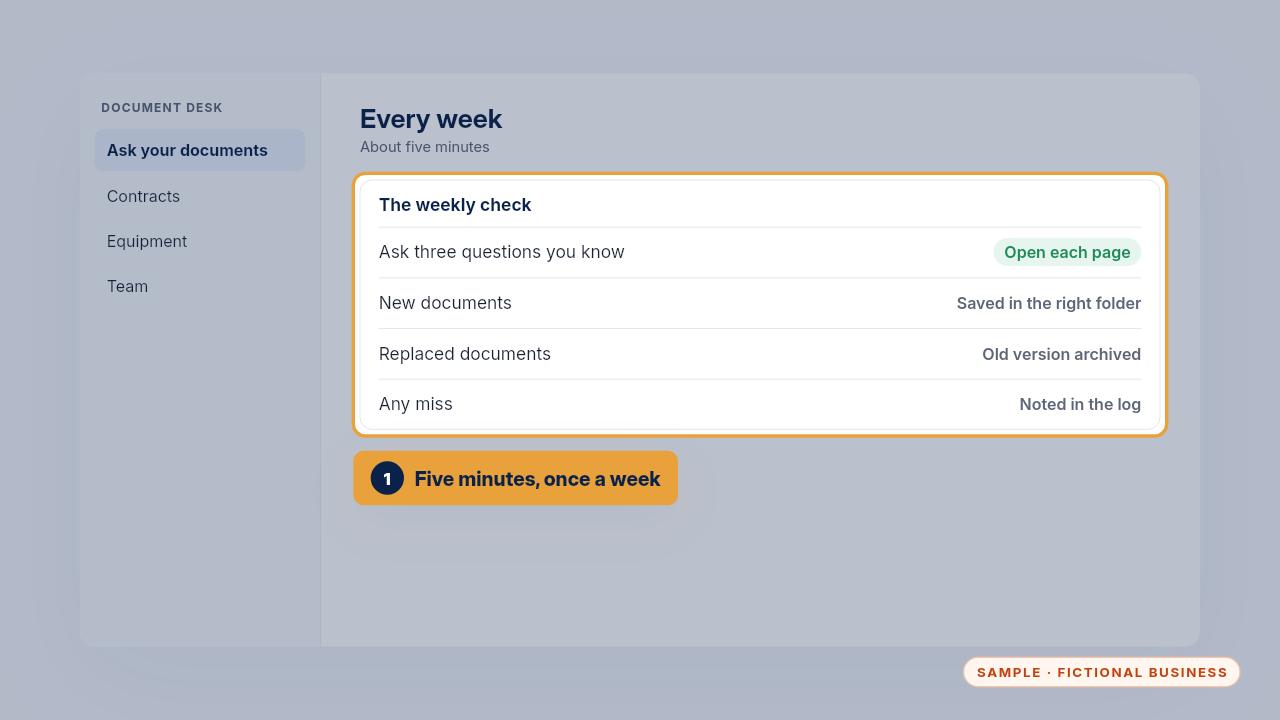
Once a week, take five minutes. Ask three questions you already know the answers to and open each page. Save new documents to the right folder, archive anything that was replaced, and note any miss in the answer check log.
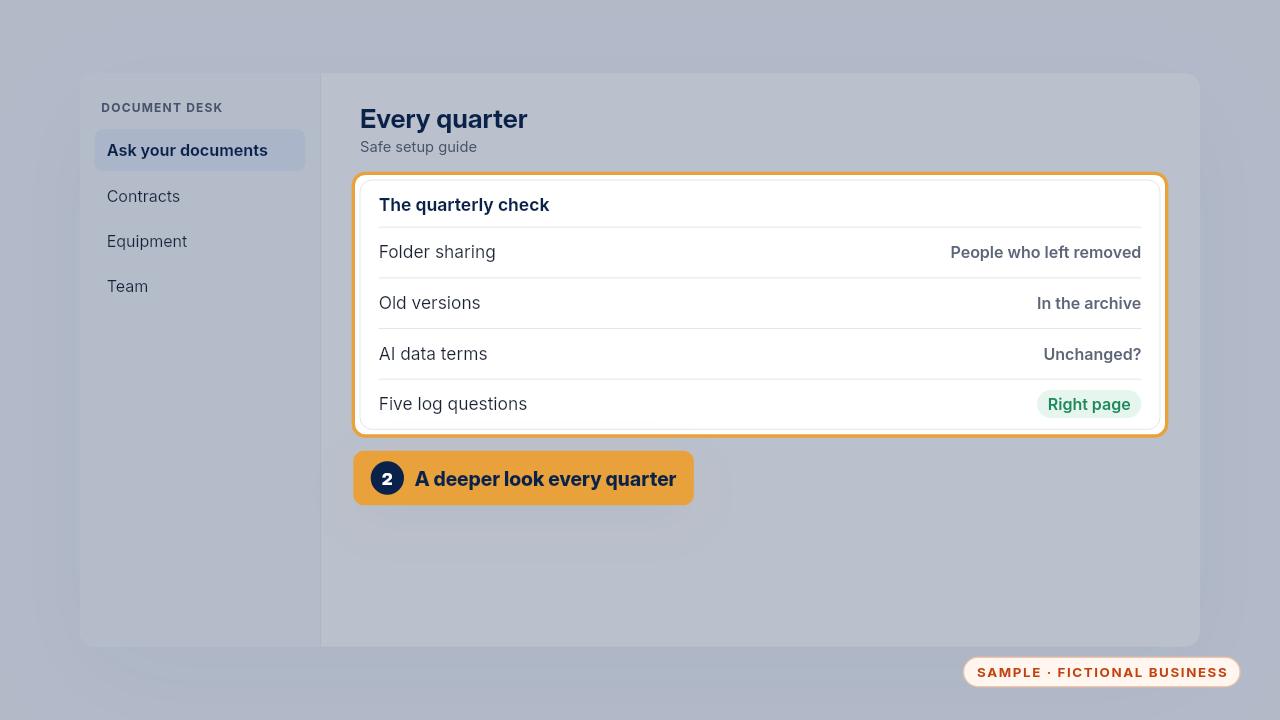
Once a quarter, go further. Check the folder sharing and remove anyone who has left. Make sure old versions are archived, the data terms haven't changed, and five questions from the log still cite the right page.
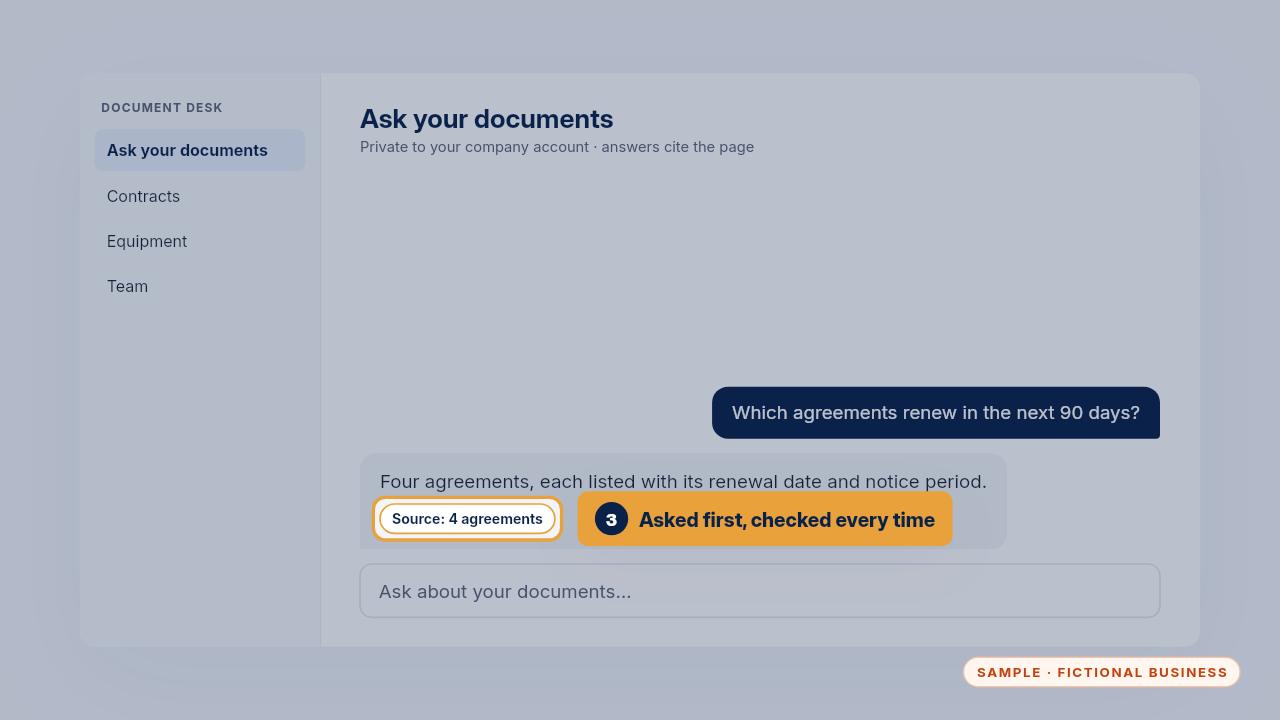
You'll know it's working when people ask it before they ask you, every answer comes with a page, and renewals get noticed while there's still time to act on them.
Open the page, fix the source when an answer is wrong, and give it five minutes a week. That keeps Document Desk accurate.
Get the Document Desk
Ask your contracts and policies, get the page cited. Every Kit and Install comes with these videos, and an Install adds a walkthrough made from your own setup.