How-to guides · Never Miss a Lead · Full walkthrough

Never Miss a Lead: the full walkthrough

Setup with the Kit or the Install, daily use, fixing a wrong answer, updates, edge cases, privacy and the weekly check.

Narrated video with captions, 8 min 17 s. Made with a fictional company, Brightline Heating & Air (sample · fictional business). Read the transcript · Download the step-by-step PDF

Step by step
  1. Step 1: This is the full walkthrough of Never Miss a Lead, shown on our fictional sample business, Brightline Heating and Air. It covers setup, daily use, fixing a wrong answer, updates, edge cases, privacy and the weekly check. Use the chapters to jump to the part you need.

    This is the full walkthrough of Never Miss a Lead, shown on our fictional sample business, Brightline Heating and Air. It covers setup, daily use, fixing a wrong answer, updates, edge cases, privacy and the weekly check. Use the chapters to jump to the part you need.

  2. What it does and what it won't do

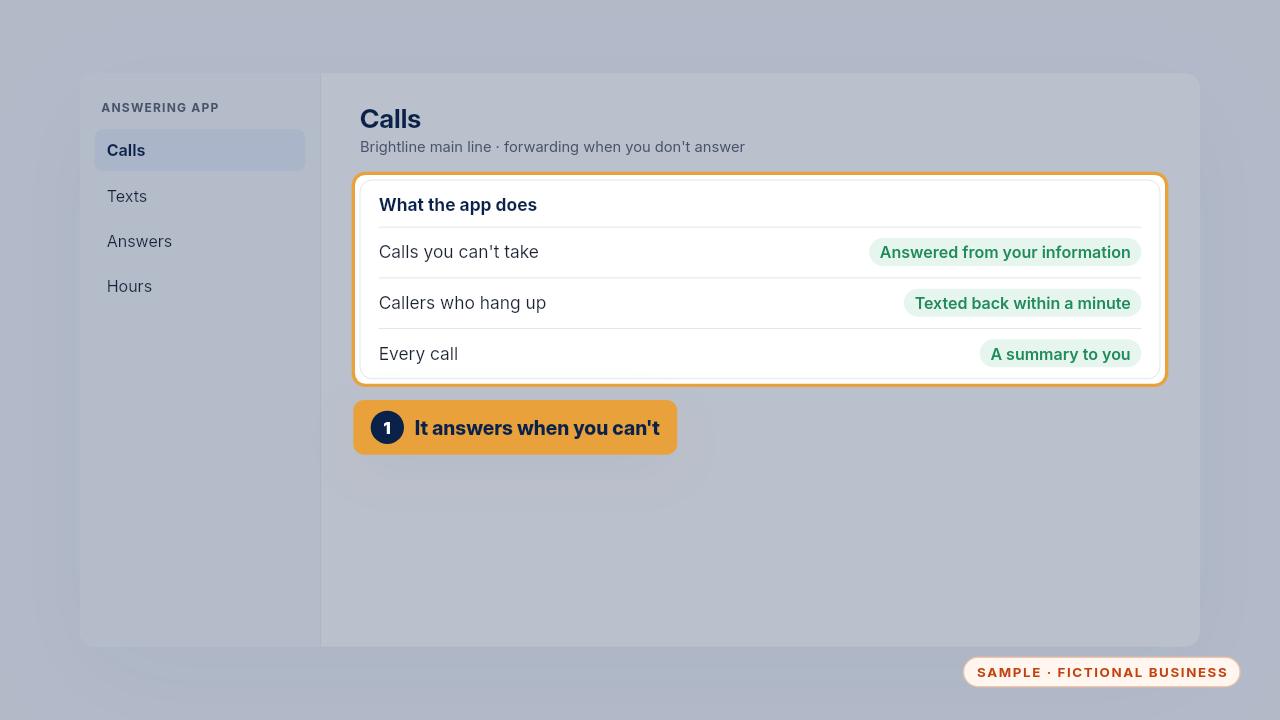
    Step 2: When you can't pick up, your answering app answers for you. It uses your own information, takes the caller's details, and texts back anyone who hangs up before it answers.
    When you can't pick up, your answering app answers for you. It uses your own information, takes the caller's details, and texts back anyone who hangs up before it answers.

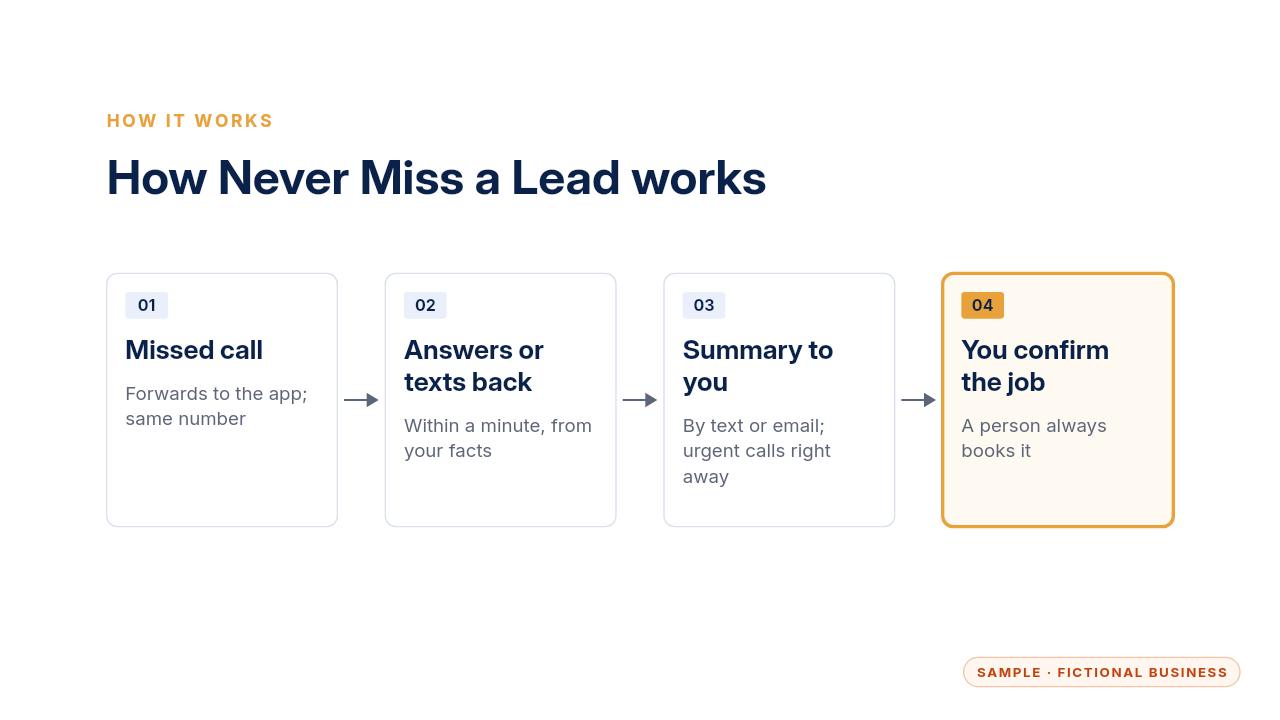
  3. Step 3: Here's the whole flow. A call you miss forwards to the app. The app answers, or texts back within a minute. You get a summary by text or email, and then you confirm the job.
    Here's the whole flow. A call you miss forwards to the app. The app answers, or texts back within a minute. You get a summary by text or email, and then you confirm the job.

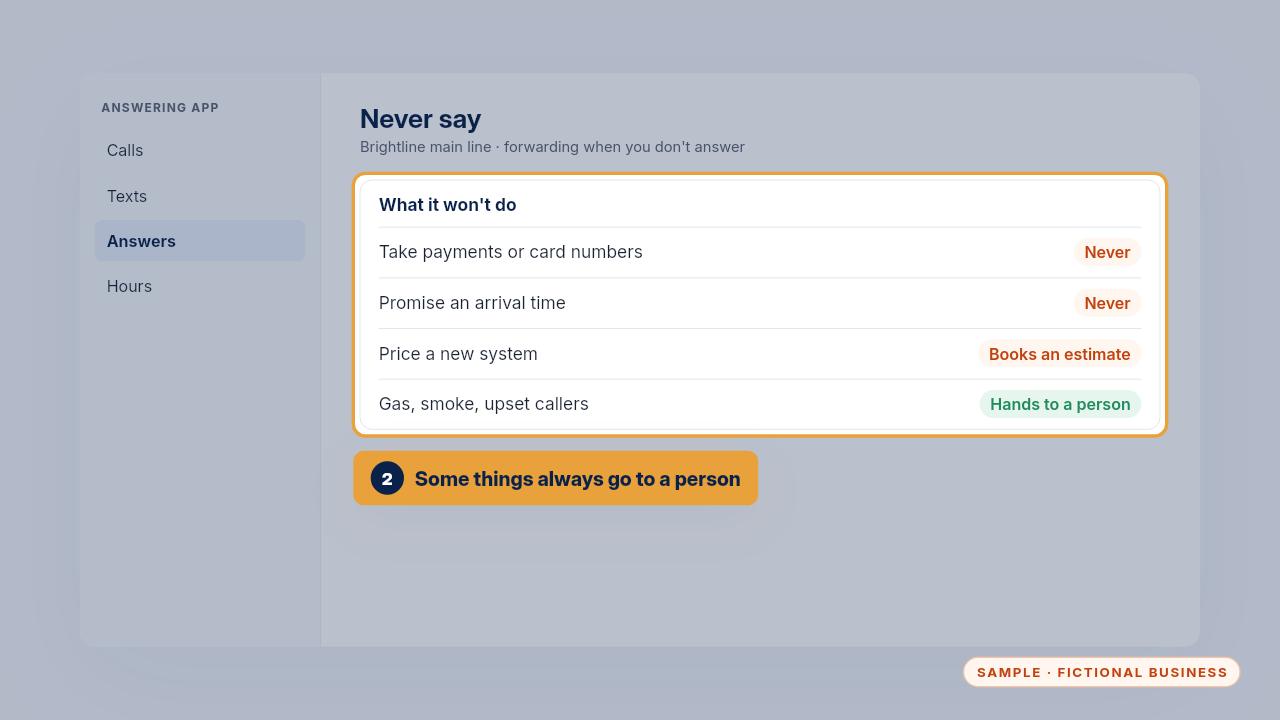
  4. Step 4: It never takes card numbers, never promises an arrival time and never prices a new system. A caller who asks for a person, sounds upset or mentions gas goes to a person.
    It never takes card numbers, never promises an arrival time and never prices a new system. A caller who asks for a person, sounds upset or mentions gas goes to a person.

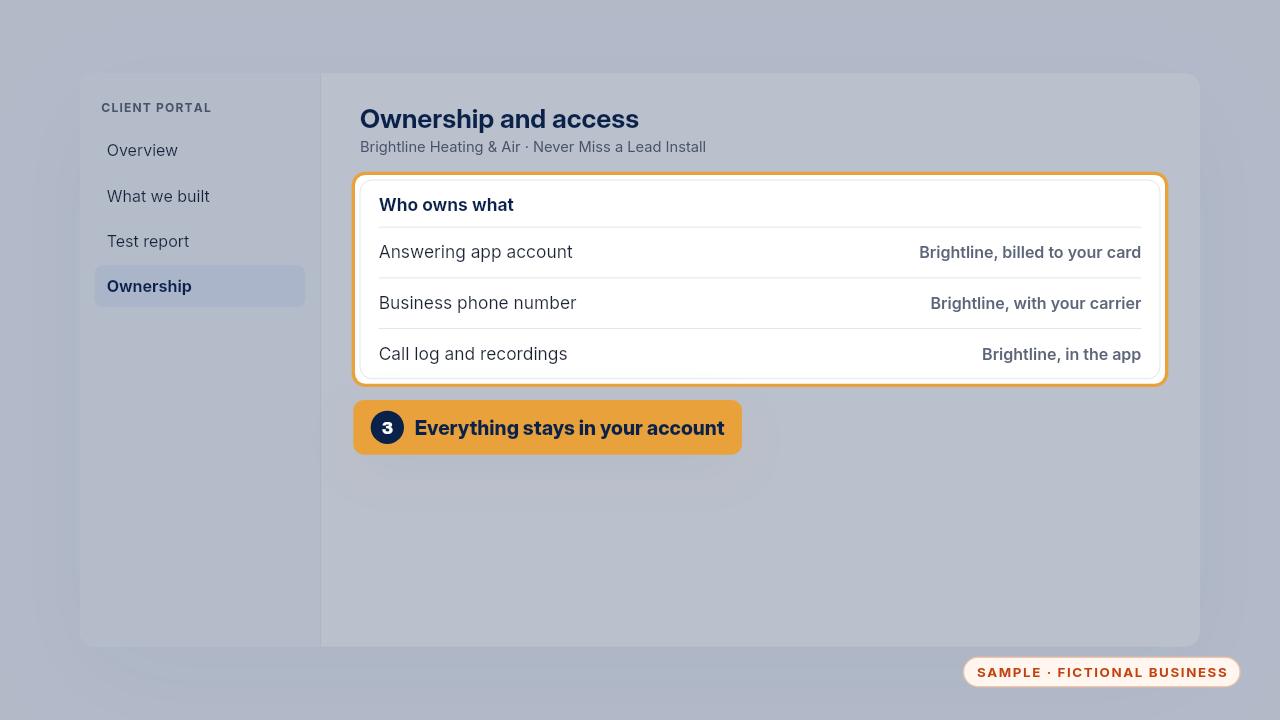
  5. Step 5: The app, your number and your call records stay in your own account. You pay the app directly, usually twenty-nine to one hundred ninety-nine dollars a month, by app and call volume.

    The app, your number and your call records stay in your own account. You pay the app directly, usually twenty-nine to one hundred ninety-nine dollars a month, by app and call volume.

  6. Setup, step by step

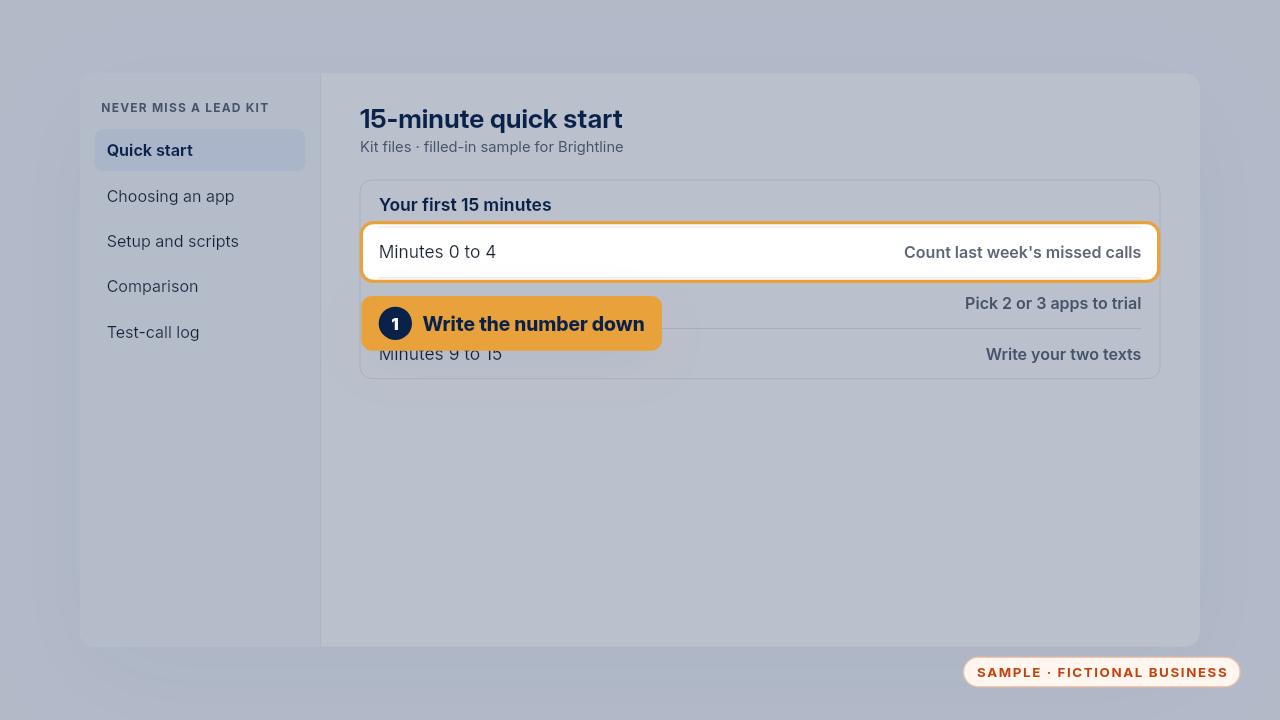
    Step 6: With the Kit, start with the fifteen-minute quick start. Count last week's missed calls in your call log and write the number down. You'll compare it again after thirty days.
    With the Kit, start with the fifteen-minute quick start. Count last week's missed calls in your call log and write the number down. You'll compare it again after thirty days.

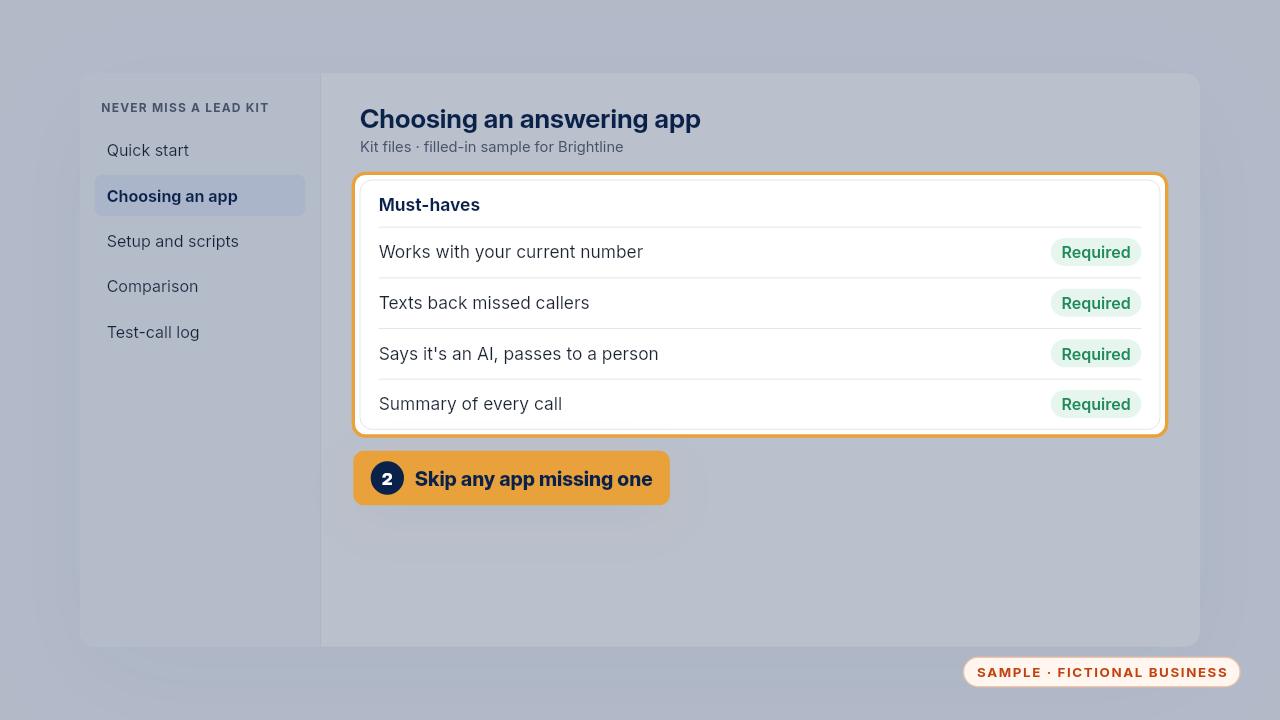
  7. Step 7: Then read the must-haves in Choosing an answering app. Skip any app that can't use your number, text back, answer from your information, say it's an AI, pass callers on and send summaries.
    Then read the must-haves in Choosing an answering app. Skip any app that can't use your number, text back, answer from your information, say it's an AI, pass callers on and send summaries.

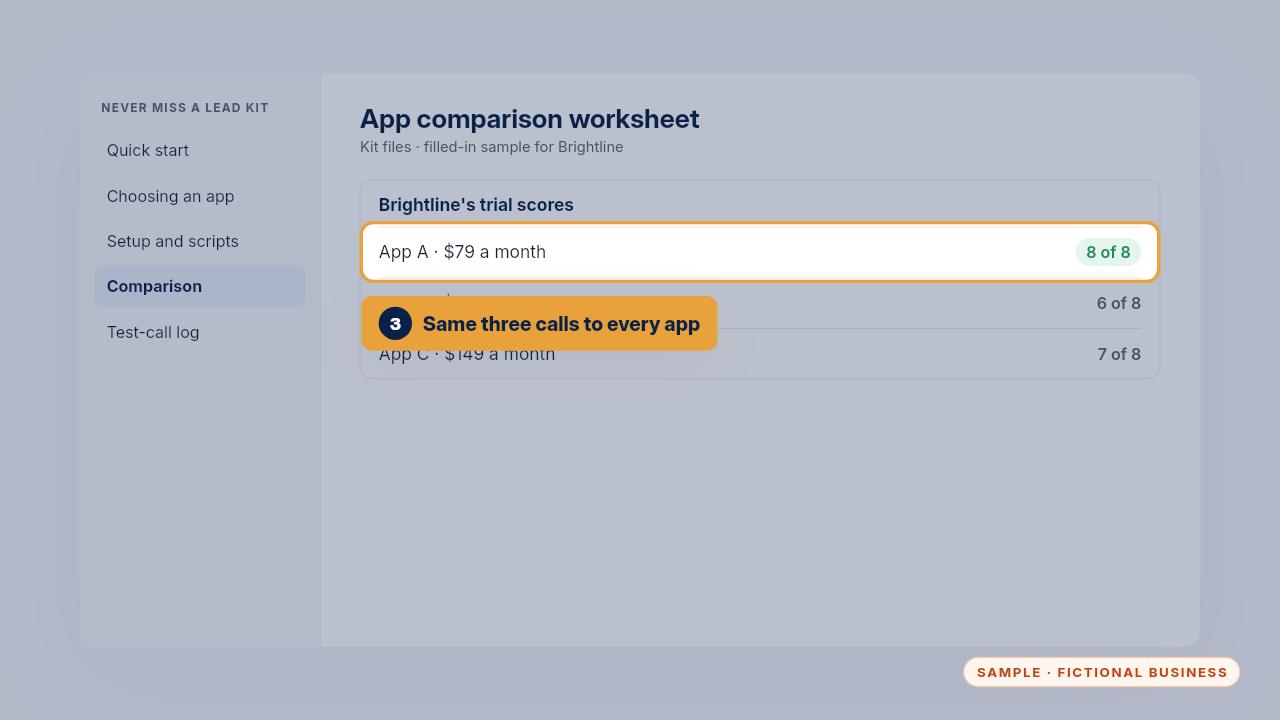
  8. Step 8: Start two or three free trials, make the same three test calls to each, and score them on the worksheet. Brightline chose the app that scored eight of eight, at seventy-nine dollars a month.
    Start two or three free trials, make the same three test calls to each, and score them on the worksheet. Brightline chose the app that scored eight of eight, at seventy-nine dollars a month.

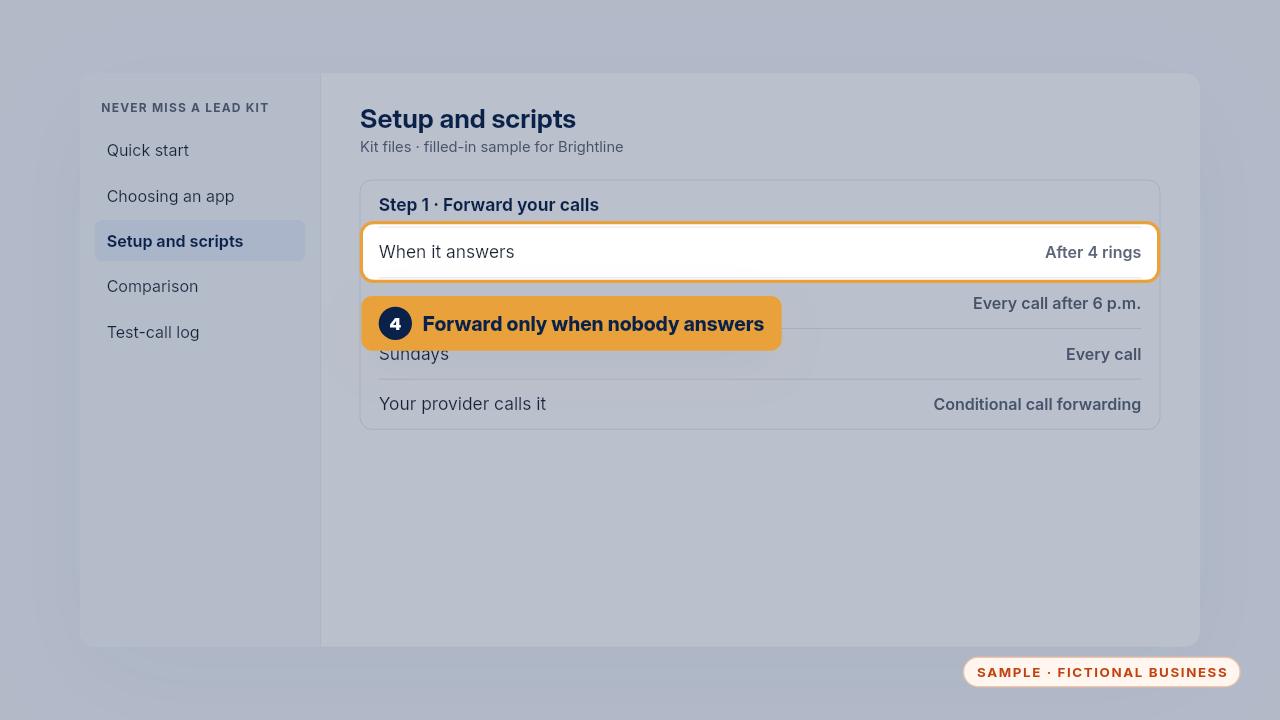
  9. Step 9: Next, forwarding. Most businesses forward only when nobody answers. Brightline's calls go to the app after four rings, and all calls after six in the evening and on Sundays.
    Next, forwarding. Most businesses forward only when nobody answers. Brightline's calls go to the app after four rings, and all calls after six in the evening and on Sundays.

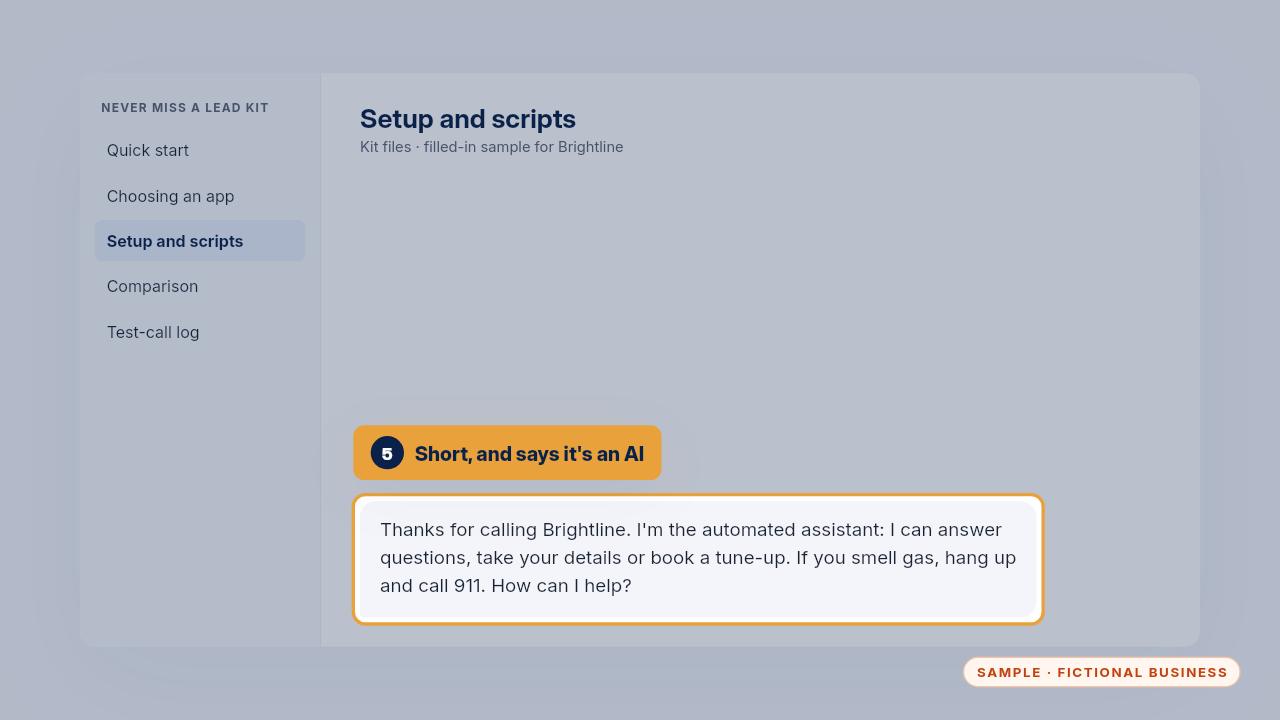
  10. Step 10: Write a short greeting that says it's an automated assistant and what it can do. If you record calls, the greeting says so, and you check your state's rules.
    Write a short greeting that says it's an automated assistant and what it can do. If you record calls, the greeting says so, and you check your state's rules.

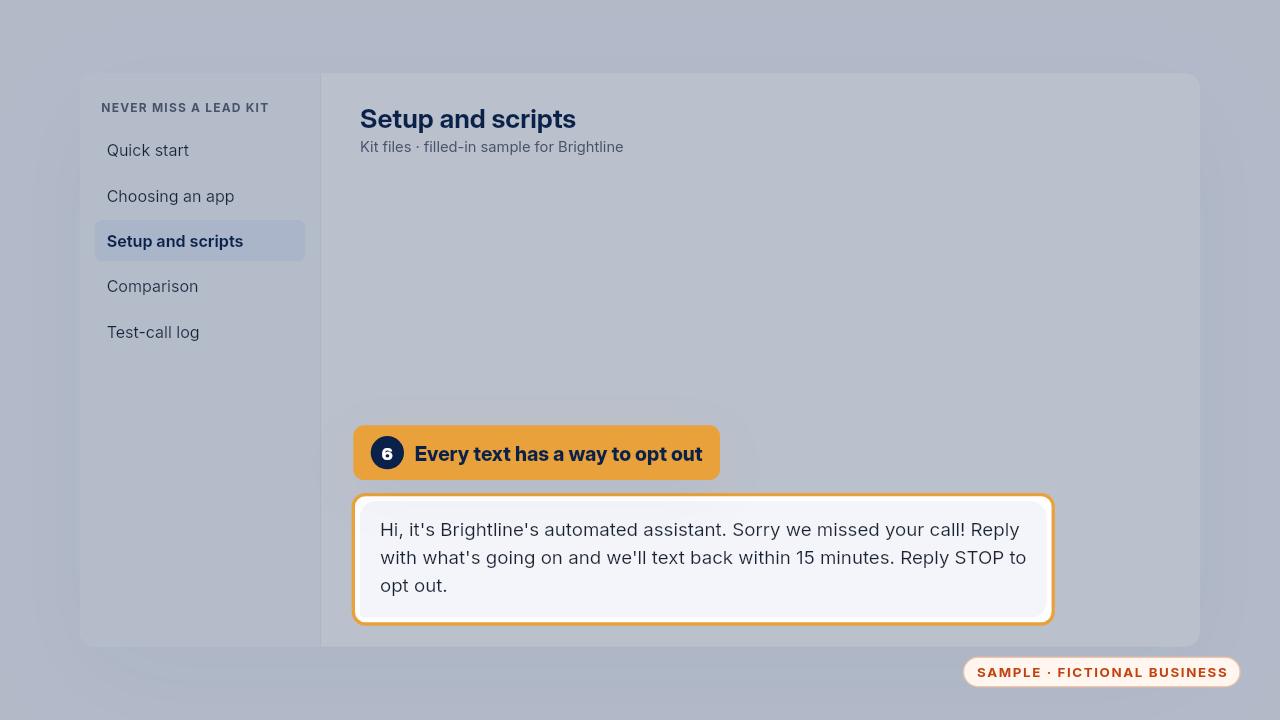
  11. Step 11: Then the missed-call and after-hours texts. Each says it's from your automated assistant and ends with reply STOP to opt out. Carriers require texting registration, so ask how your app handles it.
    Then the missed-call and after-hours texts. Each says it's from your automated assistant and ends with reply STOP to opt out. Carriers require texting registration, so ask how your app handles it.

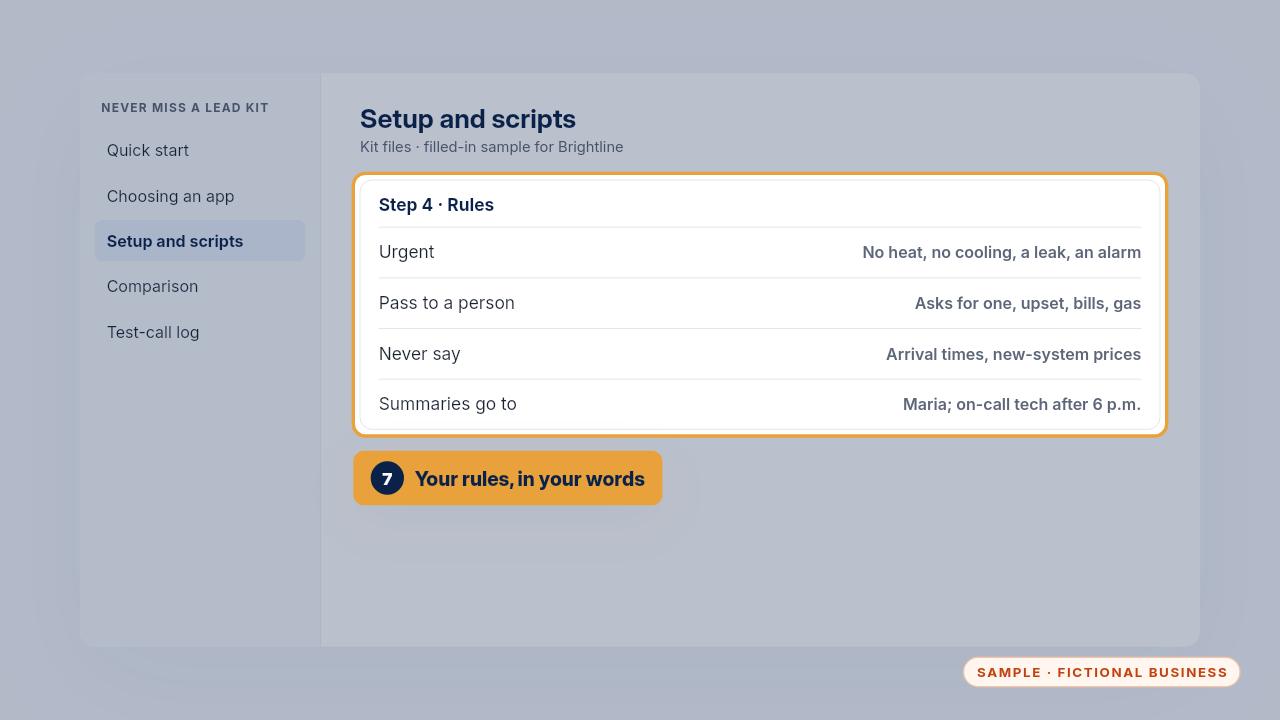
  12. Step 12: Fill in what's urgent, when to pass a call on, what it must never say, and where summaries go. With a Business Brain, paste in sections one to four.
    Fill in what's urgent, when to pass a call on, what it must never say, and where summaries go. With a Business Brain, paste in sections one to four.

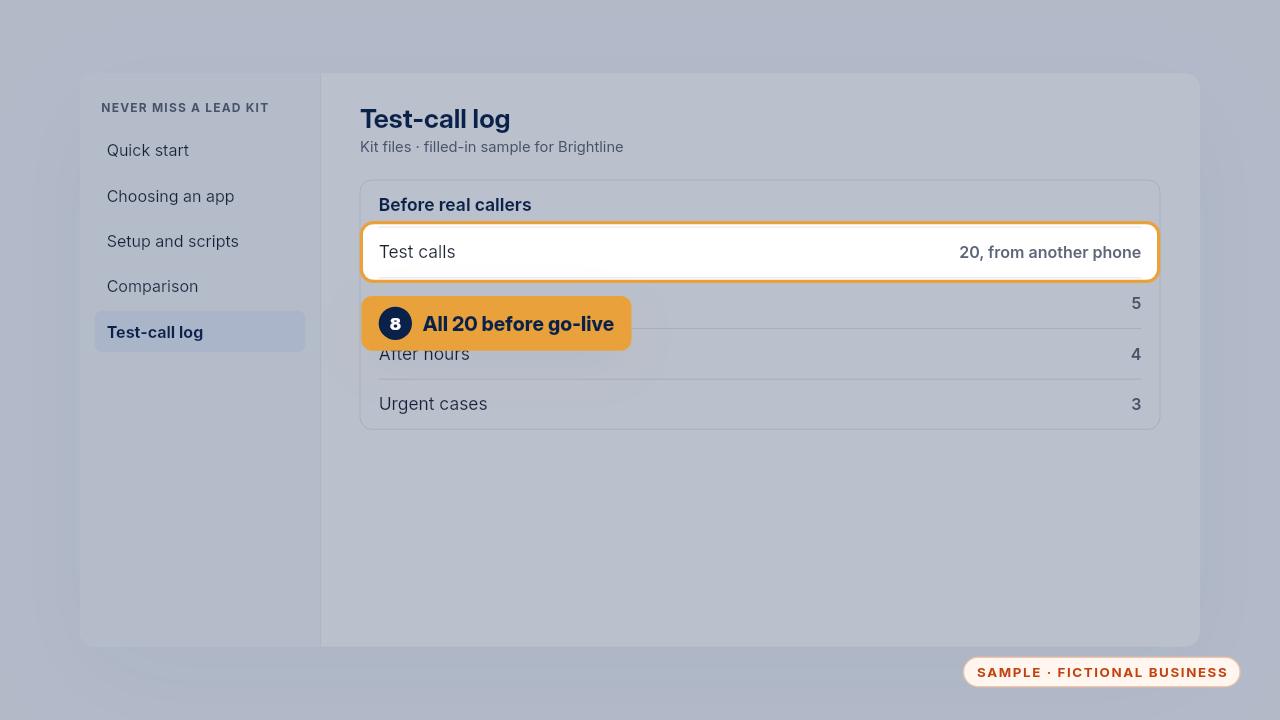
  13. Step 13: Last, make all twenty calls on the test-call log, from a phone that isn't yours, before real callers reach the app.
    Last, make all twenty calls on the test-call log, from a phone that isn't yours, before real callers reach the app.

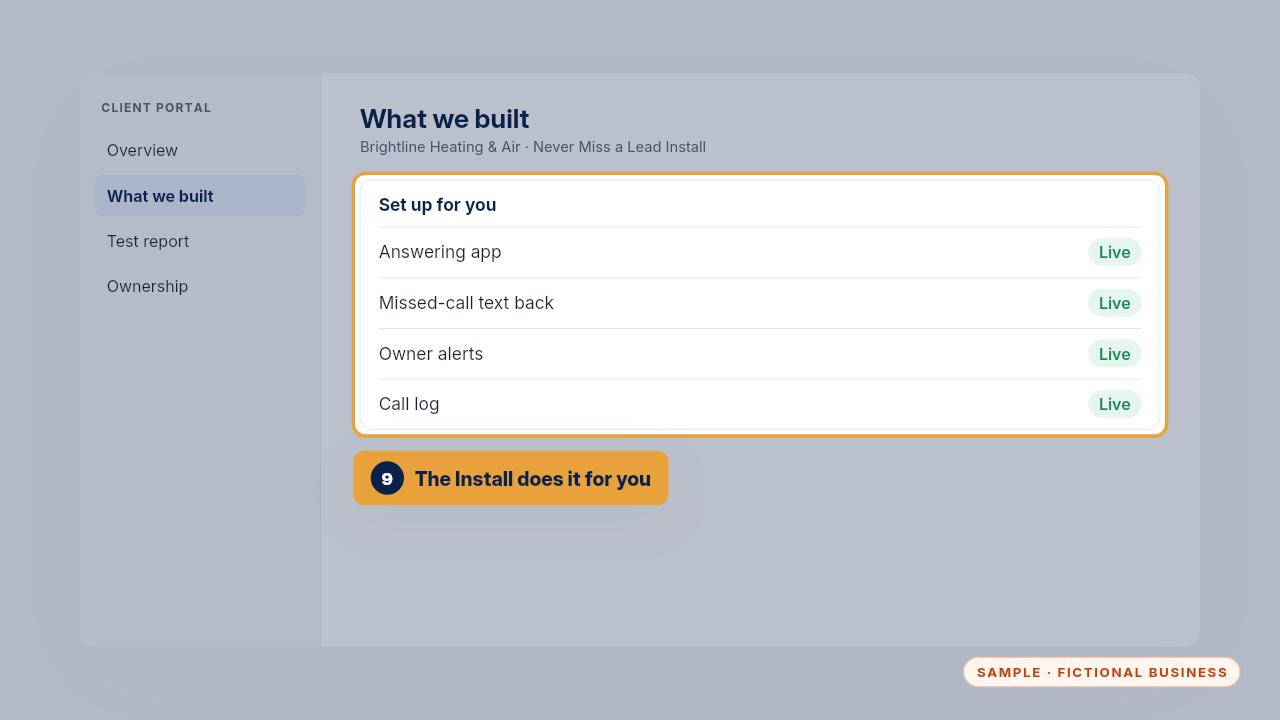
  14. Step 14: With the Install, we do all of this for you in one to two weeks. We open the app in your account, load your services, hours, top questions and booking rules, and run the test calls with you.
    With the Install, we do all of this for you in one to two weeks. We open the app in your account, load your services, hours, top questions and booking rules, and run the test calls with you.

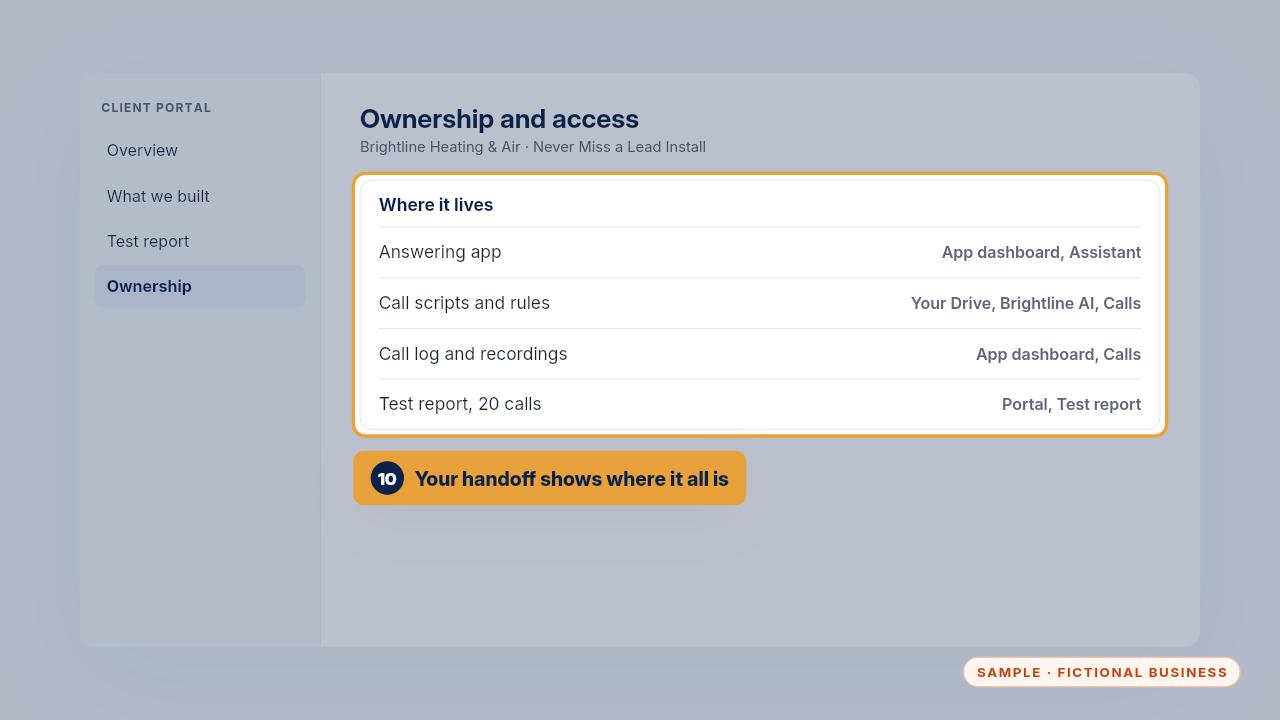
  15. Step 15: Your handoff pack shows where everything lives. Scripts and rules are in your own Drive, call logs stay in the app, and the twenty-call test report is in your portal.

    Your handoff pack shows where everything lives. Scripts and rules are in your own Drive, call logs stay in the app, and the twenty-call test report is in your portal.

  16. Daily use

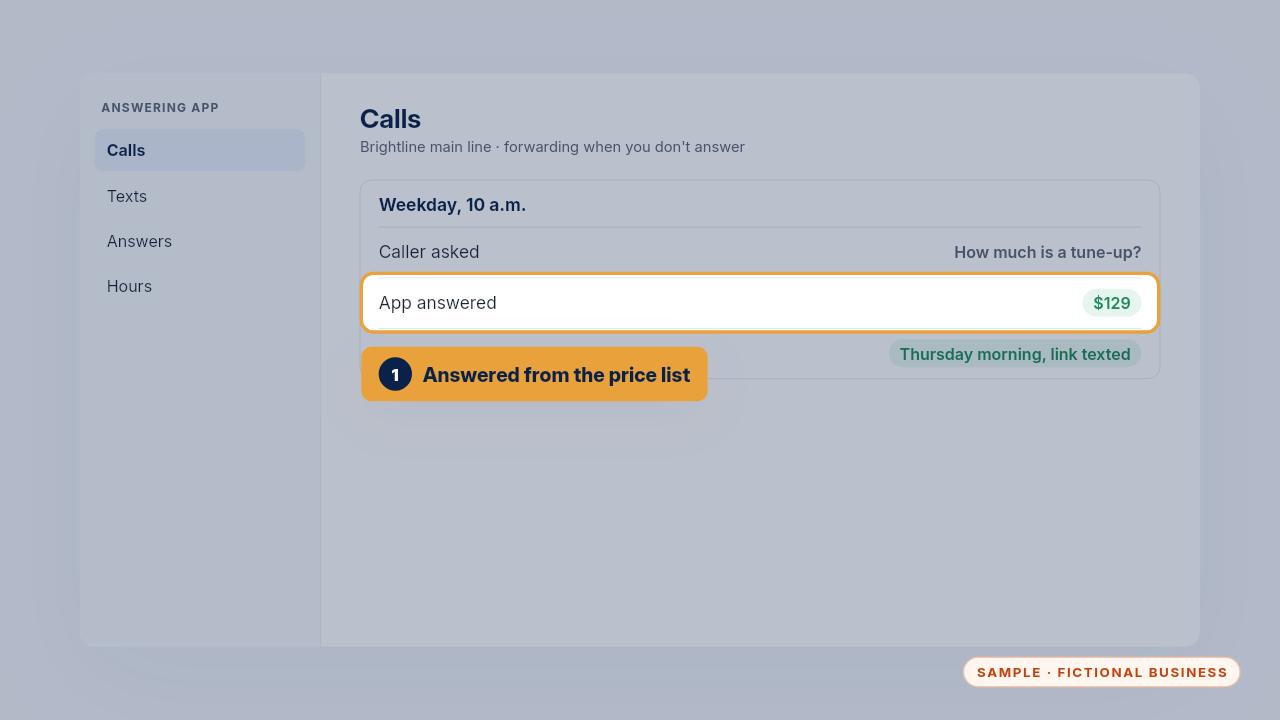
    Step 16: A weekday at ten. A caller asks what a tune-up costs. The app answers one hundred twenty-nine dollars, offers Thursday morning and texts the booking link.
    A weekday at ten. A caller asks what a tune-up costs. The app answers one hundred twenty-nine dollars, offers Thursday morning and texts the booking link.

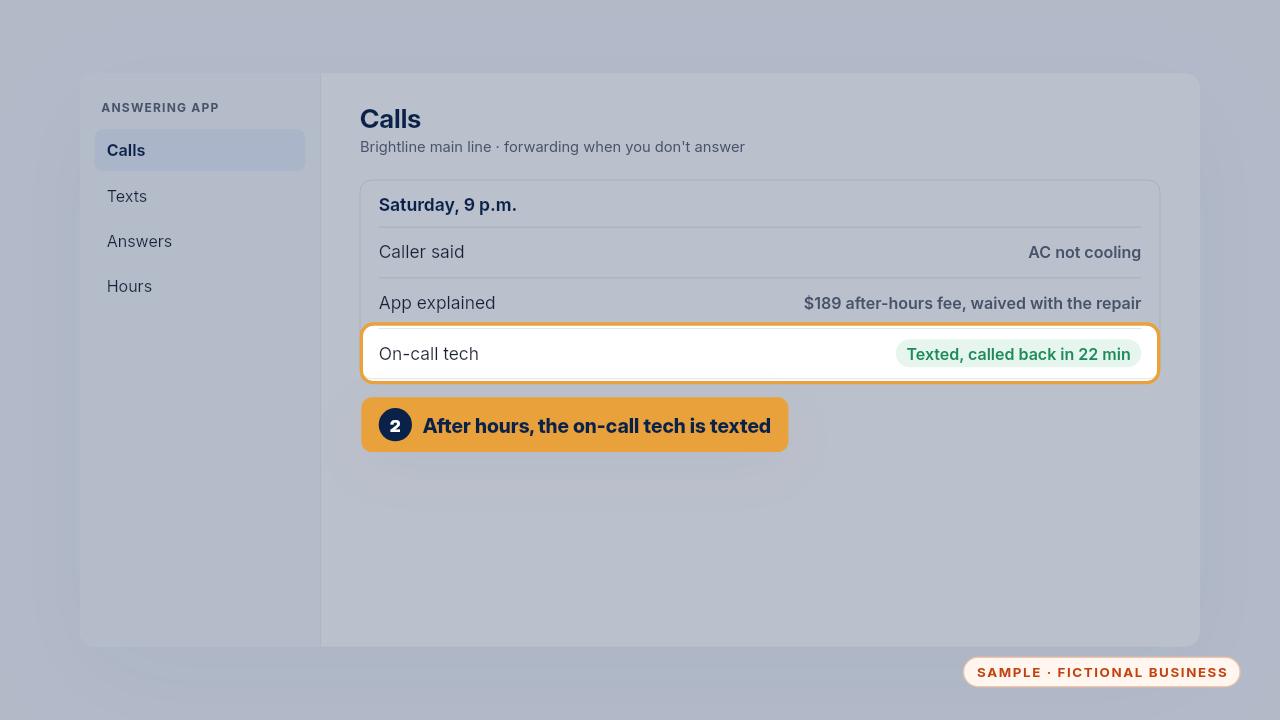
  17. Step 17: Saturday at nine at night, an AC isn't cooling. The app explains the one hundred eighty-nine dollar after-hours fee, waived with the repair, and texts the on-call tech, who called back in twenty-two minutes.
    Saturday at nine at night, an AC isn't cooling. The app explains the one hundred eighty-nine dollar after-hours fee, waived with the repair, and texts the on-call tech, who called back in twenty-two minutes.

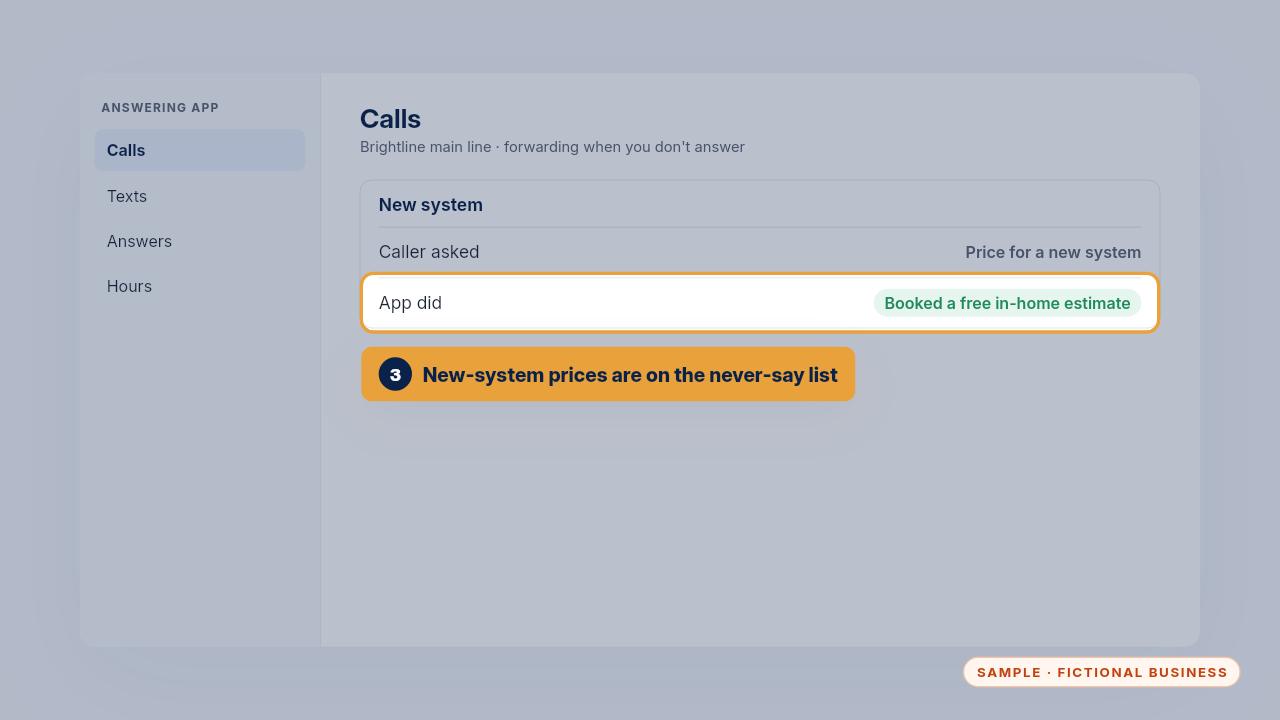
  18. Step 18: A caller wants a price for a new system. That's on the never-say list, so the app books a free in-home estimate instead.
    A caller wants a price for a new system. That's on the never-say list, so the app books a free in-home estimate instead.

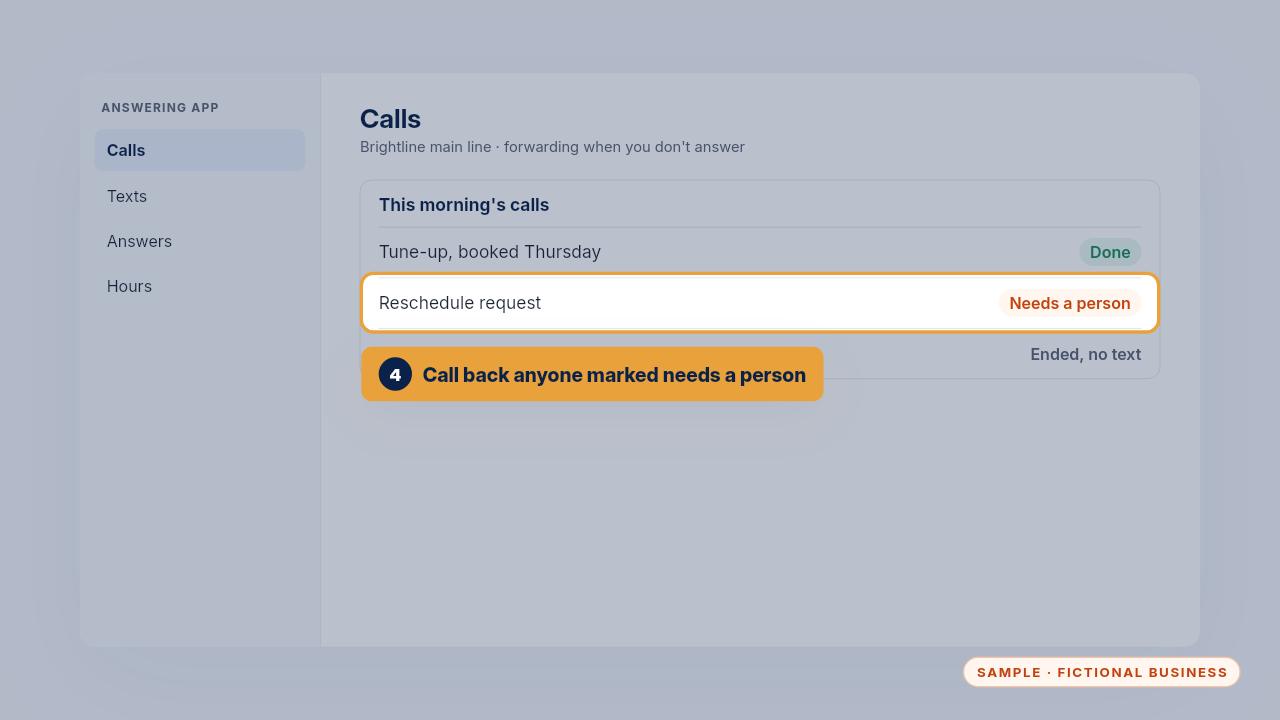
  19. Step 19: Each morning, open the Calls page. Every call has a summary and the caller's details. Call back anyone marked needs a person, like this customer who wants to reschedule.

    Each morning, open the Calls page. Every call has a summary and the caller's details. Call back anyone marked needs a person, like this customer who wants to reschedule.

  20. When it gets something wrong

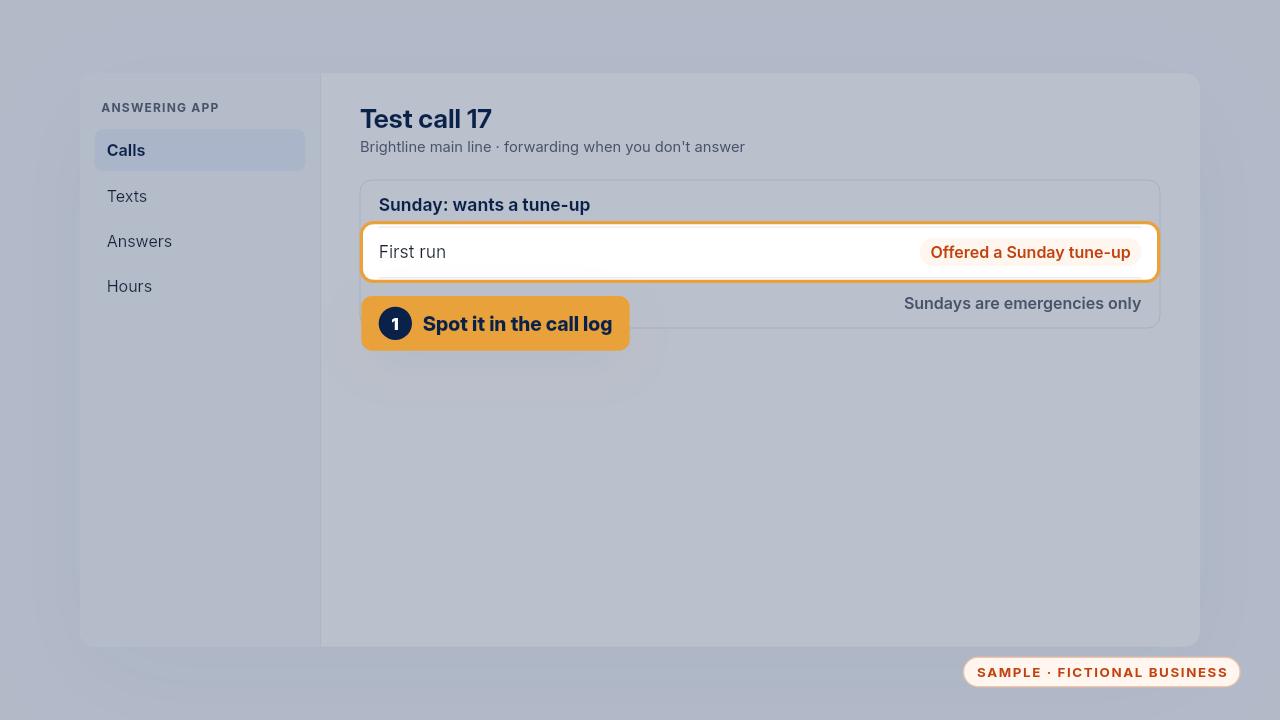
    Step 20: During testing, the app offered a tune-up on a Sunday. Brightline only takes emergencies on Sundays, so that answer was wrong.
    During testing, the app offered a tune-up on a Sunday. Brightline only takes emergencies on Sundays, so that answer was wrong.

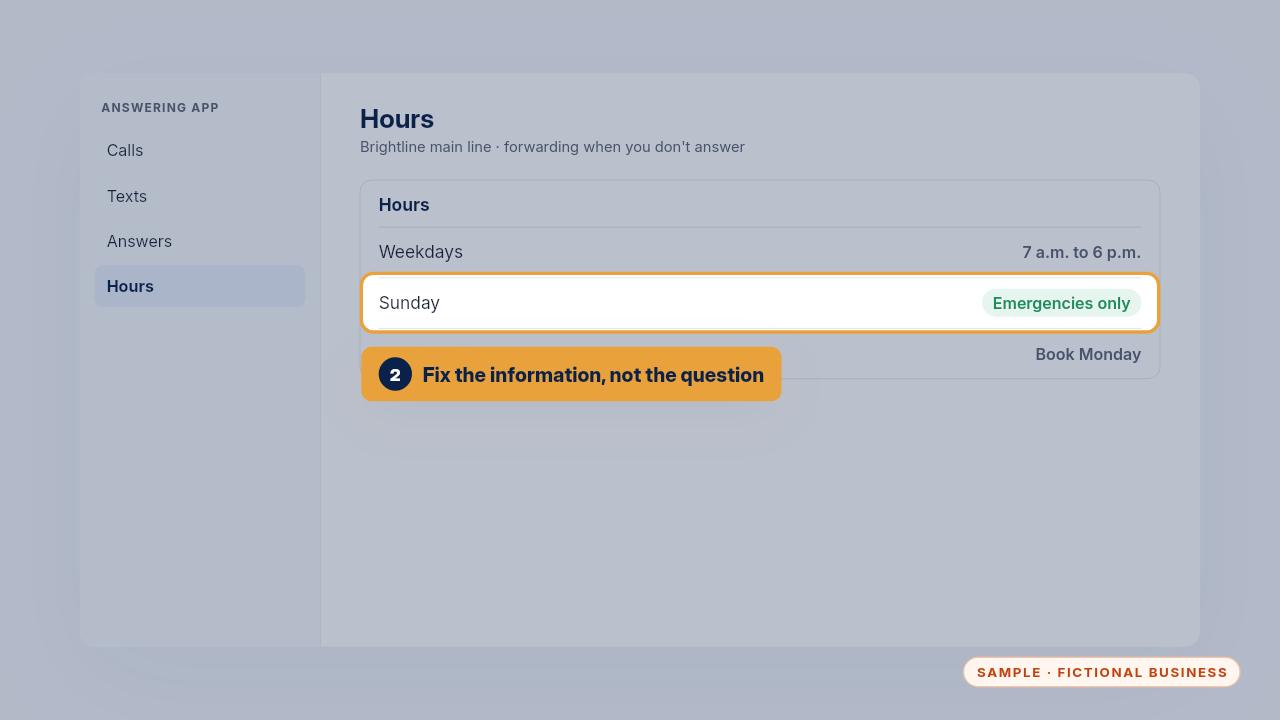
  21. Step 21: Fix the information you gave the app, not the question. Here the hours were changed to say Sunday is emergencies only, and routine visits book on Monday.
    Fix the information you gave the app, not the question. Here the hours were changed to say Sunday is emergencies only, and routine visits book on Monday.

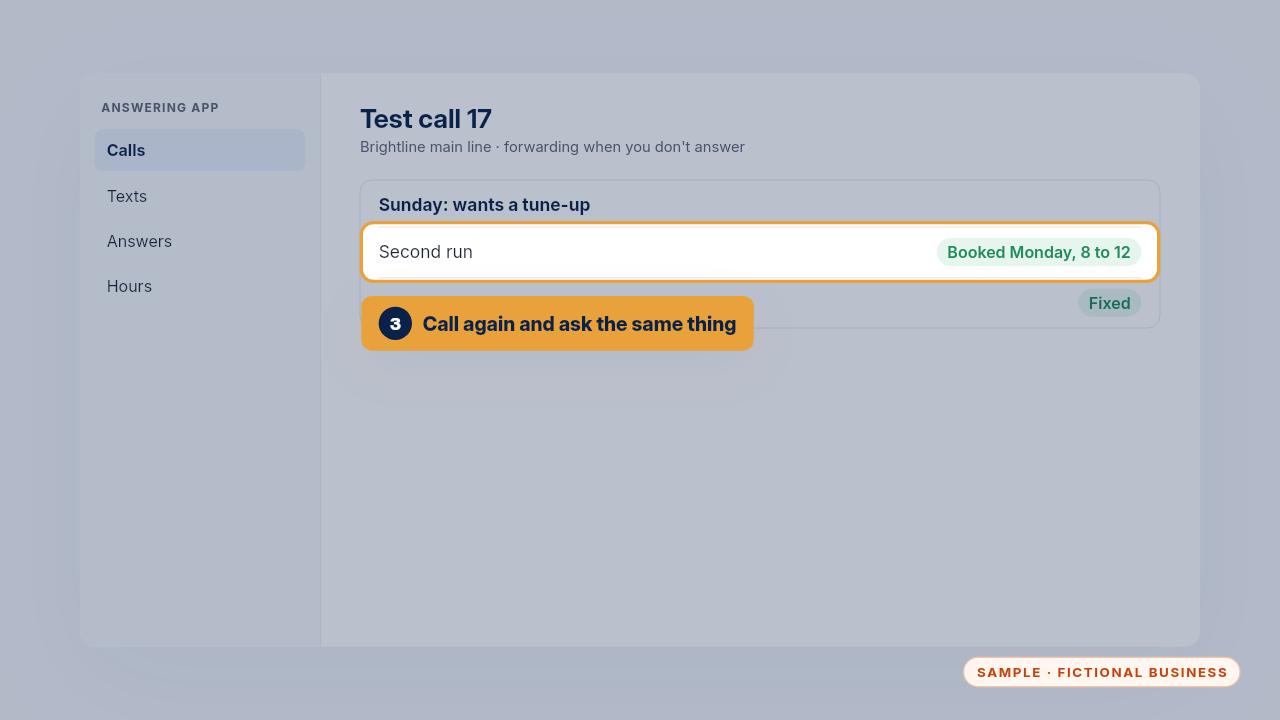
  22. Step 22: Then call again and ask the same thing. This time it booked Monday between eight and noon, so the call is marked fixed.
    Then call again and ask the same thing. This time it booked Monday between eight and noon, so the call is marked fixed.

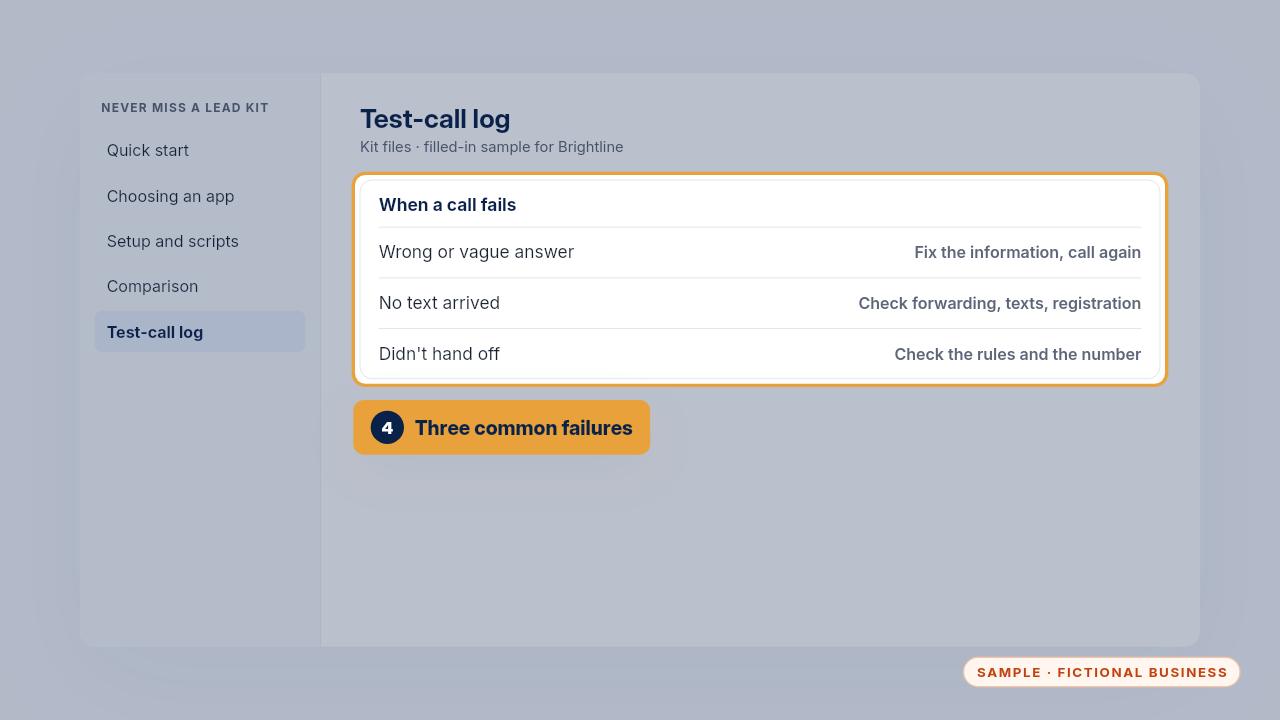
  23. Step 23: If no text arrives, check forwarding, the text setting and your texting registration. If it didn't hand off, check your rules and the number calls go to.
    If no text arrives, check forwarding, the text setting and your texting registration. If it didn't hand off, check your rules and the number calls go to.

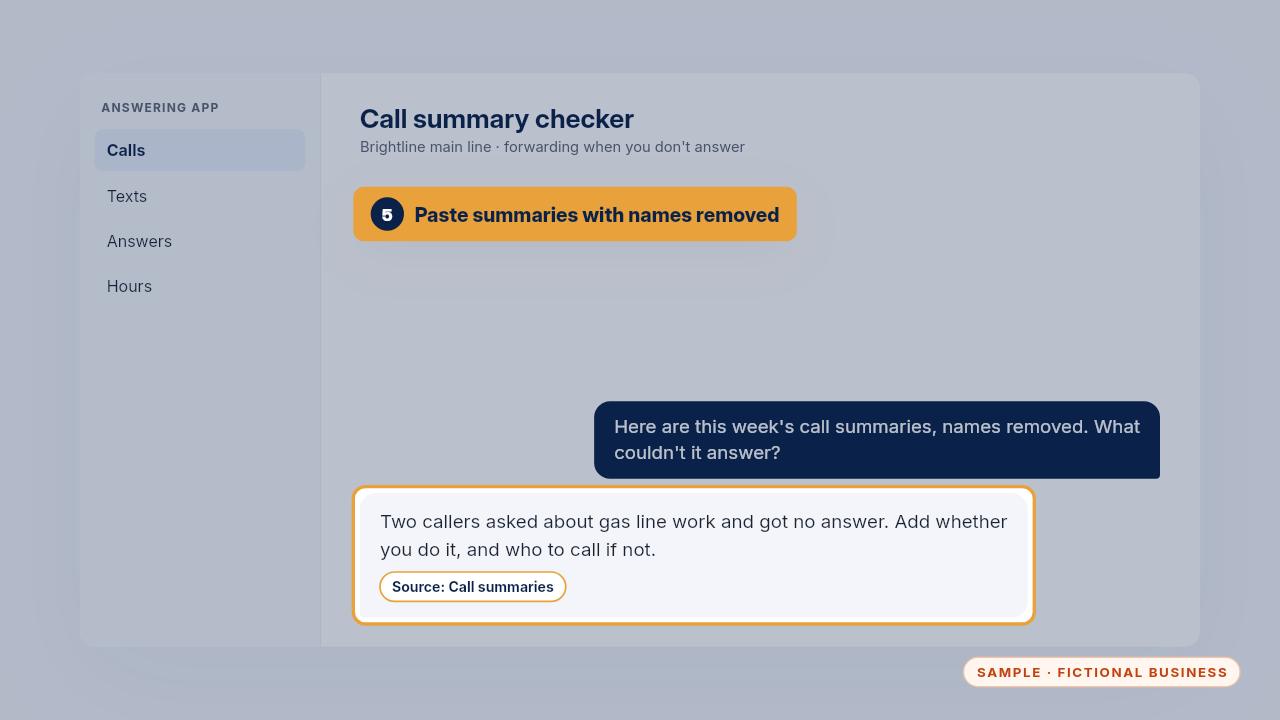
  24. Step 24: To catch problems early, paste a week of call summaries, with names removed, into the summary checker prompt. It lists questions the app couldn't answer and facts to add.

    To catch problems early, paste a week of call summaries, with names removed, into the summary checker prompt. It lists questions the app couldn't answer and facts to add.

  25. Updating prices, hours and services

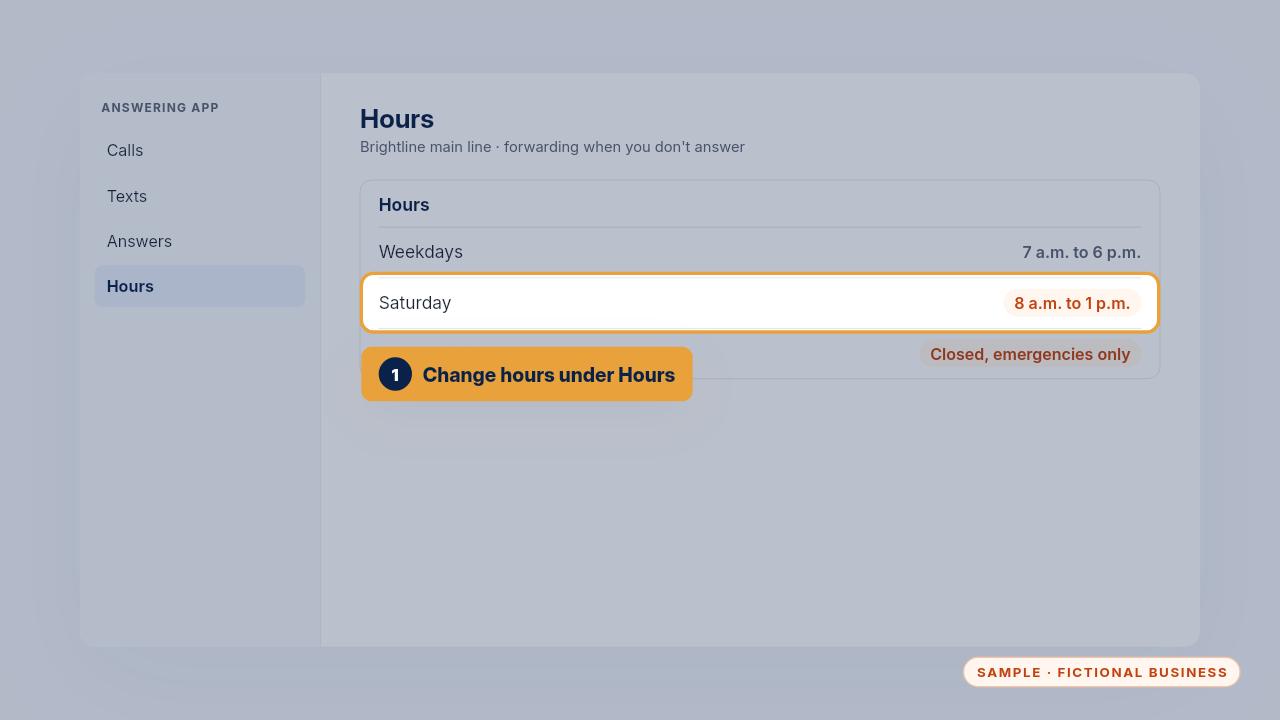
    Step 25: When your hours change, change them under Hours. Before a holiday, add the day, and say whether emergencies still go to your on-call tech, so urgent callers aren't left waiting until you're back.
    When your hours change, change them under Hours. Before a holiday, add the day, and say whether emergencies still go to your on-call tech, so urgent callers aren't left waiting until you're back.

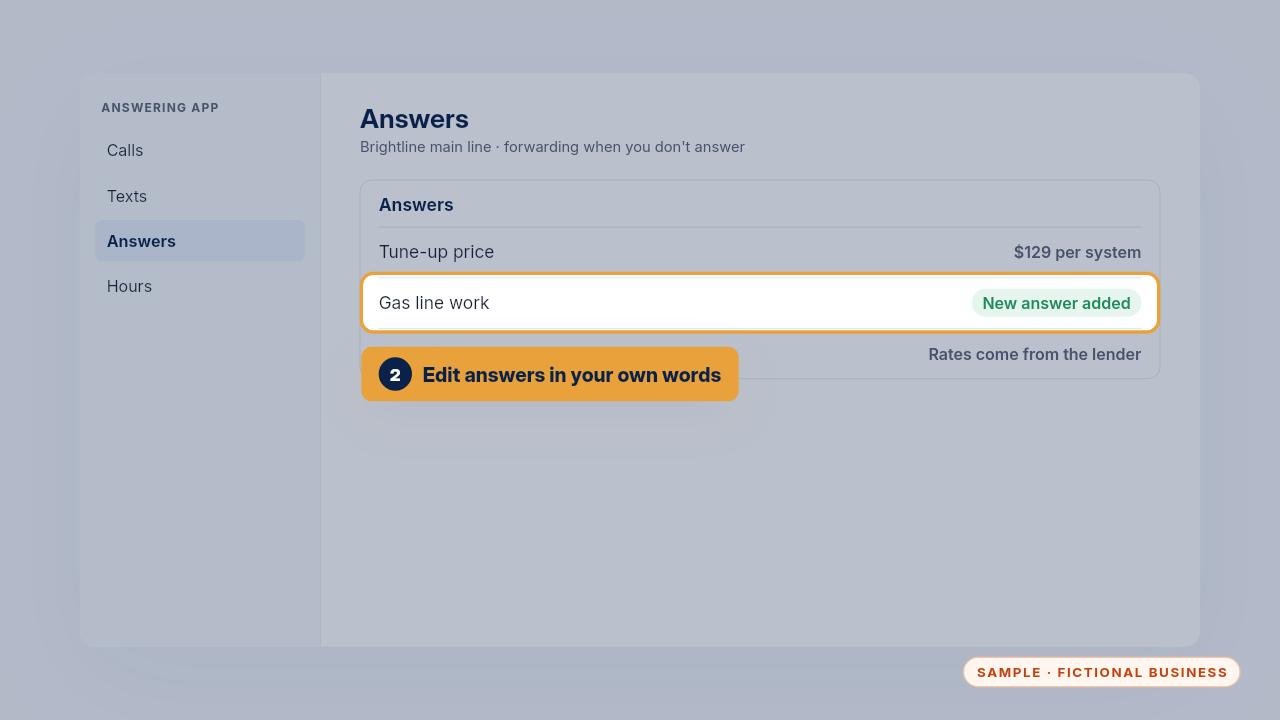
  26. Step 26: For a new price or service, edit it under Answers. Use the same wording as your Business Brain, so the phone, your website and your team all say the same thing.
    For a new price or service, edit it under Answers. Use the same wording as your Business Brain, so the phone, your website and your team all say the same thing.

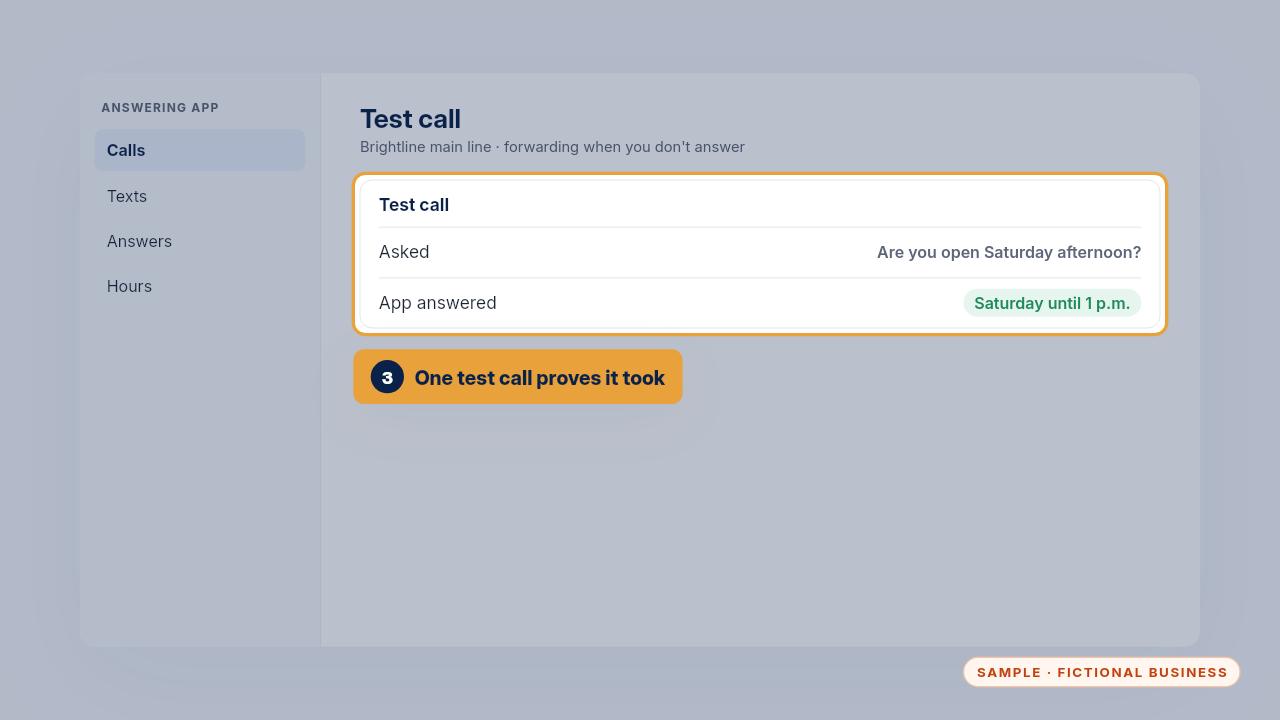
  27. Step 27: Then make one test call about what you changed. When the answer is right, the change took. With the Install, you can text us the change instead, and on Keep It Running we test it too.

    Then make one test call about what you changed. When the answer is right, the change took. With the Install, you can text us the change instead, and on Keep It Running we test it too.

  28. Edge cases

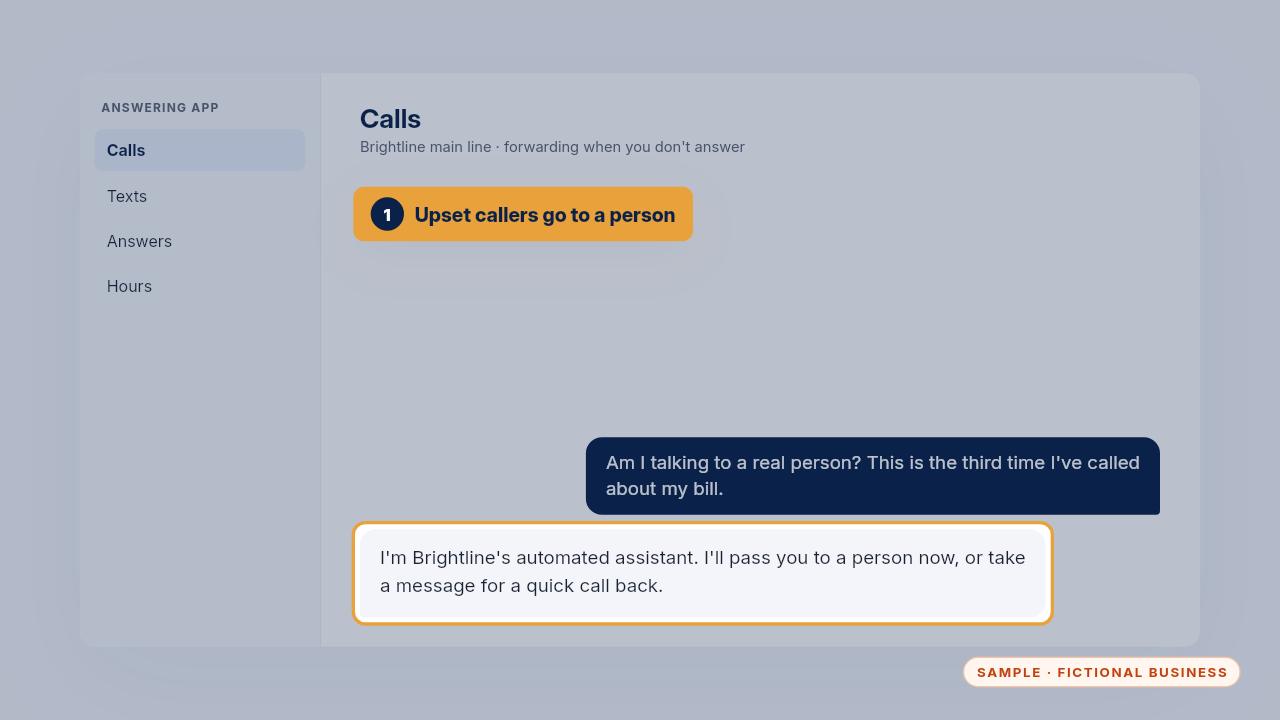
    Step 28: Asked if it's a real person, the app says it's an automated assistant. When a caller is upset or mentions a bill or a warranty claim, it passes them on or takes a message for a call back.
    Asked if it's a real person, the app says it's an automated assistant. When a caller is upset or mentions a bill or a warranty claim, it passes them on or takes a message for a call back.

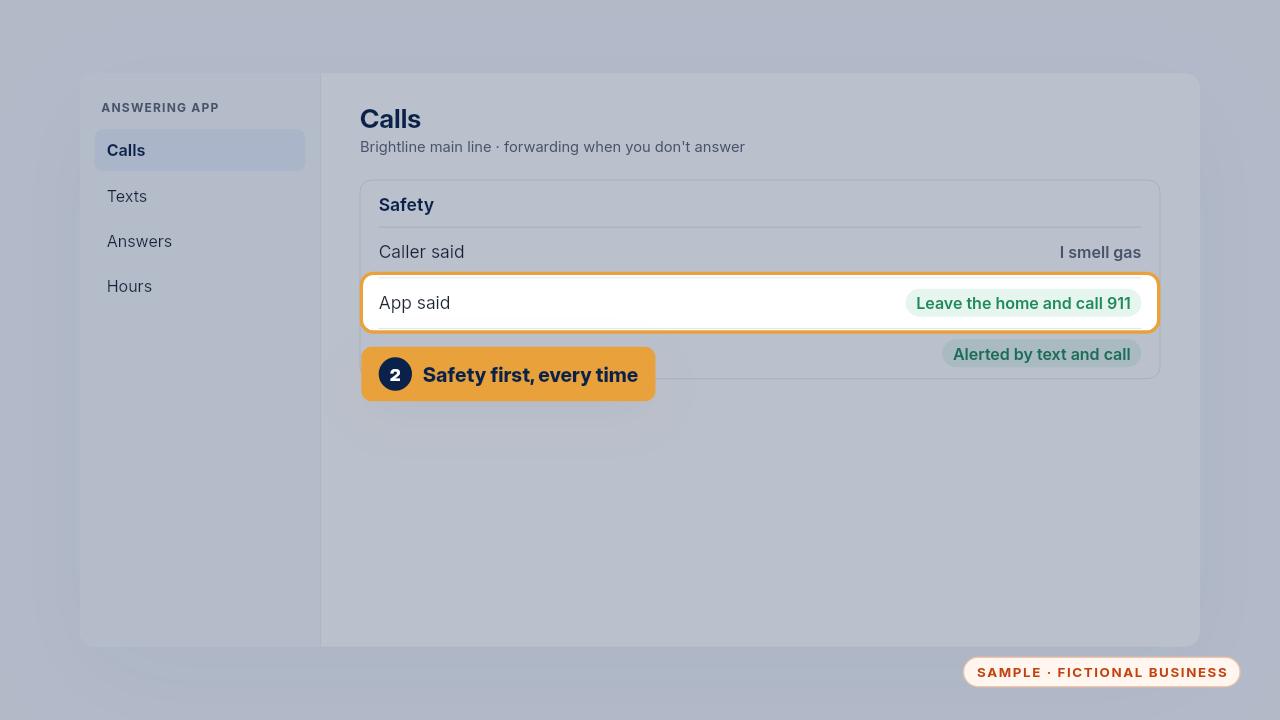
  29. Step 29: Safety comes first. A caller who smells gas or sees smoke is told to leave the home and call nine one one, and the owner is alerted by text and call.
    Safety comes first. A caller who smells gas or sees smoke is told to leave the home and call nine one one, and the owner is alerted by text and call.

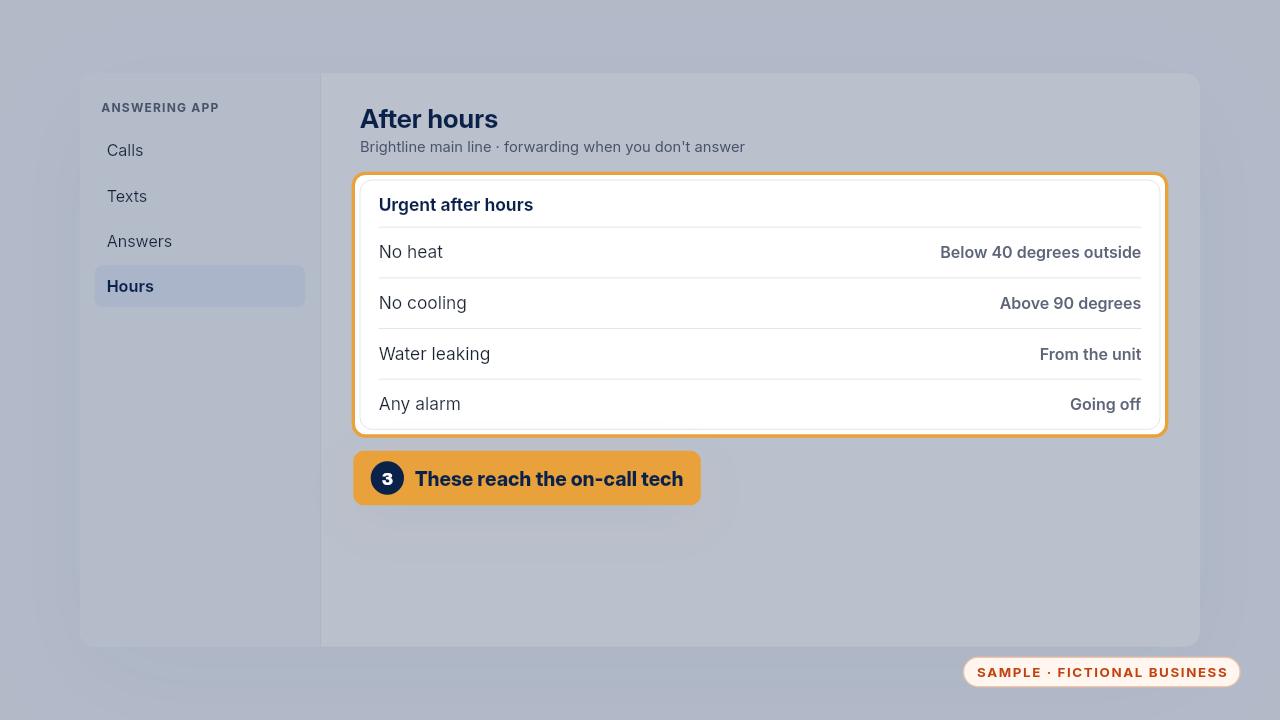
  30. Step 30: After hours, urgent means no heat below forty degrees, no cooling above ninety, water leaking from the unit, or an alarm going off. Those reach the on-call tech at once.
    After hours, urgent means no heat below forty degrees, no cooling above ninety, water leaking from the unit, or an alarm going off. Those reach the on-call tech at once.

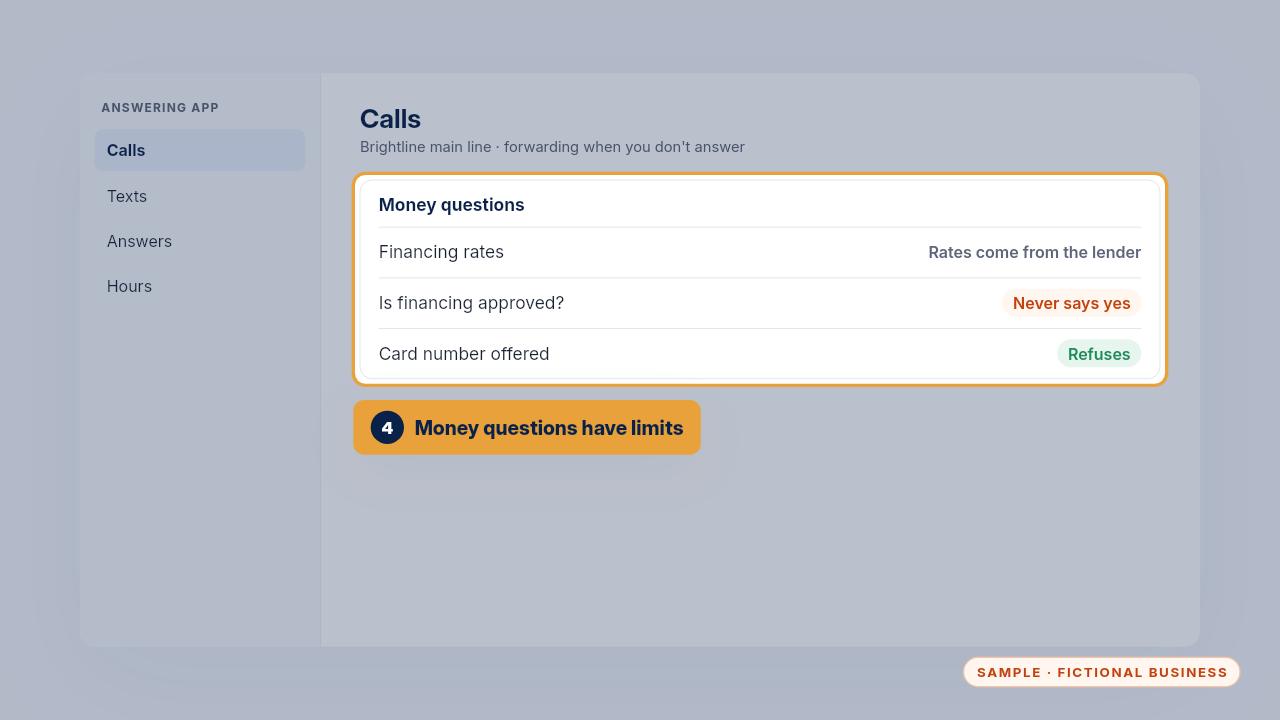
  31. Step 31: Asked about financing, it says rates come from the lender and offers the free estimate, and it never says financing is approved. Offered a card number, it refuses.
    Asked about financing, it says rates come from the lender and offers the free estimate, and it never says financing is approved. Offered a card number, it refuses.

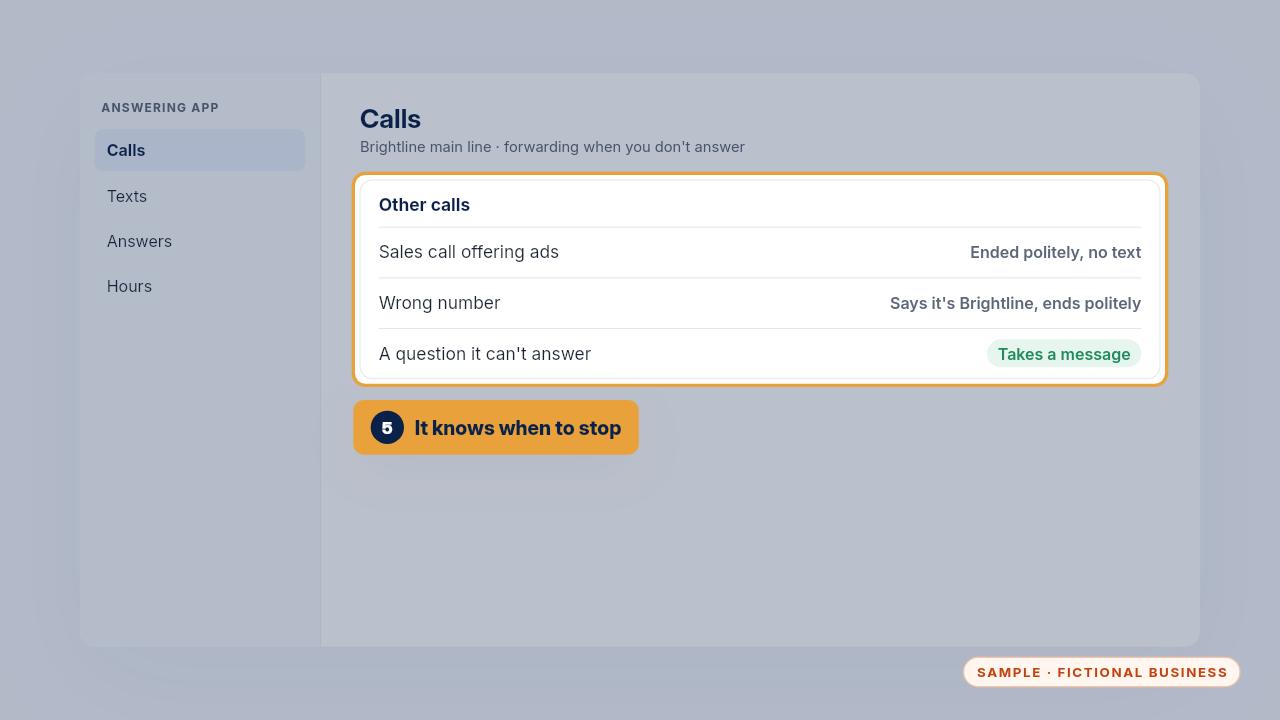
  32. Step 32: Sales calls and wrong numbers get a polite goodbye and no text. A question it can't answer becomes a message, so you can call back.

    Sales calls and wrong numbers get a polite goodbye and no text. A question it can't answer becomes a message, so you can call back.

  33. Privacy rules

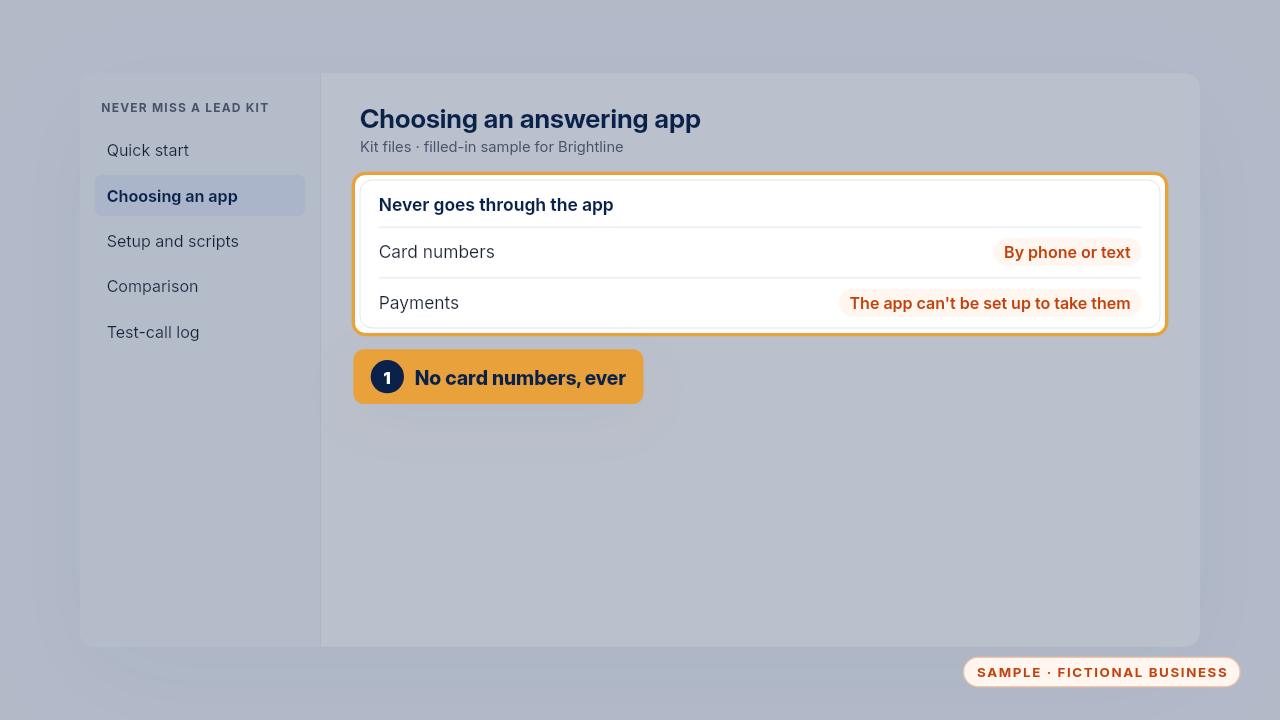
    Step 33: Card numbers never go through the app, by phone or by text. Check before you sign up that it can't be set up to take payments.
    Card numbers never go through the app, by phone or by text. Check before you sign up that it can't be set up to take payments.

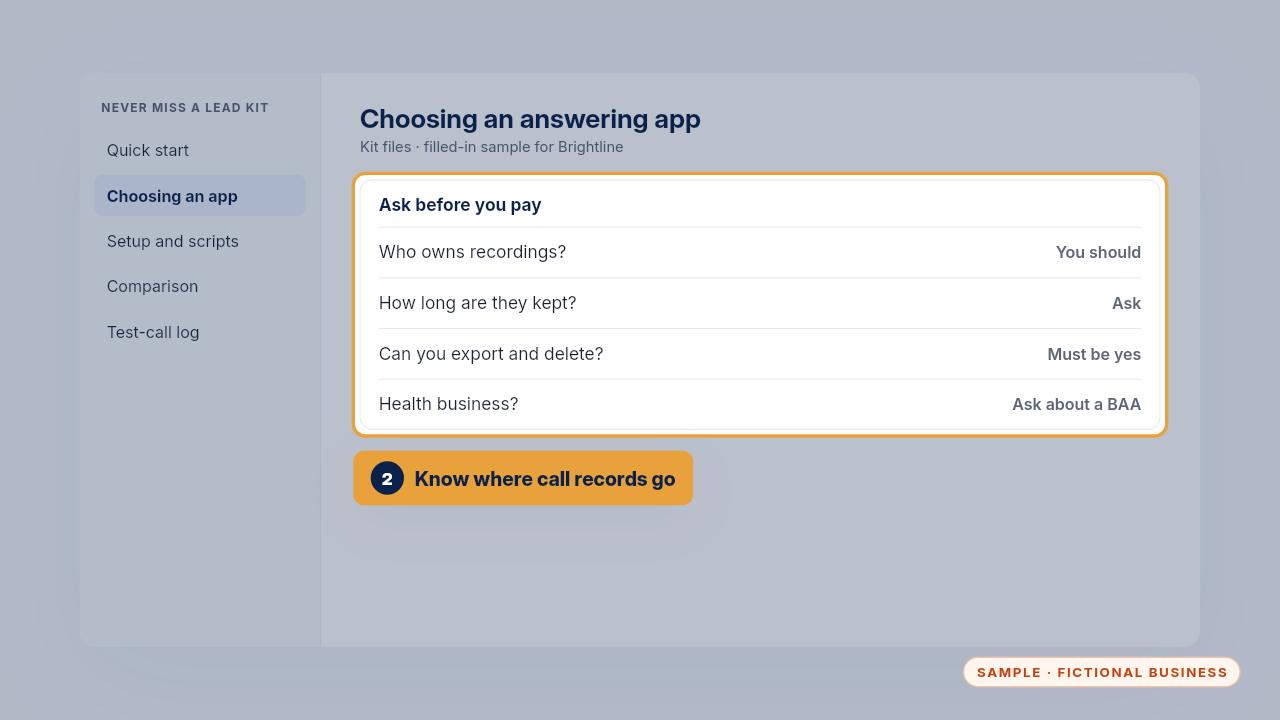
  34. Step 34: Ask who owns recordings and transcripts, how long they're kept, and how to export or delete them. Health businesses should also ask whether the app will sign a Business Associate Agreement.
    Ask who owns recordings and transcripts, how long they're kept, and how to export or delete them. Health businesses should also ask whether the app will sign a Business Associate Agreement.

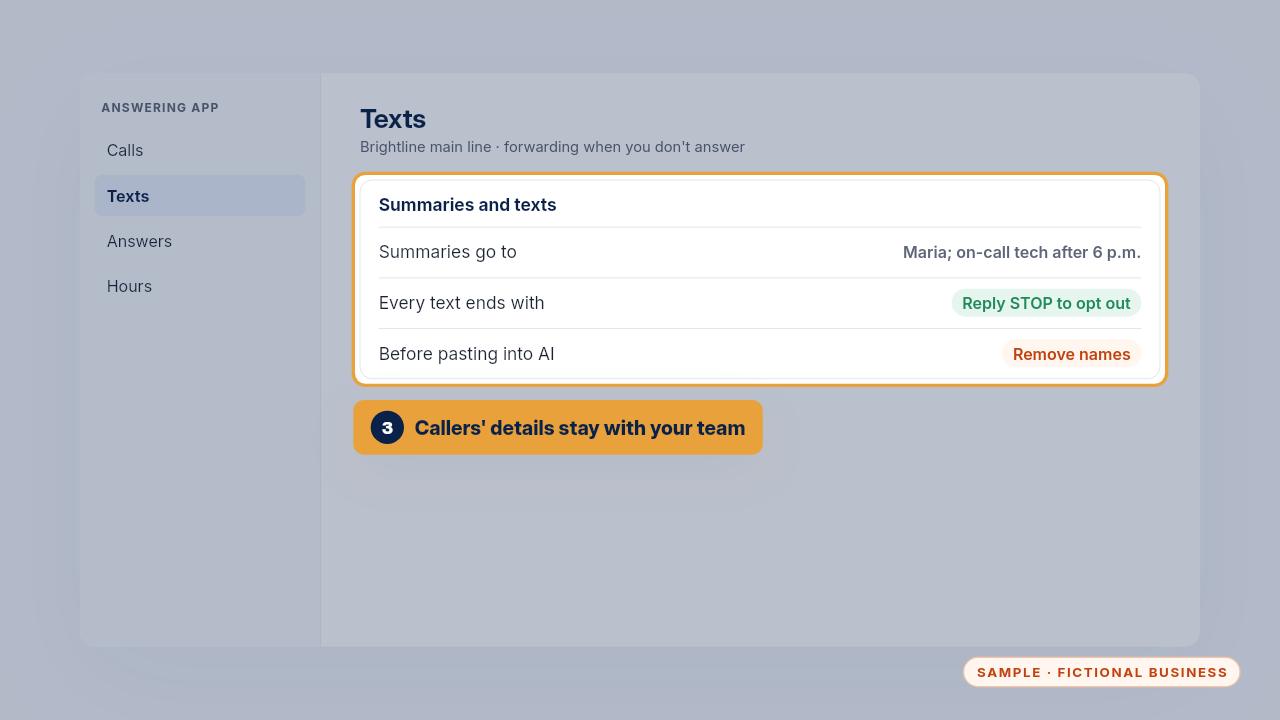
  35. Step 35: Summaries hold callers' names and numbers, so send them only to the people who call back. Remove names before you paste summaries into any AI tool, and keep the STOP line on every text.

    Summaries hold callers' names and numbers, so send them only to the people who call back. Remove names before you paste summaries into any AI tool, and keep the STOP line on every text.

  36. The weekly 5-minute check

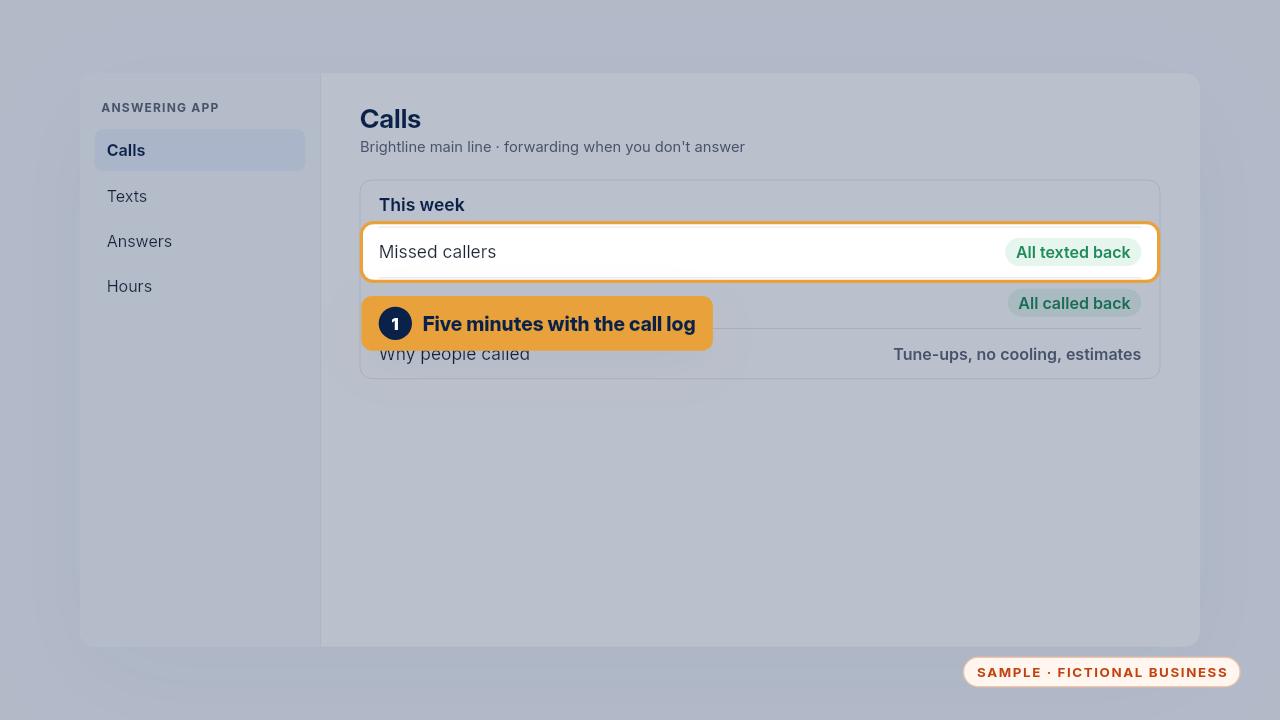
    Step 36: Once a week, take five minutes with the call log. Check every missed caller got a text, and everyone marked needs a person got a call back.
    Once a week, take five minutes with the call log. Check every missed caller got a text, and everyone marked needs a person got a call back.

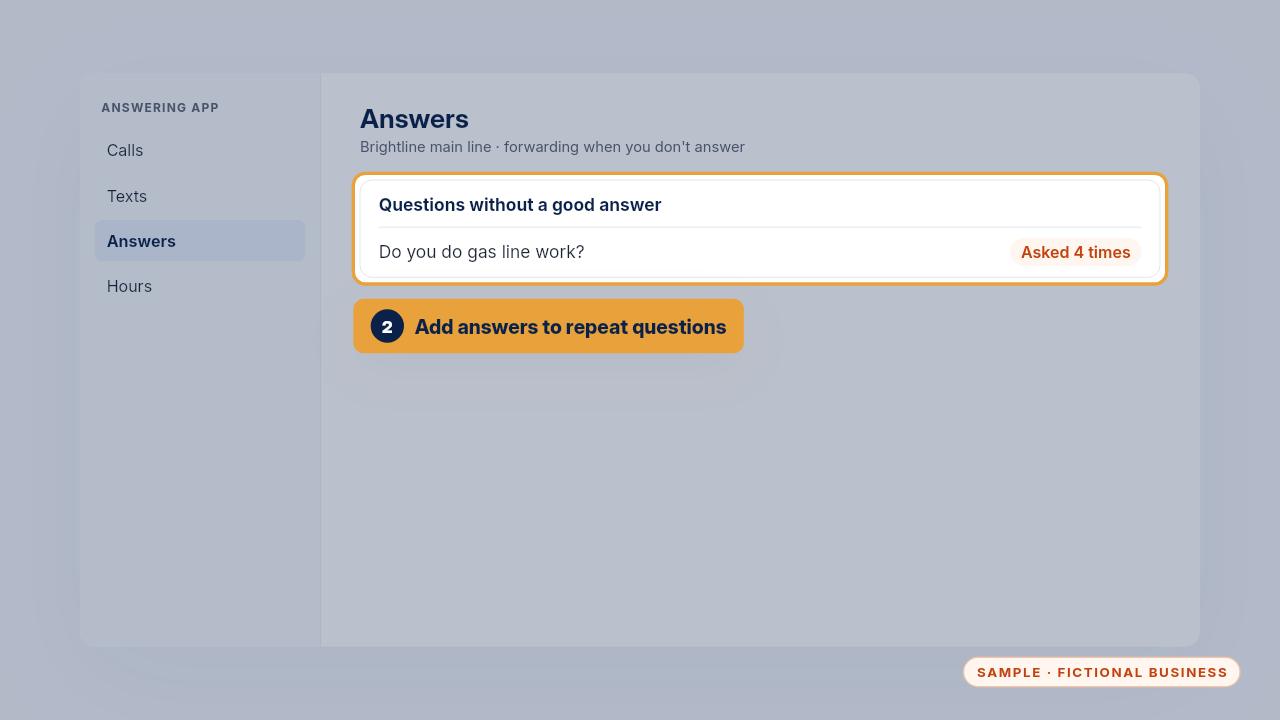
  37. Step 37: Look at why people called. When one question keeps coming up without a good answer, add it. In the sample, callers asked about gas line work four times in a month, so that answer went in.
    Look at why people called. When one question keeps coming up without a good answer, add it. In the sample, callers asked about gas line work four times in a month, so that answer went in.

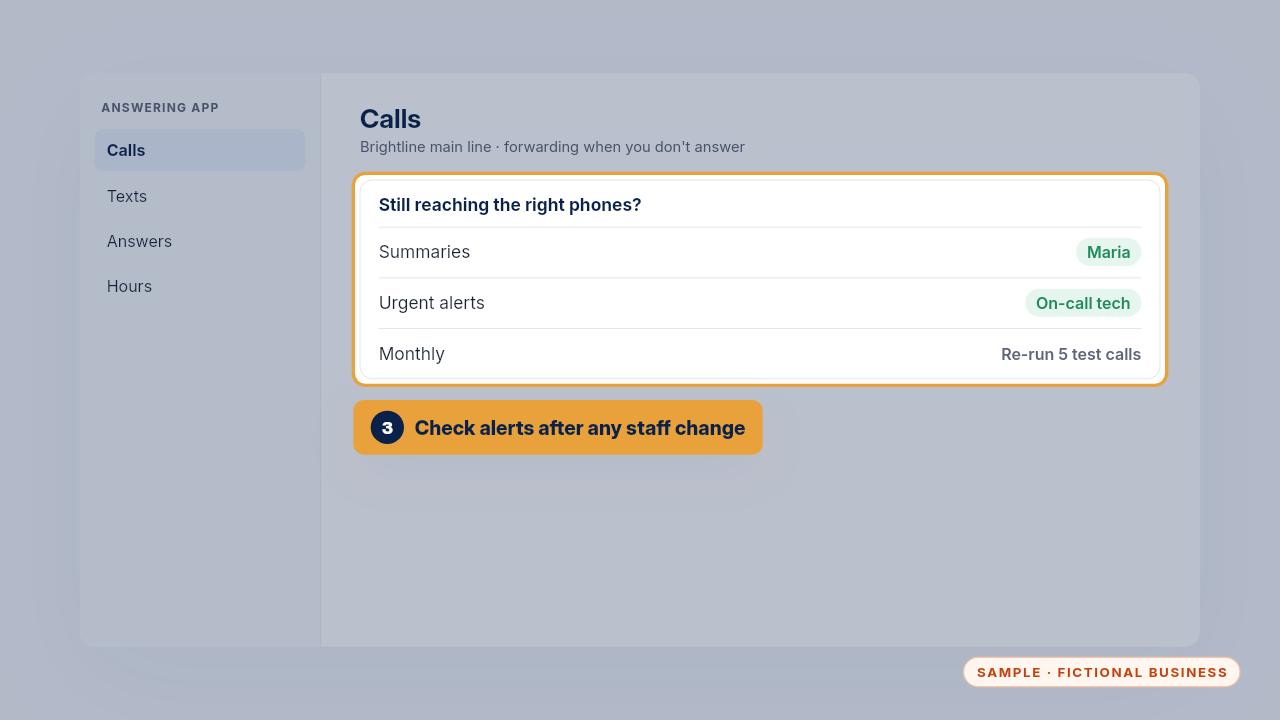
  38. Step 38: Check that summaries and urgent alerts still reach the right phones, especially after a staff change. Once a month, and after any change, re-run five of the test calls.
    Check that summaries and urgent alerts still reach the right phones, especially after a staff change. Once a month, and after any change, re-run five of the test calls.

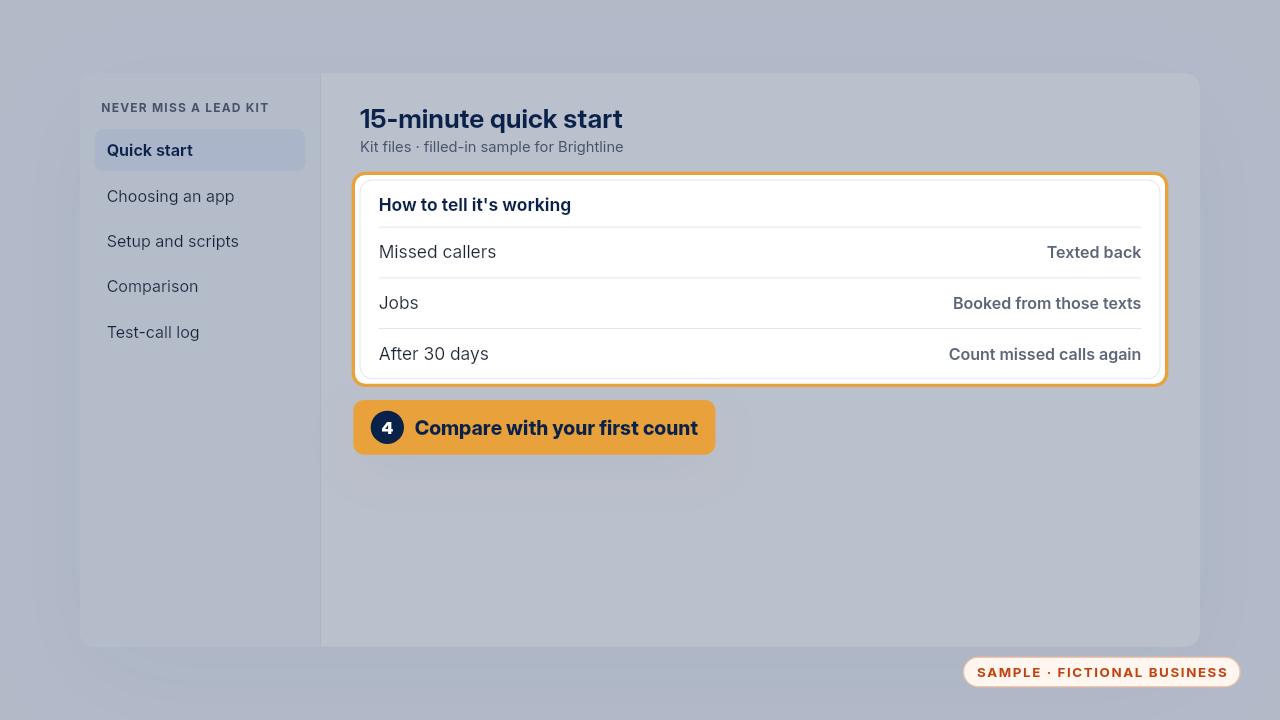
  39. Step 39: It's working when missed callers get texted back and jobs get booked from those texts. After thirty days, count your missed calls again and compare with the number you wrote down at the start.
    It's working when missed callers get texted back and jobs get booked from those texts. After thirty days, count your missed calls again and compare with the number you wrote down at the start.

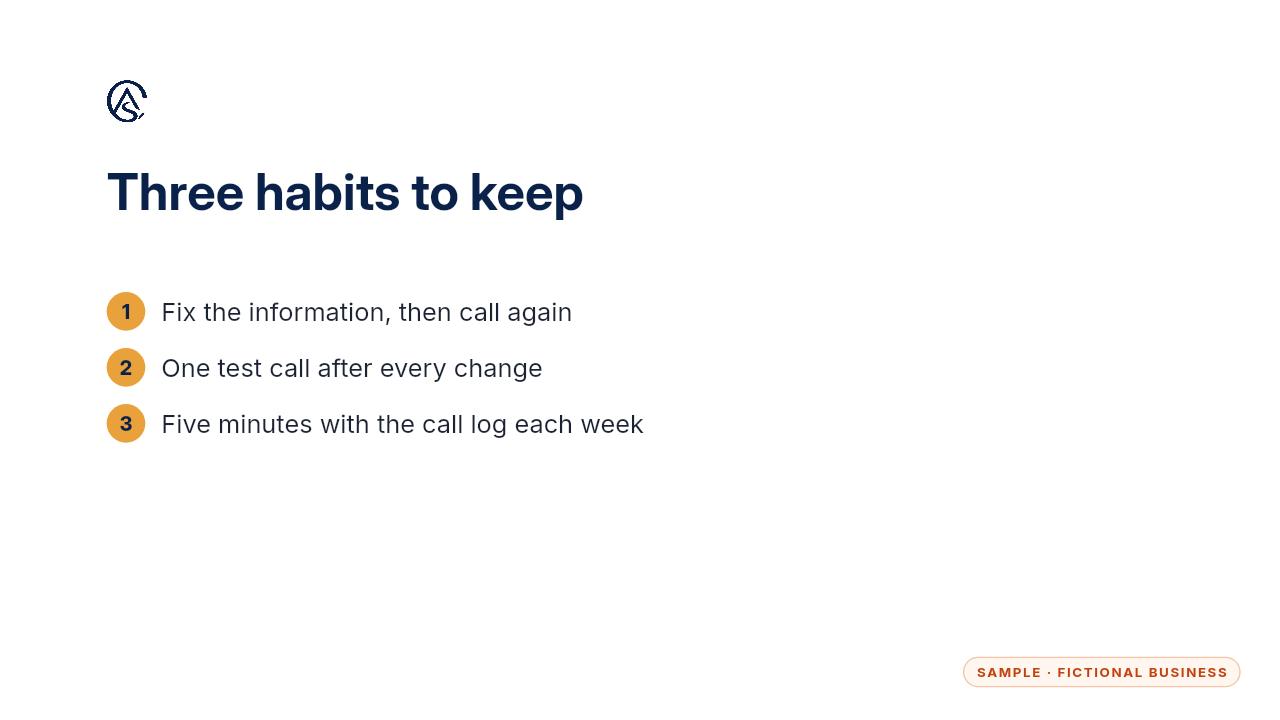
  40. Step 40: Fix the information, test after every change, and give the call log five minutes a week.

    Fix the information, test after every change, and give the call log five minutes a week.

Get the Never Miss a Lead

Missed calls answered and texted back, in an app you own. Every Kit and Install comes with these videos, and an Install adds a walkthrough made from your own setup.