
How-to guides · Safe AI Kit · How do I
How do I make our chat assistant say it's AI?
Paste the instructions so it says it's automated and offers a person.
Narrated video with captions, 37 s. Made with a fictional company, Brightline Heating & Air (sample · fictional business). Read the transcript · Download the step-by-step PDF
Step by step
Rule six of your policy says assistants that talk to customers say they're AI and offer a person.
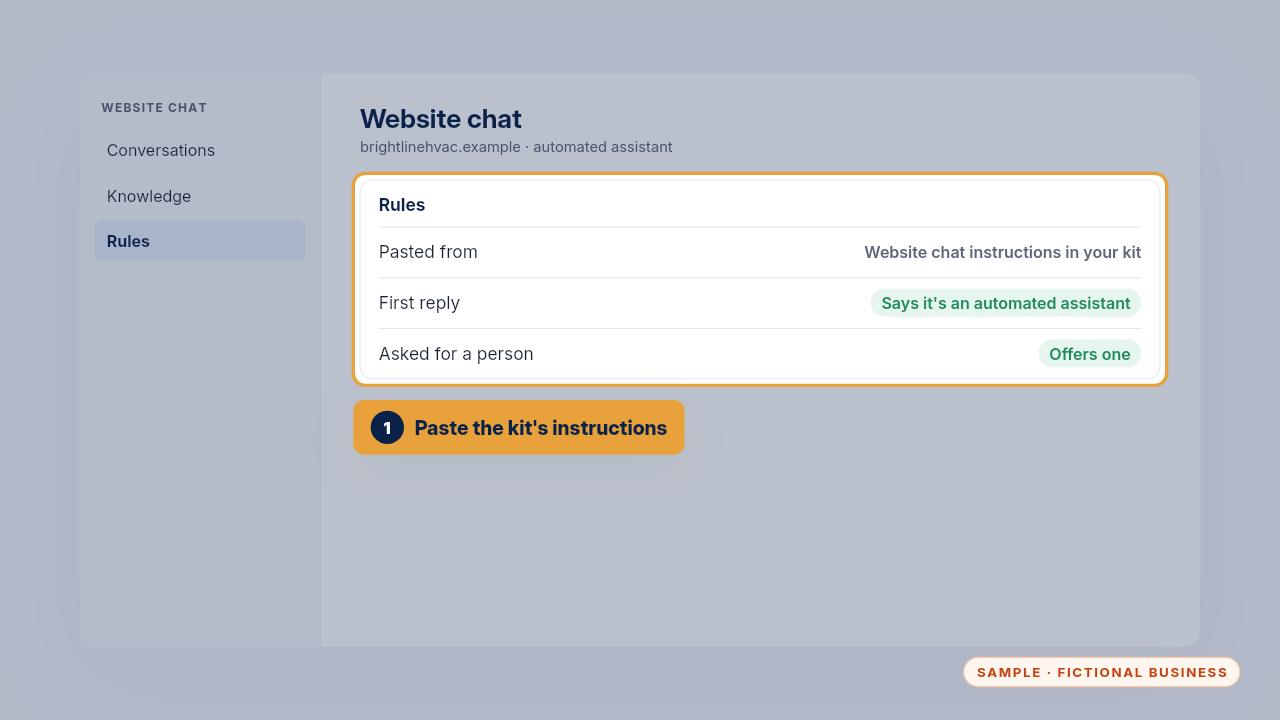
Paste the website chat instructions from your kit where your chat tool takes rules. They tell it to say it's an automated assistant in its first reply, and to offer a person whenever someone asks.
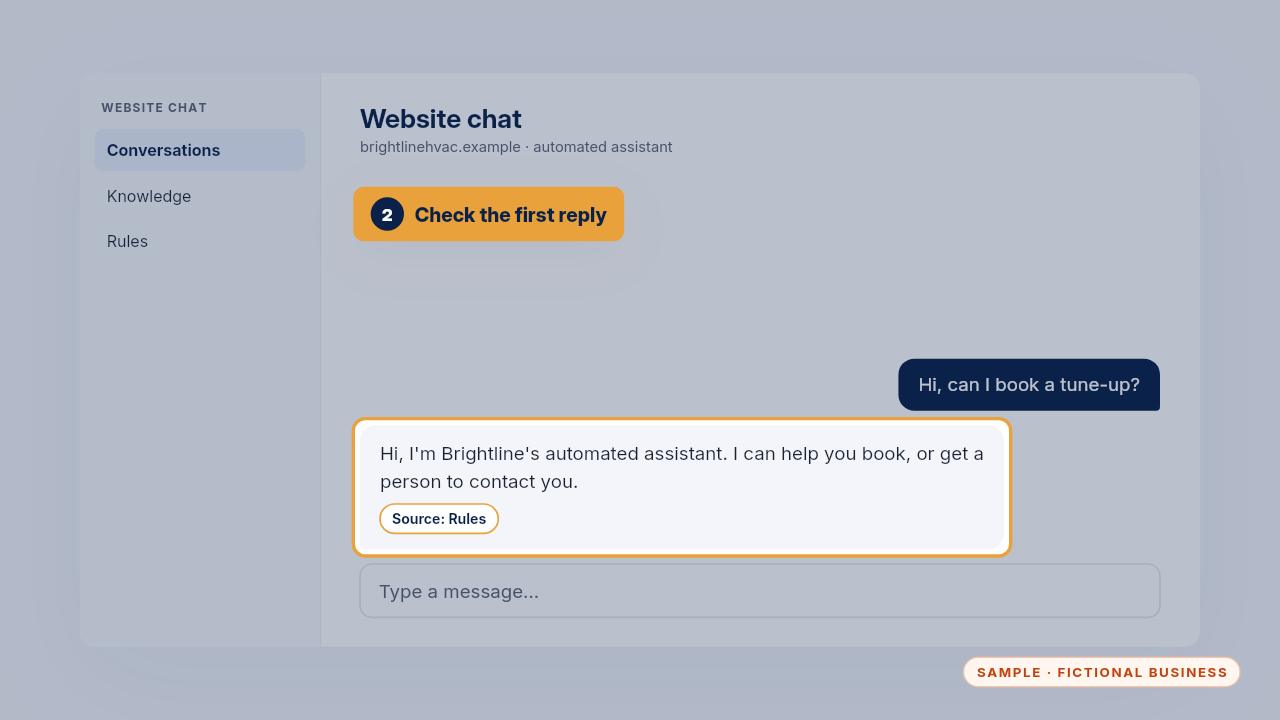
Test it from your phone. The first reply should say it's automated. For your phone answering app, the greeting should say the caller is talking with an AI assistant.
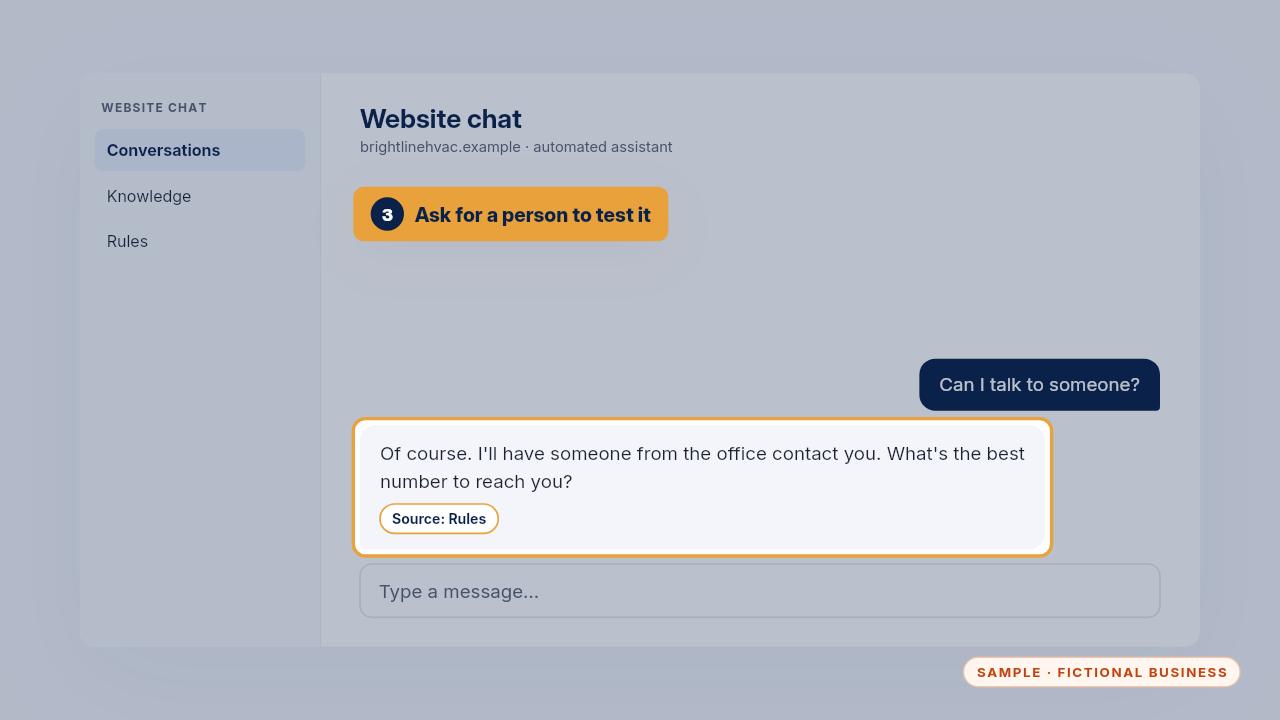
Then ask it for a person. It should offer one straight away and take your details, without trying to keep you in the chat.
Get the Safe AI Kit
Clear AI rules your whole team can follow. Every Kit and Install comes with these videos, and an Install adds a walkthrough made from your own setup.